Property Management Software

Best Residential Property Management Software in 2025

photo of Miles Lerner, Blog Post Author
Miles Lerner

Spreadsheets and Venmo Work Until They Do Not

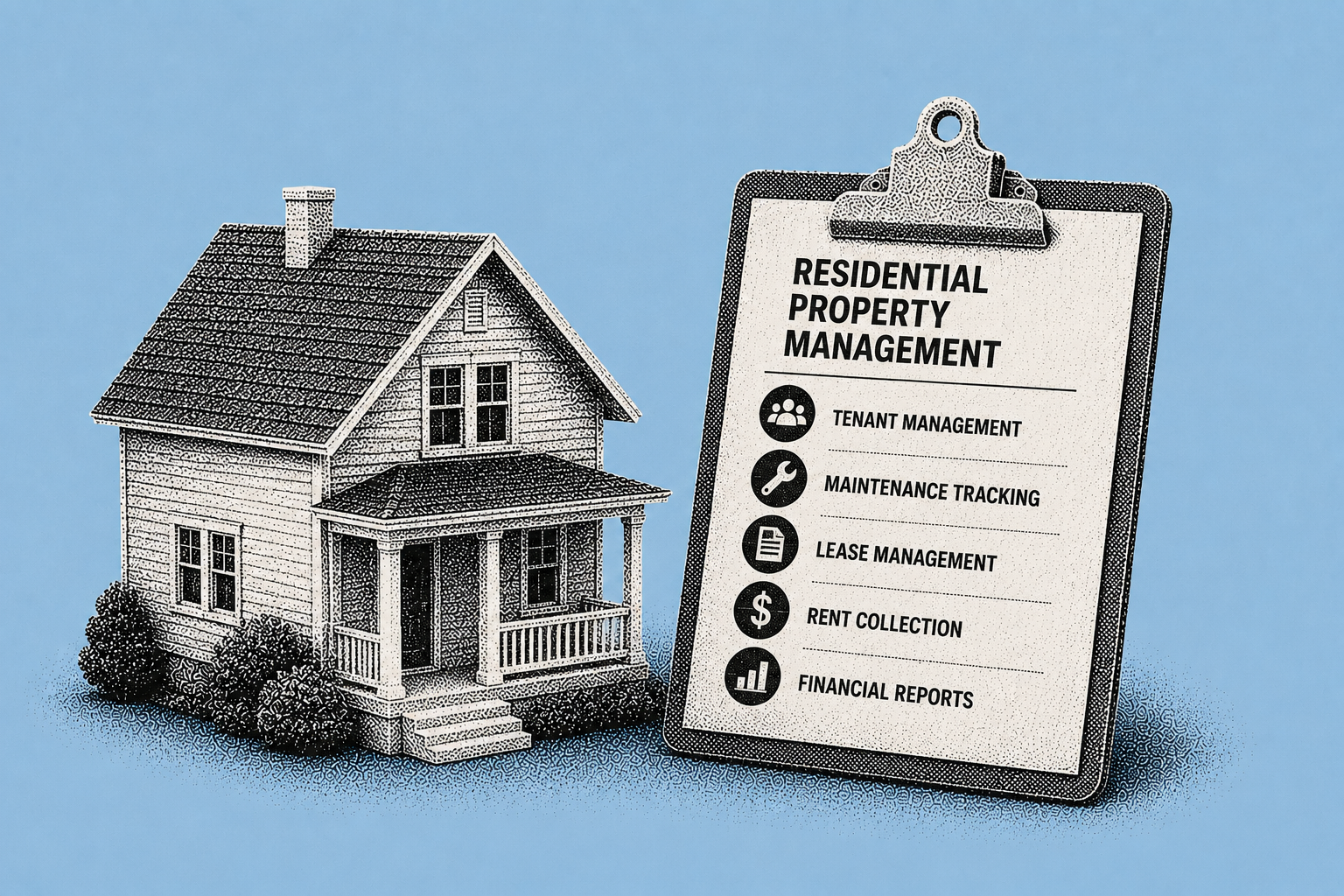
The moment you are managing late rent, repair requests, lease renewals, and tax receipts across multiple units, "good enough" systems start costing real time and money. That is why more independent landlords are looking for residential property management software that handles the basics without enterprise pricing or complexity.

Small landlords are not a niche. Nearly 46% of U.S. rental units are in properties with one-to-four units, and roughly 70% of those are owned by individual investors, often self-managing. With operating costs rising and rents under pressure, efficiency matters more than ever.

Note: This article provides general education about residential property management software options. Pricing, features, and terms change frequently. Verify current details directly with each platform.

Six Must-Have Features

1) Online rent collection (with automation). Online rent collection with autopay and automatic reminders reduces friction and helps stabilize cash flow.

2) Tenant screening that is consistent and defensible. Screening tools help standardize decision-making and reduce risk. Eviction is often cited around $3,500 per case in industry reporting, making better screening economics hard to ignore.

3) Lease management (templates, e-sign, renewals). Digital lease storage, e-signature, and renewal reminders reduce "calendar chaos."

4) Maintenance tracking. Centralizes requests, keeps a time-stamped record, and reduces repeat follow-ups. Only 16.2% of landlords report using digital systems for maintenance tracking per Avail's 2026 survey, suggesting a big opportunity.

5) Expense tracking (tax-ready records). Helps you categorize costs, measure property performance, and keep cleaner records.

6) Tenant communication (a single, searchable channel). A built-in message hub keeps communication documented and searchable.

Comparison: Buildium vs. TurboTenant vs. RentRedi vs. Shuk

Buildium. Feature-rich, often best for larger portfolios or managers who want deep accounting and workflows. Pricing starts around $55/month (Essential) up to roughly $400/month (Premium). ACH fees vary by plan.

TurboTenant. Popular with first-time landlords because a freemium tier lowers the barrier to entry. Free tier; roughly $149/year (Essentials) to roughly $199/year (Pro). Payment processing and support experiences vary.

RentRedi. Mobile-first and generally affordable. Roughly $12/month billed annually. Rent collection with convenience fees; maintenance requests via app.

Shuk Rentals. Purpose-built for landlords under 100 units. $5 per unit per month with no setup fees and zero ACH transaction fees. Differentiators: Lease Indication Tool (LIT) for early renewal intelligence, Two-Way Reviews, Year-Round Marketing, and White Glove Onboarding included at no additional cost.

Why Shuk Stands Out

Shuk's zero ACH transaction fee rent collection is a practical advantage for portfolios where every recurring fee hits your bottom line. White Glove Onboarding accelerates real adoption instead of shelfware. And Shuk is purpose-built for portfolios under 100 units, which means product decisions and support are aligned with how independent owners actually operate.

Frequently Asked Questions

Which software is best for 1 to 5 units?

Prioritize simplicity: rent collection, screening, and lease storage. A demo or trial matters because you will know fast if tenants will use it. At this size, fee transparency is critical since transaction fees on a small portfolio can exceed subscription costs.

When does Buildium make more sense than Shuk?

Buildium is often the better fit for larger portfolios (50+ units) or property managers who need deep accounting, custom workflows, and integrations. For landlords under 100 units who prioritize cost clarity and fast setup, Shuk is purpose-built for that stage.

Do I really need maintenance tracking software?

With only 16.2% of landlords using digital maintenance tracking, most are still handling repairs through texts and calls. A single documented channel reduces follow-ups, supports deposit deductions at move-out, and improves tenant satisfaction, which is strongly linked to renewals.

What to Do Next

At $5 per unit per month with no setup fees, zero ACH transaction fees, and White Glove Onboarding included at no additional cost, Shuk is built for small residential landlords who want predictable costs and fast setup.

Book a demo at shukrentals.com/book-a-demo to see how Shuk compares for your portfolio.

QUICK VIEW
Stop Reacting to Vacancies. Start Seeing Them Coming.

Shuk helps landlords and property managers get ahead of vacancies, improve renewal visibility, and bring more predictability to every lease cycle.

Book a free 20-min demo to see Shuk today.

Stay in the Shuk Loop

Spreadsheets and Venmo Work Until They Do Not

The moment you are managing late rent, repair requests, lease renewals, and tax receipts across multiple units, "good enough" systems start costing real time and money. That is why more independent landlords are looking for residential property management software that handles the basics without enterprise pricing or complexity.

Small landlords are not a niche. Nearly 46% of U.S. rental units are in properties with one-to-four units, and roughly 70% of those are owned by individual investors, often self-managing. With operating costs rising and rents under pressure, efficiency matters more than ever.

Note: This article provides general education about residential property management software options. Pricing, features, and terms change frequently. Verify current details directly with each platform.

Six Must-Have Features

1) Online rent collection (with automation). Online rent collection with autopay and automatic reminders reduces friction and helps stabilize cash flow.

2) Tenant screening that is consistent and defensible. Screening tools help standardize decision-making and reduce risk. Eviction is often cited around $3,500 per case in industry reporting, making better screening economics hard to ignore.

3) Lease management (templates, e-sign, renewals). Digital lease storage, e-signature, and renewal reminders reduce "calendar chaos."

4) Maintenance tracking. Centralizes requests, keeps a time-stamped record, and reduces repeat follow-ups. Only 16.2% of landlords report using digital systems for maintenance tracking per Avail's 2026 survey, suggesting a big opportunity.

5) Expense tracking (tax-ready records). Helps you categorize costs, measure property performance, and keep cleaner records.

6) Tenant communication (a single, searchable channel). A built-in message hub keeps communication documented and searchable.

Comparison: Buildium vs. TurboTenant vs. RentRedi vs. Shuk

Buildium. Feature-rich, often best for larger portfolios or managers who want deep accounting and workflows. Pricing starts around $55/month (Essential) up to roughly $400/month (Premium). ACH fees vary by plan.

TurboTenant. Popular with first-time landlords because a freemium tier lowers the barrier to entry. Free tier; roughly $149/year (Essentials) to roughly $199/year (Pro). Payment processing and support experiences vary.

RentRedi. Mobile-first and generally affordable. Roughly $12/month billed annually. Rent collection with convenience fees; maintenance requests via app.

Shuk Rentals. Purpose-built for landlords under 100 units. $5 per unit per month with no setup fees and zero ACH transaction fees. Differentiators: Lease Indication Tool (LIT) for early renewal intelligence, Two-Way Reviews, Year-Round Marketing, and White Glove Onboarding included at no additional cost.

Why Shuk Stands Out

Shuk's zero ACH transaction fee rent collection is a practical advantage for portfolios where every recurring fee hits your bottom line. White Glove Onboarding accelerates real adoption instead of shelfware. And Shuk is purpose-built for portfolios under 100 units, which means product decisions and support are aligned with how independent owners actually operate.

Frequently Asked Questions

Which software is best for 1 to 5 units?

Prioritize simplicity: rent collection, screening, and lease storage. A demo or trial matters because you will know fast if tenants will use it. At this size, fee transparency is critical since transaction fees on a small portfolio can exceed subscription costs.

When does Buildium make more sense than Shuk?

Buildium is often the better fit for larger portfolios (50+ units) or property managers who need deep accounting, custom workflows, and integrations. For landlords under 100 units who prioritize cost clarity and fast setup, Shuk is purpose-built for that stage.

Do I really need maintenance tracking software?

With only 16.2% of landlords using digital maintenance tracking, most are still handling repairs through texts and calls. A single documented channel reduces follow-ups, supports deposit deductions at move-out, and improves tenant satisfaction, which is strongly linked to renewals.

What to Do Next

At $5 per unit per month with no setup fees, zero ACH transaction fees, and White Glove Onboarding included at no additional cost, Shuk is built for small residential landlords who want predictable costs and fast setup.

Book a demo at shukrentals.com/book-a-demo to see how Shuk compares for your portfolio.

{

  "@context": "https://schema.org",

  "@type": "FAQPage",

  "mainEntity": [

    {

      "@type": "Question",

      "name": "Which property management software is best for 1 to 5 units?",

      "acceptedAnswer": {

        "@type": "Answer",

        "text": "Prioritize simplicity including rent collection, screening, and lease storage. At this size fee transparency is critical since transaction fees on a small portfolio can exceed subscription costs."

      }

    },

    {

      "@type": "Question",

      "name": "When does Buildium make more sense than Shuk?",

      "acceptedAnswer": {

        "@type": "Answer",

        "text": "Buildium is often the better fit for larger portfolios of 50 or more units or property managers who need deep accounting, custom workflows, and integrations. For landlords under 100 units who prioritize cost clarity and fast setup Shuk is purpose-built for that stage."

      }

    },

    {

      "@type": "Question",

      "name": "Do landlords really need maintenance tracking software?",

      "acceptedAnswer": {

        "@type": "Answer",

        "text": "With only 16.2 percent of landlords using digital maintenance tracking most are still handling repairs through texts and calls. A single documented channel reduces follow-ups, supports deposit deductions, and improves tenant satisfaction which is strongly linked to renewals."

      }

    }

  ]

}

Stop Reacting to Vacancies. Start Seeing Them Coming.

Shuk helps landlords and property managers get ahead of vacancies, improve renewal visibility, and bring more predictability to every lease cycle.

Book a demo to get started with a free trial.

Stay in the Shuk Loop

View Similar Articles

View Similar Articles

All Articles
Tenant Screening Hub
Best Tenant Screening Services for Independent Landlords

Why Screening Is No Longer Optional

Independent landlords have always needed to verify applicants. In 2026, that verification step is harder and more expensive to skip. One poor placement can trigger months of nonpayment, legal fees, property damage, and vacancy downtime. Industry estimates put the total cost of an eviction in the $3,500 to $10,000 range, with some high-cost markets exceeding that when timelines drag and legal complexity rises.

At the same time, rental application fraud is surging. A major industry survey by RealPage found 75% of housing professionals reported an increase in rental fraud, yet only 17% had a comprehensive prevention program. The most common issues hide behind applications that look clean on the surface: manipulated identity information, misrepresented income, and identity theft.

Screening is also a regulated, compliance-heavy activity. Federal regulators have repeatedly emphasized accuracy and proper matching methods under the Fair Credit Reporting Act (FCRA), including warnings against name-only matching that can produce false hits and harm consumers. Meanwhile, HUD has reiterated that blanket screening policies, especially around criminal records, can create discriminatory effects under the Fair Housing Act if they are not evidence-based and individually assessed.

Note: This article provides general education about tenant screening, not legal advice. FCRA, Fair Housing, and state-specific screening rules are detailed and change. Before setting screening criteria or handling adverse action, confirm your obligations with a qualified attorney.

What "Best" Tenant Screening Actually Means

"Best tenant screening service" does not mean the cheapest report or the strictest criteria. For independent landlords, "best" typically means five outcomes working together.

Accuracy you can defend. Screening data is not immune to errors. The Urban Institute has documented that over 20% of eviction records reported are false in some contexts, often due to matching problems, incomplete court data, or outdated entries. If you rely on low-quality data, you can deny good applicants, invite disputes, or trigger compliance headaches.

Fraud resistance. With identity and income manipulation rising, tools that verify identity and reduce document tampering matter just as much as a credit score.

Speed without shortcuts. Automation can reduce time-to-lease and labor costs, which helps minimize vacancy. One industry analysis found automation can cut time-to-lease nearly 50% and reduce screening labor costs by 34%. But speed must not compromise compliance. Sloppy matching or missing adverse action notices create risk.

Compliance support built in. FCRA requires disclosures, applicant authorization, and proper adverse action steps when you deny or conditionally approve based on a consumer report. Regulators have increased scrutiny of background screening accuracy and disclosure practices.

A workflow your future self will thank you for. Mobile-friendly applications, integrated document collection, and clear audit trails matter when you are juggling showings, maintenance, and bookkeeping.

The strongest screening services combine bureau-grade credit data, clear rental risk indicators, identity verification, and an automated path for compliance steps. When evaluating any provider, ask whether it uses robust matching (not name-only), clearly explains its data sources and coverage, and supports the full FCRA adverse action workflow.

Step-by-Step: How to Evaluate, Choose, and Implement the Right Service

1) Set Written Screening Criteria Before You Shop

The best screening tool cannot fix inconsistent decision-making. Start with written criteria that are objective, property-specific, and applied consistently. This lowers risk of Fair Housing disputes and helps you evaluate screening products based on what you truly need.

What to define:

  • Income standard. Verified gross income of at least 3x rent (or your state-allowed alternative). Some states limit income multipliers or how they are applied, so confirm local rules.
  • Credit and risk policy. Instead of only a generic credit score, consider whether the provider offers renter-focused risk measures designed to predict eviction risk more accurately than standard credit scoring.
  • Rental history standard. No unpaid landlord judgments in the last several years, but recognize eviction data can be incomplete or inaccurate in some jurisdictions.
  • Criminal background standard (if used). HUD has warned that blanket bans can have discriminatory effects. A policy should consider nature, severity, and recency and be tied to legitimate safety or property interests.

2) Prioritize Accuracy and Matching Standards

Tenant screening errors are not rare edge cases. The Urban Institute has found a meaningful share of eviction records are false in reporting ecosystems. Regulators have also focused on matching methods. The CFPB has emphasized that name-only matching can violate FCRA expectations and increase false identifications, pushing the industry toward stronger identifier matching and accuracy controls.

When evaluating services, ask:

  • How do you match records? Do they use multiple identifiers (SSN, DOB, address history) rather than just a name?
  • How do you handle incomplete court data? Eviction data varies by county and state; a service should explain coverage and limitations rather than implying total certainty.
  • How are disputes handled? FCRA expects mechanisms for consumers to dispute inaccurate information.

3) Address the Fraud Wave with Identity and Income Verification

Fraud has moved from occasional to mainstream. Traditional screening (credit plus background) may not catch forged paystubs, altered bank statements, or synthetic identities. Look for features such as identity verification (IDV) that checks whether the applicant is a real person and whether identifiers align, income verification workflows with automated collection and validation, and application consistency checks that flag mismatched addresses or unverifiable employers.

4) Compare Screening Service Models

Independent landlords generally encounter screening services in five models. Use this framework to compare what each category typically offers.

Credit bureau-powered screening platforms often offer credit, eviction, and risk scoring based on bureau and rental data. They tend to have the strongest matching and compliance workflows but may cost more per report.

Association-based screening through membership organizations offers reports and forms, often at lower cost, but may have limited data depth or compliance tooling.

Background-check specialists focus on deep criminal searches but may be weaker on rental risk scoring or workflow integration.

Property management software with built-in screening embeds screening in broader rent collection and maintenance tools. This model reduces tool-switching and keeps screening data alongside your leasing and accounting workflow.

Point-solution tools handle applications and screening only. They may lack integrations with your other systems.

The "best" service for you is the one that meets your required data depth, reduces manual work, and keeps you compliant. If you self-manage and want consistent results, prioritize platforms that combine bureau-grade data, fraud controls, and compliance workflows in one place, then confirm they integrate with your leasing and bookkeeping tools.

5) Understand Pricing Models and Calculate the Real Cost Per Placement

Tenant screening is usually priced one of three ways: per-applicant reports (tenant-paid or landlord-paid), bundle tiers (basic, standard, premium), or subscription plus discounted reports.

The real cost is not the $25 to $45 report fee. It is the cost of errors and delays. Eviction costs can land between $3,500 and $10,000 per event, and eviction-related losses often include two to three months of rent. Fraud can also materially impact property income; RealPage estimates fraud-related losses can reach 10 to 20% of property income in affected contexts.

Compute ROI using expected loss avoidance (eviction plus fraud plus vacancy time), not just report price. Even one avoided bad placement can pay for several years of screening.

6) Build Compliance into Your Workflow

Tenant screening is regulated because it affects access to housing. Your service choice should make compliance easier, not harder.

Fair Housing Act (HUD). HUD has warned that screening practices, including those powered by algorithms, can create discriminatory effects if they are not justified and consistently applied. Criminal record policies in particular must avoid blanket bans and should consider individualized factors.

FCRA (CFPB focus). The CFPB has highlighted concerns about inaccurate reporting and improper matching practices. If you use a consumer report to deny or require extra conditions (higher deposit, guarantor, etc.), you generally must provide an adverse action notice and required disclosures.

State and local rules. Examples include New York's $20 cap on application and background check fees, California limitations on reporting certain older criminal information, and Colorado's rental application fairness requirements. Confirm your local rules before configuring your screening workflow.

7) Implement in 30 to 90 Days with a Pilot

Even if you are a one-person operation, implementation matters. A structured pilot reduces disruption and helps you validate that the service matches your properties and applicant pool.

  • Week 1 to 2: Configure property templates (income rules, occupancy limits, required documents). Load your written criteria.
  • Week 3 to 6: Pilot on new applicants only. Compare outcomes to your prior process: time-to-lease, number of incomplete applications, and how often you needed manual verification.
  • Week 7 to 12: Expand to all listings. Turn on integrations (lease signing, accounting export, CRM notes). Train any partners on how to read reports and document decisions.

Checklist: Must-Have Features

A) Data Quality and Coverage

  • Credit report uses major bureau data (ask which bureau)
  • Clear explanation of eviction and rental history coverage and limitations
  • Strong record matching (not name-only matching) aligned with CFPB accuracy expectations
  • Transparent dispute process for applicants

B) Fraud Prevention

  • Identity verification (ID plus SSN trace and address history consistency)
  • Income verification workflow (structured document collection and validation)
  • Flags for suspicious patterns (duplicate identities, inconsistent employer info)

C) Compliance Tools

  • Built-in applicant consent and disclosures (FCRA workflow)
  • Adverse action support (template plus tracking) when you deny or condition based on reports
  • Fair Housing-friendly configuration (avoids blanket criminal bans; supports individualized review)
  • State fee cap awareness and state reporting restrictions where applicable

D) Usability and Workflow

  • Mobile-friendly applicant experience (fewer incomplete applications)
  • Turnaround time meets your market needs
  • Integrations with leasing, accounting, or property management tools
  • Audit trail: who ran the report, when, and what criteria were applied

E) Cost and Fit

  • Pricing is clear (per applicant vs. subscription)
  • Option for applicant-paid reports if desired (confirm state rules)
  • Support quality: live help, clear documentation, and landlord training resources

Give each category a 1 to 5 score. Any "A" or "C" item that is missing is a deal-breaker. Accuracy and compliance are not optional. Shortlist only vendors scoring 4 or above in those two categories.

Frequently Asked Questions

How much screening is "enough" for a small landlord?

Enough screening is the minimum set that addresses your biggest risks: identity, ability to pay, and prior rental behavior. Given that 75% of housing professionals report rising fraud (per RealPage) and eviction costs range from $3,500 to $10,000, most independent landlords benefit from at least a credit report with a renter risk indicator, eviction and rental history where available, and identity verification.

Can I deny an applicant based on a criminal record?

Sometimes, but blanket bans are risky. HUD has cautioned that broad criminal record exclusions can create discriminatory effects and should consider the nature, severity, and recency of conduct, using individualized assessment where appropriate. Make sure your policy is written, consistently applied, and tied to legitimate housing interests.

Why do some screening reports show wrong evictions or mismatched records?

Eviction data can be messy, and research from the Urban Institute has documented that a significant portion of reported eviction records can be false in certain datasets. Poor matching (like name-only matching) increases false identifications. Regulators have emphasized that such practices can violate FCRA accuracy expectations. Choose services with stronger matching and clear dispute handling.

Should I use automation in screening?

Automation can reduce time-to-lease and labor costs, but you must ensure the workflow remains explainable and fair. HUD has emphasized that algorithmic tools in housing must be used in ways that avoid discriminatory outcomes and maintain transparency. A phased pilot approach is a practical way to validate impact before full rollout.

What to Do Next

If you self-manage rentals, the fastest way to upgrade screening is to treat it like a repeatable operating procedure. Write your criteria (income, rental history, risk score ranges, exceptions). Choose a service that prioritizes accuracy, strong matching, and a compliance workflow. Then add fraud controls like identity verification. Pilot for 30 to 90 days, track time-to-lease and issue rates, and refine your thresholds.

Shuk provides tenant screening through our partner (RentPrep/TransUnion), so you get credit, criminal, and eviction reports as part of your property management workflow without assembling piecemeal reports from multiple providers. Centralized in-app messaging keeps a time-stamped applicant communication record alongside the screening. Document storage organizes applications, authorizations, reports, and decision documentation in one place. And e-signature for the lease through our Adobe-powered integration means the transition from approved applicant to signed tenant happens in one connected system.

At $5 per unit per month with no setup fees, and with White Glove Onboarding included at no additional cost, Shuk makes structured, documented screening feasible for landlords and property managers running 1 to 100 units.

Book a demo at shukrentals.com/book-a-demo to see how screening, messaging, document storage, and e-signature work together so screening becomes a consistent, documented system instead of a one-off report.

Property Management Software
Rental Property Accounting for Multiple Owners: A Step-by-Step Guide

Rental Property Accounting for Multiple Owners

Strategic Flags

1. SOT violations (HEAVY). All stripped:

  • "Shuk's multi-owner features (owner-specific ledgers, automated owner statements, owner portals, and QuickBooks sync)." Per SOT, Shuk does NOT have: multi-owner accounting, owner portals, automated owner statements, or QuickBooks sync. These are fabricated features. Entire CTA rewritten.
  • "Explore Shuk's multi-owner accounting features and start a trial." Violates no-free-trial rule AND claims features that do not exist.
  • "Sync your books with QuickBooks for clean month-end closes." Not in SOT.

2. What Shuk DOES have that's relevant: This article is about multi-owner PM accounting, which is a use case Shuk supports through the April 2026 PM Update (third-party management, RBAC, multi-user workflows). But the specific accounting features claimed (owner ledgers, owner statements, owner portals, QuickBooks sync) are not confirmed in the SOT. The CTA is anchored to what Shuk actually offers: payment and income reports filterable by property/tenant/date, Schedule E-aligned expense organization, document storage, and multi-user workflows post-PM Update.

3. Voice fixes. Em dashes removed throughout. Citation numbers stripped (9 sources, mostly trust accounting blog posts). Source list stripped. Regulatory references (California Reg 2831.2, Florida escrow rules, North Carolina rules, Oregon requirements) kept as prose attribution.

4. Legal/financial disclaimer added. Trust accounting rules, tax reporting, 1099 obligations.

5. Category: Rental Management Guides.

Article Body

The Biggest Accounting Risk Is Not a Lost Receipt

When you manage rentals for multiple owners, the biggest accounting risk is not a lost receipt. It is mixing things that should never touch: owner funds, property activity, and bank balances. That is where rental property accounting breaks down. Rent hits one deposit, repairs get paid from another account, and by month-end you are explaining to Owner B why their distribution is short because Owner A had an HVAC emergency.

This commingled approach creates three predictable problems.

First, it can violate trust/escrow handling rules. Many states expect strict separation, audit-ready records, and monthly reconciliation, and penalties can include fines or license action.

Second, it causes operational drag. Messy spreadsheets, duplicated data entry, and constant backtracking when a transaction was coded to the wrong owner.

Third, it strains relationships. Nothing damages trust faster than unclear balances and late, inconsistent owner statements.

Here is the good news: you can build clean multi-owner rental property bookkeeping without being a CPA. The key is owner-level segregation: separate ledgers, clear allocation rules, regular reconciliation, and consistent statements.

Note: This article provides general education about multi-owner rental property accounting, not legal, tax, or compliance advice. Trust accounting rules, commingling prohibitions, deposit timelines, reconciliation requirements, 1099 obligations, and tax reporting rules vary by state and change. Before establishing trust accounts or filing tax forms, consult a qualified CPA and confirm your state's property management licensing and trust accounting requirements.

If you cannot answer "How much cash do I hold for each owner today?" in under two minutes, your system needs owner-level ledgers now.

Overview

Multi-owner rental property accounting is different from managing your own rentals because you are handling other people's money. That raises the bar in two ways: legal compliance (trust accounting rules, commingling prohibitions, deposit timelines, and audit expectations) and reporting accuracy (statements, year-end tax packets, and consistent allocations).

Across many states, property managers and brokers are expected to maintain client trust accounts and avoid commingling, keeping client funds separate from business funds and maintaining detailed records that reconcile to the bank monthly. California requires monthly trust fund reconciliation under Regulation 2831.2. Florida requires monthly written reconciliation for each escrow account with specific detail, and violations can carry fines per occurrence and licensing consequences. North Carolina rules emphasize prompt deposit of trust money and monthly reconciliation records. Oregon specifies detailed monthly reconciliation requirements and record retention expectations. Even when your state allows pooling client funds in one trust account, it still expects the accounting records to segregate balances by owner and property.

On the tax side, owners typically report rental income and expenses on Schedule E (per IRS Publication 527) and need clean category totals, consistent allocation of shared expenses, and documentation to support deductions. If you pay vendors or contractors, you may also have 1099 obligations, generally triggered at $600, and you need W-9s and accurate totals by payee (per IRS 1099 instructions). The operational takeaway: if you do not keep owner-specific ledgers all year, you will pay for it at year-end.

This guide walks you through a practical, step-by-step system you can implement today, whether you are using spreadsheets, a general ledger, or landlord accounting software.

Step-by-Step

Step 1: Open a Dedicated Trust/Operating Account (or a Compliant Pooled Trust Account with Strict Sub-Ledgers)

Start by separating client funds from your business funds. Trust accounting frameworks exist to prevent commingling and to make audits straightforward: tenant rent, security deposits, and owner reserves generally belong in trust/escrow handling until properly disbursed. Many states require monthly reconciliation and detailed records that tie to the bank. Some states impose timelines for depositing trust funds (within days, for example) and expect you to document the chain from receipt to deposit to ledger entry.

Two workable structures (confirm what your state and your management agreement allow):

One trust account per owner (simple conceptually; more bank admin), plus a separate operating account for your company.

One pooled trust account for all owners, but with owner-specific sub-ledgers and strict controls so you can prove you are not spending Owner B's money on Owner A's bills.

Concrete examples:

You receive $2,000 rent for Owner A and $1,800 for Owner B on the same day. With a pooled trust account, both deposits can land in one bank account, but your ledger must show two distinct owner liabilities: Owner A +$2,000, Owner B +$1,800.

You hold $1,500 security deposit for Unit 3. That deposit should be traceable and not absorbed into a general cash balance.

You keep a $500 maintenance reserve per owner. That reserve should appear as a separate owner balance category in your records, not as extra cash.

Put in writing: which funds are trust/escrow, when they can be moved, and who approves transfers (your agreement plus office policy). If you pool funds, adopt a no negative owner balance rule. A negative owner ledger is a red flag that can indicate commingling.

Step 2: Create Owner-Specific Chart of Accounts and Ledgers

Once banking is set, your records must mirror it. The core principle of rental property bookkeeping for multiple owners is this: every transaction must have an owner tag and a property tag. The owner tag controls who the money belongs to. The property tag explains what the money relates to.

Build (or configure in software) three layers:

Owner ledger (Owner A, Owner B, Owner C): tracks each owner's running balance, funds held, bills paid, fees, distributions.

Property ledger under each owner (123 Pine St, 12 Oak Ave): tracks rent and expenses per property.

Chart of accounts (COA) categories that map to tax reporting: rent, repairs, utilities, management fees, advertising, insurance, etc. IRS Publication 527 covers common rental categories and expectations for rental income/expense reporting.

Concrete examples:

Management fees should be recorded as an expense to the owner/property and income to your business (and moved from trust to operating when allowed by your agreement, check state rules).

A shared expense like portfolio bookkeeping might be allocated 50/50 to two owners, but your ledger must show the allocation method and amounts.

If Owner C owns two properties, you can still keep one owner ledger with two property sub-ledgers, helpful for combined reporting and consistent reserves.

Standardize the COA across all owners. Consistency prevents "Repairs" becoming "Maintenance," "Fixes," and "Service Calls," which makes year-end reporting harder. Lock your COA mid-year. If you rename categories in November, your Schedule E-style totals may not tie cleanly.

Step 3: Record Rent and Expense Transactions Accurately (with Allocation Rules)

This is where multi-owner accounting either becomes clean or collapses into month-end cleanup. The rule is simple: post once, classify correctly, and attach proof.

For income: Record rent when received, tied to the correct owner and property. If a tenant pays late fees or pet rent, track those as separate income lines for clarity. Keep a copy of the lease ledger or rent roll supporting the deposit totals.

For expenses: Enter vendor bills with property and owner tags. Attach the invoice (PDF or photo) and note approval. If one invoice covers multiple properties or owners, split it by line item or allocation method.

Concrete examples:

A roofer invoice is $3,000 covering two roofs: $1,800 for Owner A's property and $1,200 for Owner B's. Split the bill so each owner ledger shows only their portion.

You buy supplies at a hardware store for three units. Instead of coding the whole receipt to one property, split by unit (even if it is approximate) and document your method.

A tenant pays one lump sum: $2,200 that includes $2,000 rent plus $200 utilities reimbursement. Record two income lines so owner statements and tax totals stay accurate.

Require a property and owner on every transaction before it can be saved. If your tool cannot enforce that, create a manual rule. Collect W-9s from vendors early. If you wait until January, 1099 prep becomes a chase (per IRS 1099 instructions).

Step 4: Reconcile Accounts Monthly and Flag Discrepancies

Monthly reconciliation is not optional in many jurisdictions. It is a baseline control. Several state rules explicitly require monthly reconciliation of trust/escrow accounts to bank statements, with documentation retained for audit. Even where not explicitly required, it is the fastest way to catch errors before they become owner disputes.

A practical monthly reconciliation routine:

Bank reconciliation: bank ending balance equals book cash balance.

Trust liability reconciliation: sum of all owner balances (and deposits/reserves) equals bank ending balance (or ties after known timing items).

Exception review: investigate any owner ledger that goes negative or any uncategorized or unassigned transactions.

Concrete examples:

Your bank shows $25,000 in the pooled trust account, but owner ledgers sum to $24,200. That $800 gap is often an uncoded deposit, a duplicate entry, or a bill paid without being posted.

Owner B shows -$150 after paying a vendor bill. That signals you paid a bill without sufficient Owner B funds, something that can be viewed as commingling risk.

A deposit is in transit on the last day of the month. Document it as a timing item so your reconciliation package is still audit-ready.

Set a hard deadline: reconcile by the 10th business day of the next month (choose a cadence you can meet). Save a reconciliation packet monthly: bank statement PDF, reconciliation report, owner balance summary, and exception notes. If audited, this is your shield.

Step 5: Generate Owner Statements and Distribute Funds

Owner statements are where good accounting becomes visible. A strong statement answers, at a minimum: beginning balance (funds held), income received (rent and other income), expenses paid (by category and vendor), manager fees and any reimbursables, ending balance (reserve, deposits held, or payable amount), and distribution amount and date.

Statements should be consistent month to month, because owners compare. If one month shows "Repairs" and the next shows "Maintenance," the owner will assume something is hidden. Also, distributions must follow your agreement and trust rules. Do not distribute funds that should remain held as security deposits or reserves.

Concrete examples:

Owner A has $5,000 rent, $1,200 repairs, $500 management fee, and a $300 reserve hold. Statement shows $3,000 distribution with $300 held.

Owner B has two properties. Provide either one combined owner statement with property subtotals or two separate property statements plus an owner summary. Both approaches work if the ledgers are clean.

A disputed charge: "Landscaping $250." If the statement includes vendor name, invoice date, and notes ("Spring cleanup approved 4/2"), disputes drop dramatically.

Pay owners on a predictable cadence (monthly on the 15th, for example) and state that cadence in writing. Use an owner portal whenever possible so owners can self-serve statements, invoices, and balances instead of emailing for backups.

Step 6: Prepare Year-End Tax Packets (1099s, Schedule E Data)

Year-end is easier when your monthly process is sound. For owners, the goal is Schedule E-ready totals by property and category, consistent with IRS expectations for rental income/expense reporting (Publication 527). For vendors, the goal is accurate 1099 totals and timely filing.

1099 reminders (high-level): 1099-NEC is generally used for nonemployee compensation; 1099-MISC can cover rents and certain other payments (see IRS instructions). The common threshold is $600 and the due date to furnish/file is generally January 31 (per IRS form instructions and guidance). Collect W-9s before paying vendors so you have legal name and TIN on file.

Concrete examples:

Your plumbing vendor was paid $7,400 across eight properties and three owners. If your system tracks payee totals centrally, you can produce a clean 1099-NEC number without searching checks.

Owner C wants depreciation support. While managers typically do not calculate depreciation, you can provide capital expense totals and dates to support the owner's CPA.

A co-owner split (two partners 60/40, for example) requires consistent allocation of income and expenses. Your reports should show totals that can be split consistently (consult CPA for partnership structures).

Export a year-end packet per owner: income/expense summary by category, property detail, reserve balance, and copies of key invoices. If you want to support potential QBI safe harbor documentation, keep detailed activity records; IRS Rev. Proc. 2019-38 outlines a 250-hour threshold and recordkeeping expectations for the rental real estate safe harbor.

Checklist

Banking and Compliance

  • Confirm your state trust/escrow rules (deposit timing, reconciliation frequency, record retention)
  • Separate business operating funds from client funds to avoid commingling risk
  • Choose structure: per-owner trust accounts or pooled trust account with strict owner sub-ledgers

Ledger Setup

  • Create an owner list and assign every property to an owner
  • Standardize a chart of accounts aligned to rental reporting categories (Schedule E-style)
  • Define reserve and deposit tracking rules (held funds vs. distributable funds)

Transaction Workflow

  • Require owner plus property tags on every deposit, bill, and fee
  • Attach invoices or receipts to transactions for audit-ready documentation
  • Split multi-property invoices with a documented allocation method

Monthly Close

  • Reconcile bank balance to books monthly (required in multiple states)
  • Reconcile owner balances (trust liabilities) to the trust bank balance
  • Produce owner statements and store the reconciliation packet (bank statement plus reports plus notes)

Year-End

  • Collect W-9s and verify vendor totals for 1099s
  • Prepare owner tax packet with annual summaries and category totals

Frequently Asked Questions

Can I use one bank account for all owners?

Sometimes, yes, but only if your state and your trust accounting framework allow pooled client funds and your records fully segregate each owner's balance (confirm locally). Many jurisdictions still expect strict non-commingling, detailed ledgers, and monthly reconciliation documentation. A pooled trust account can work if Owner A and Owner B each have a sub-ledger and the sum of those ledgers ties to the bank every month.

How do security deposits fit into rental property accounting?

Security deposits are typically treated as funds held on behalf of tenants until legally applied (state-specific). Operationally, you should track them separately from owner distributions so you do not accidentally pay them out. If a trust account has $20,000 and $6,000 is deposits, your owner statements should not treat that $6,000 as distributable cash.

What if an owner has multiple properties?

You need separate property ledgers, but not necessarily separate bank accounts. A clean structure is one owner ledger with multiple property sub-ledgers and standardized categories. Owner C gets a single statement with property subtotals for 101 Main and 202 Lake, plus a combined distribution line. This supports Schedule E-style reporting and better decision-making.

Do I need a CPA or bookkeeper if I use landlord accounting software?

Software can automate workflows, but it does not replace judgment. A bookkeeper can help maintain consistency. A CPA helps with owner tax positions, allocations among co-owners, passive activity questions, and 1099 filing decisions. You can generate Schedule E-ready summaries, but owners should consult their tax pro for depreciation and passive loss limits.

What to Do Next

If you are managing 1 to 100 units for multiple owners, the fastest way to clean up rental property accounting is to move from one spreadsheet for everything to property-level tracking with consistent reporting.

Shuk's April 2026 PM Update introduced third-party management with role-based access control (RBAC) and multi-user workflows, so property managers are a first-class user segment alongside landlords. Payment and income reports are filterable by property, tenant, and date and exportable to PDF or Excel, giving you the property-level income and expense visibility that owner statements require. Schedule E-aligned expense organization with digital receipts keeps categories consistent all year. Document storage organizes leases, vendor invoices, and receipts in one place per property. And online rent collection with zero ACH transaction fees creates a clean, consistent payment record that ties to your bank deposits.

At $5 per unit per month with no setup fees, and with White Glove Onboarding included at no additional cost, Shuk makes property-level tracking and reporting feasible for property managers running 1 to 100 units.

Book a demo at shukrentals.com/book-a-demo to see how payment reporting, expense tracking, and document storage work together so your multi-owner accounting stays clean, compliant, and audit-ready.

Compliance and Legal
How to Write a Move-In Inspection Report (With Free Template)

How to Write a Move-In Inspection Report (With Free Template)

Security-Deposit Disputes Start with Missing Documentation

Most security-deposit conflicts do not begin with a bad tenant or an unfair landlord. They start because no one documented the baseline.

Security-deposit cases are among the most common landlord-tenant disputes in small-claims court, and the outcome usually hinges on one question: proof. Tenants frequently challenge unreturned deposits or deductions they believe are unjustified, and landlords are expected to show evidence that a charge was legitimate and tied to tenant-caused damage, not normal wear and tear, per Nolo's small claims guidance. When you cannot clearly show what the unit looked like on day one, a judge is left with competing stories. That is a risky place to be.

Renters are also primed to question deductions. A national renter survey from Roost found 59% do not expect to receive a full refund, and 51% cite poor communication about deposit refunds as a top frustration. That combination (expectations of loss plus unclear documentation) creates predictable conflict.

A strong move-in inspection report is the simplest way to protect both sides. It sets a baseline condition, creates a shared reference point, and makes move-out deductions defensible.

Note: This article provides general education about move-in inspections and documentation practices, not legal advice. Security deposit rules, entry notice requirements, inspection obligations, and deduction standards vary by state and municipality. Before establishing inspection procedures, confirm your obligations under applicable law.

Treat documentation as your first line of defense, not an afterthought. Build an inspection report that a neutral third party can understand in five minutes.

What a Move-In Inspection Report Is (and Why It Matters)

A move-in inspection report is a written (and ideally photo-supported) record of a rental unit's condition at the start of a tenancy. Think of it as a before snapshot that you will compare against the after condition at move-out.

Many landlord associations and housing resources emphasize inspections and clear documentation as best practice because disputes tend to hinge on whether damage is new, tenant-caused, and beyond normal wear, per AAOA guidance. HUD also provides standardized inspection documentation tools used widely as models, including Move-In/Move-Out Inspection Form 90106.

In general U.S. practice, security-deposit rules require landlords to return deposits within a set deadline and to provide an itemized statement of deductions when withholding. While timelines vary by state, roughly 30 days is a common standard in many jurisdictions and guidance materials.

The move-in report matters because it helps you prove that a deduction at move-out is tied to a change in condition during the tenant's stay, not a pre-existing defect.

Two concrete examples of what a baseline prevents:

Scuffed hardwood at move-out. If your move-in photos show the same scuffs already present, you avoid an unfair charge and a likely dispute.

Stained carpet in a bedroom. If move-in documentation shows "clean, no stains" plus a date-stamped photo, you are positioned to justify a cleaning or replacement charge (subject to local rules on depreciation and wear).

Use the inspection report as a comparison tool for move-out, not just a check-the-box task. Pair written notes with photos or video so your record is hard to challenge.

Step-by-Step: How to Conduct a Move-In Inspection

Step 1: Schedule It at the Right Time

The best time to conduct the inspection is the day keys are delivered, while the unit is still empty and before the tenant moves furniture in. Inspection guides commonly recommend doing it when the unit is rent-ready, utilities are on, and cleaning/repairs are complete, per HappyCo and Lawyers.com guidance.

Also, be mindful of entry/notice rules. Many states require advance notice for non-emergency entry (often 24 hours), and statutes like California's entry law (Civil Code 1954) are frequently cited examples in landlord education materials.

Examples:

Tenant asks to do it later. Offer two options: a live walkthrough at key handoff, or a video walkthrough plus a written checklist they return within a set window.

A unit is mostly ready but paint touch-ups remain. Reschedule. Unfinished work makes your baseline ambiguous.

Anchor the inspection to key delivery and vacancy. Do not document a unit mid-repair. Document the final, rent-ready condition.

Step 2: Use a Standardized Form and a Consistent Rating System

A solid report is consistent and scannable. HUD's Form 90106 is a widely used reference format that demonstrates how to structure categories and condition notes. Landlord association checklists also push for consistent itemization so you can compare like to like later, per AAOA.

Use a simple rating scale (for example: New / Good / Fair / Needs Repair) and apply it to every room and system. Then add a short note for anything that is not New/Good.

Examples:

"Living room walls: Good, two nail holes near window trim (photo LR-03)."

"Bathroom fan: Fair, runs loud, still functional (video clip BA-01)."

"Stove top: Good, front right burner shows discoloration (photo KIT-07)."

A rating scale reduces vague language like fine or okay. Always pair ratings with specific, photo-referenced notes for exceptions.

Step 3: Inspect Room-by-Room, but Do Not Ignore Systems and Safety Items

Room-by-room checklists are effective because they reduce missed items. Start with exterior/entry (locks, doors) and move inward. Many inspection guides recommend documenting all surfaces, fixtures, and appliances, plus safety devices, per AllPropertyManagement.

For safety-related items, HUD's Housing Quality Standards (HQS) provide useful benchmarks (for example, operational safety features and basic habitability indicators) under 24 CFR 5.703. If your jurisdiction uses different standards, follow local requirements.

What to document in each space:

Walls/ceilings/trim: stains, cracks, nail holes, paint condition. Floors/carpets: scratches, stains, tears, loose transitions. Windows/doors: operation, locks, screens, weatherstripping. Fixtures: lights, fans, outlets, switches; note GFCI presence where applicable. Appliances: condition and completeness (racks, shelves, trays). Safety devices: smoke/CO detectors present and functioning where required; note test results.

Examples:

"Bedroom 2 carpet: Fair, small stain (2 inches by 2 inches) near closet; tenant acknowledges at move-in (photo BR2-04)."

"Front door deadbolt: Good, rekeyed; tenant tested lock during walkthrough."

"Kitchen sink: Good, no leaks under cabinet; photo includes plumbing area."

Systems (locks, plumbing under sinks, detectors) matter as much as cosmetics. If you document it now, you will not argue about it later.

Step 4: Take Photos and Video Like Evidence (Because It Is)

Courts and disputes reward clarity. Guidance on disputes emphasizes documentation (photos and written reports) because the landlord must justify deductions, per LegalAtoms and Nolo. Best practice inspection resources recommend capturing both wide shots and close-ups, ideally time-stamped and organized, per HAR.com.

A simple standard:

Wide shot of each wall/floor area per room (establish context). Close-up of every defect (establish detail). One short video pass per room (helps rebut "you photographed only the bad spots").

Also record appliance model/serial numbers to prevent disputes over missing/replaced equipment and to streamline warranty/maintenance later, per RentCheck.

Examples:

You note "scratch on fridge door." Add a close-up plus a wide photo showing the entire appliance and surrounding cabinetry.

You photograph a hairline crack in a sink. Include a second photo with a coin or tape measure for scale.

You capture the water heater serial plate and attach it to the report.

Photos without organization are nearly as bad as no photos. Treat your camera roll as a future exhibit: clear, dated, labeled, complete.

Step 5: Do It with the Tenant Present, Then Sign and Deliver Copies

Whenever possible, conduct the move-in inspection with the tenant present. It lowers tension and reduces later "I never saw that" claims. After you finish, review exceptions together and have both parties sign. Tenant participation is a common best-practice recommendation in inspection guidance because it builds mutual agreement on baseline condition, per Avail and AAOA.

Deliver a copy promptly. Digital delivery is increasingly aligned with renter expectations (and reduces "I lost my copy" issues). Roost's survey found 92% of renters prefer digital reimbursement methods for deposit refunds, reflecting broader preference for digital handling of deposit-related processes.

If a tenant refuses to sign:

Write "Tenant declined to sign; copy provided on (date/time)" on the form. Offer a short written window for the tenant to submit corrections (see next step). Keep communication factual and non-accusatory.

Examples:

Tenant disputes "two nail holes" and says there are four. Amend the line item and initial the change (or attach an addendum).

Tenant cannot attend key handoff. You perform the walkthrough, send the report the same day, and require return notes within a set timeframe.

Signature plus delivery turns your report into a shared baseline, not a landlord-only document. When a tenant will not sign, document the refusal and preserve your process.

Step 6: Allow a Short Correction Window and Lock the Record

Many landlords allow a brief post-move-in period for tenants to note items they discover after living in the unit (commonly 72 hours as a practice standard; some jurisdictions specify a timeframe). If you use a correction window, treat it as controlled documentation, not an open-ended renegotiation.

How to do it:

Tell the tenant they must submit notes in writing (email is fine). If you agree, create "Addendum A" with the added items and attach photos. Keep the original report unchanged. Preserve the chain of documentation.

Examples:

Tenant reports "window in Bedroom 1 sticks." You verify, note it, and schedule repair. This also protects you from later claims that the tenant caused it.

Tenant claims "stain in hallway existed." If your photos show it was not there, you politely decline to amend and keep your record.

A correction window builds fairness and reduces conflict. Keep version control (original plus addendum) so the record is credible.

Free Move-In Inspection Report Template

A strong template does two jobs: it makes the inspection faster, and it makes the final report easier to defend. The most effective templates borrow from established formats like HUD's move-in/move-out inspection form structure (room categories, item lines, condition ratings, notes) and landlord association checklists that emphasize consistency and completeness.

What your template should include (and why it matters):

Property and tenancy header: address, unit, tenant names, lease start date, inspection date/time, who attended. This helps authenticate the report later.

Condition scale legend: so "Good" means the same thing across units and years.

Room-by-room sections: entry/exterior, living areas, bedrooms, kitchen, baths, laundry/utility, garage/storage, patio/balcony (if applicable).

Systems and safety checklist: locks/keys, smoke/CO detectors, GFCI/AFCI where present, HVAC filter status, water shutoff location (helpful for emergencies).

Appliance model/serial fields: refrigerators, ranges, dishwashers, microwaves, washer/dryer if provided, per RentCheck.

Photo index: a simple table that links each defect note to a photo label (for example, "KIT-07").

Signature lines plus refusal language: "Tenant declined to sign; copy delivered on ___" to preserve the record if needed.

Two tips when you use the template:

Print it (or load it on a tablet/phone) and follow it in the same order every time. Consistency is your friend in disputes. Use the photo index fields as you go. Do not match photos later unless you want an organizational headache.

Frequently Asked Questions

What is the difference between normal wear and tear and damage?

Normal wear and tear is the expected deterioration from ordinary use (for example, minor carpet matting in a high-traffic area). Damage is usually sudden, negligent, abusive, or outside normal use (for example, a torn carpet, broken tile, or large unapproved holes). Landlord education resources repeatedly stress making this distinction because deposit disputes often hinge on it, per AAOA. Document pre-existing wear at move-in so you do not accidentally charge wear at move-out.

Do I have to do a move-in inspection?

Requirements vary by state and program type, but even where it is not strictly required, it is a widely recommended best practice. Dispute guides for small claims show that documentation is central to proving a deduction is justified, per Nolo. HUD also publishes standardized inspection forms used broadly as models. If you collect a deposit, you should treat inspections as mandatory for risk management.

What if the tenant refuses to sign the report?

Do not panic and do not argue. Note the refusal directly on the report, document that a copy was provided, and invite the tenant to submit written corrections within a short window (your policy and local law should guide timing). Your photos/video and your consistent process are still valuable evidence in a dispute, per HAR.com. A refusal to sign is a documentation issue, not a deal-breaker, if your record is thorough.

How does the move-in report affect move-out deductions?

At move-out, you are typically expected to send an itemized list of deductions when withholding deposit funds, and many jurisdictions impose strict deadlines (commonly around 30 days). The move-in report is your baseline: it supports "this item changed" and "this cost is tied to that change." Line up your move-out itemization to the same categories as your move-in report so comparisons are obvious.

What to Do Next

If you manage even a small portfolio, the hardest part of inspections is not walking the unit. It is producing clean, consistent documentation months later when a tenant challenges a deduction. Photos get lost in camera rolls, forms end up in email threads, and "I know it was there" is not proof in small claims, per Nolo.

Shuk's document storage keeps move-in checklists, condition photos, and inspection records organized in one place per unit, so your baseline is easy to retrieve and compare at move-out. Maintenance request tracking creates a documented condition history over the tenancy (work orders, vendor invoices, completion photos), which strengthens your position if you need to show that damage occurred during the lease. Centralized in-app messaging with email and push notifications keeps tenant communication about condition issues time-stamped and searchable.

At $5 per unit per month with no setup fees, and with White Glove Onboarding included at no additional cost, Shuk makes documented, defensible property management feasible for landlords and property managers running 1 to 100 units.

Book a demo at shukrentals.com/book-a-demo to see how document storage, maintenance tracking, and messaging work together so your inspection records are organized, retrievable, and dispute-ready.