Payments
Run walkthroughs, move-ins and move-outs from your phone or the web, with photos, videos and notes on every item and a final inspection report at the end. Do it yourself, assign a teammate or let your renter complete it.
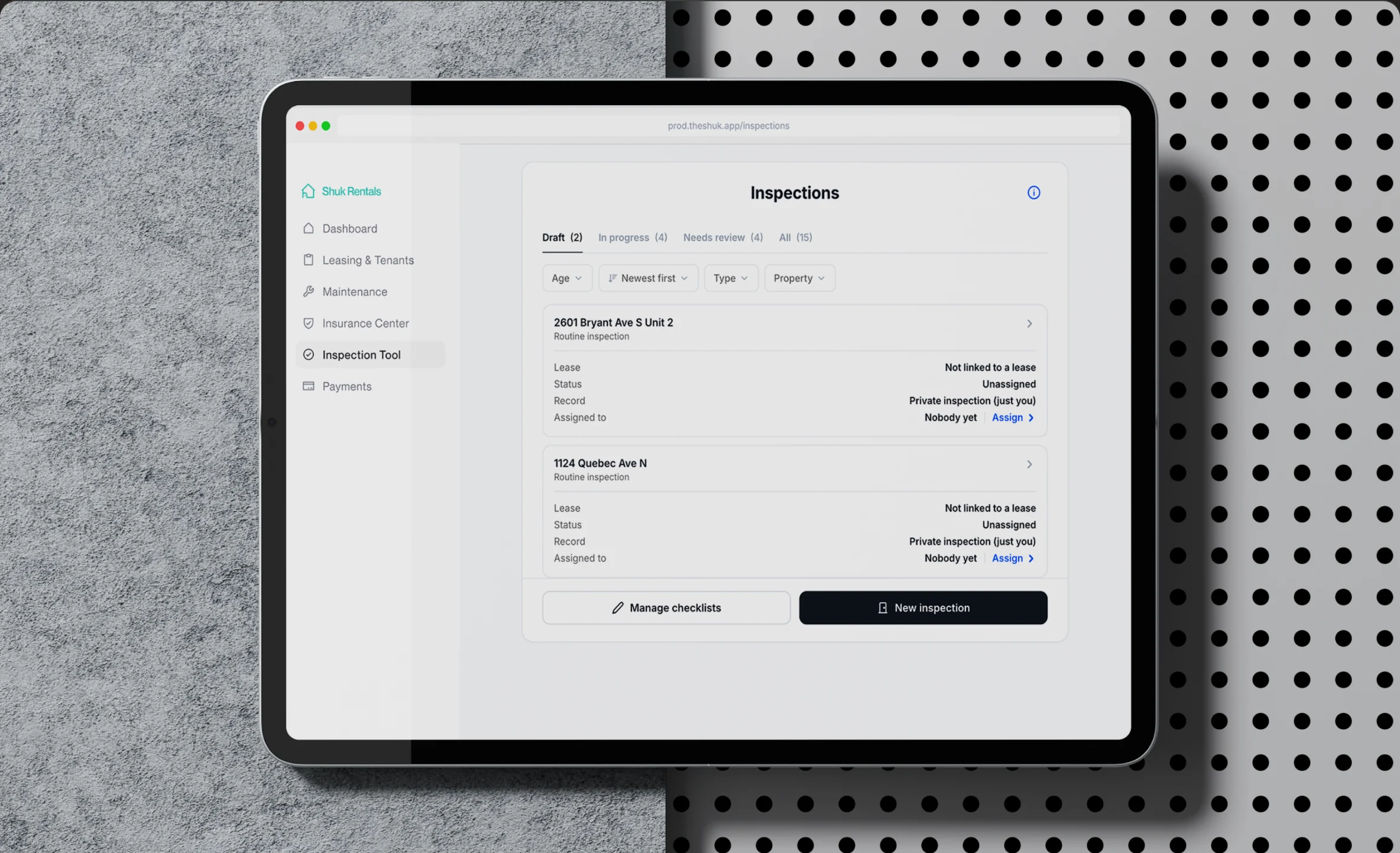
Create an inspection, work through it room by room and finish with a final report, on your phone or the web.
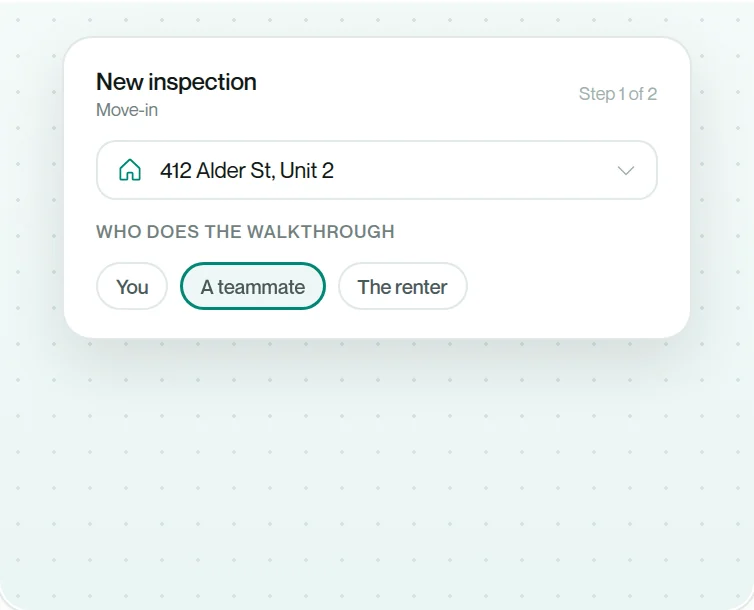
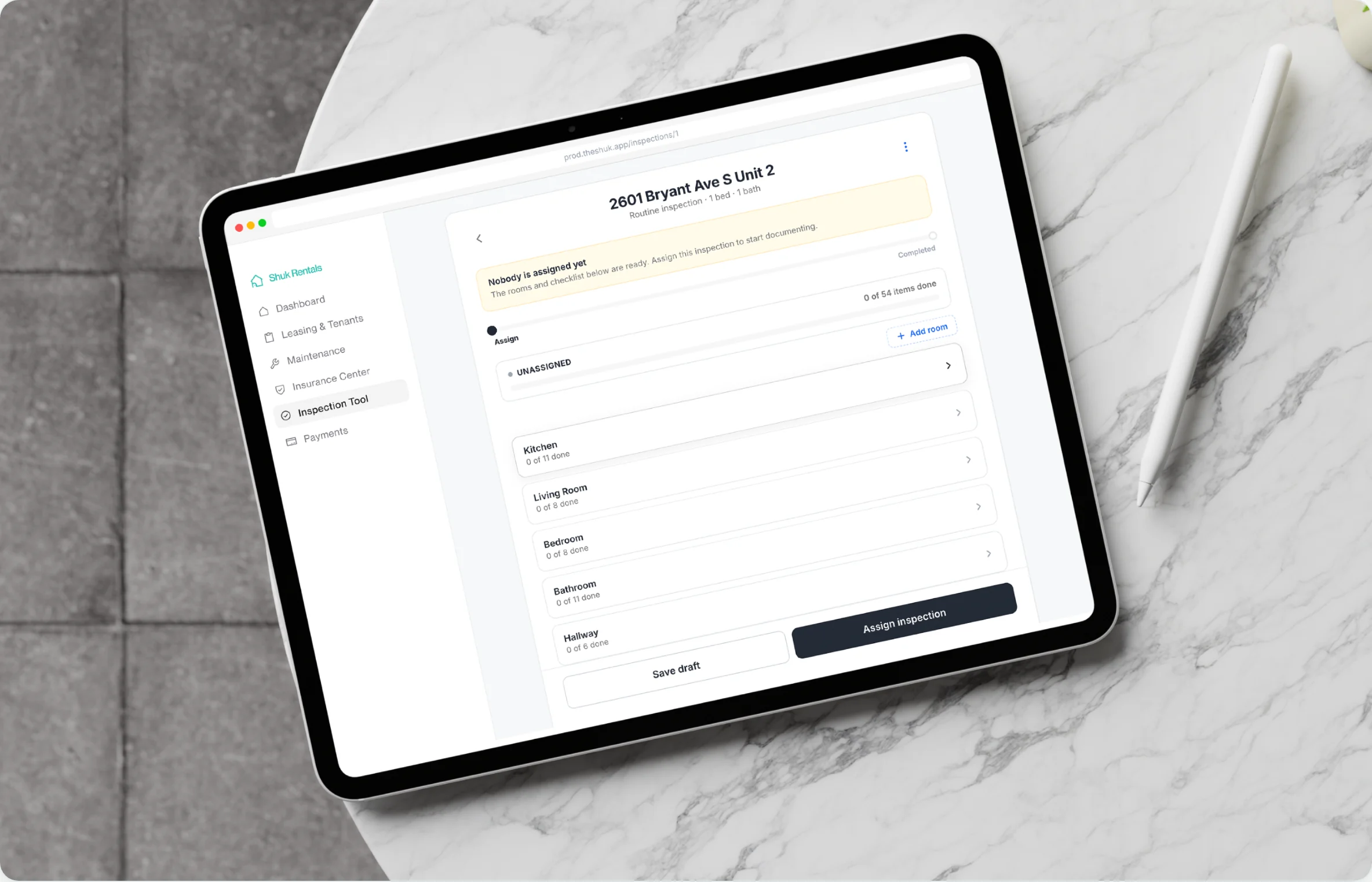
Create it, then assign it. Pick the property and choose who does the walkthrough: you, a teammate or the renter. The inspection stays locked until Start Inspection is tapped.
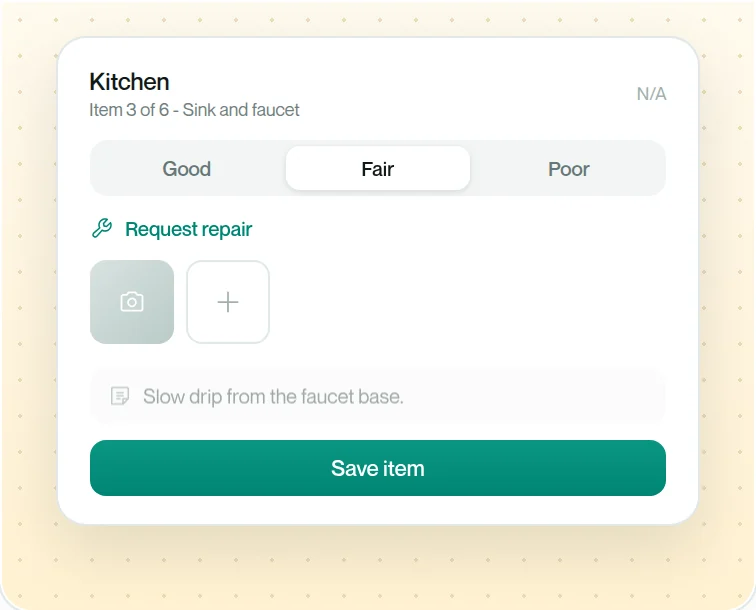
Room by room, item by item. Add photos, videos and notes to each item, or mark it not applicable. The main button names the next room, so you never lose your place.
Ends in a final report. Every inspection finishes with a final inspection report, so the condition of the unit is written down in one place.
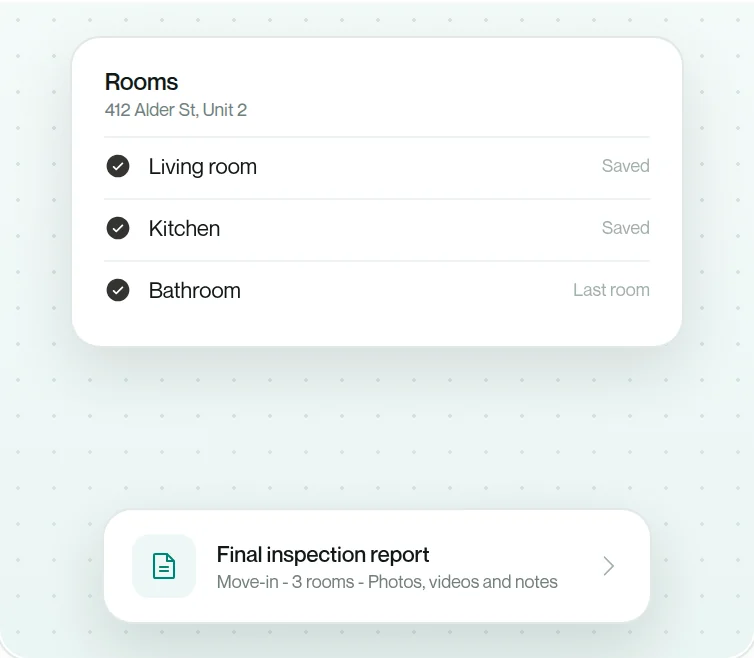
Run the inspection yourself, assign it to a teammate or have the renter complete it. A renter is prompted in the app when an inspection is theirs to complete or review.
Landlords and property managers can run the walkthrough themselves, room by room, on mobile or web.
Assign an inspection to a teammate and it lands with them to complete. The notification opens the inspection.
The renter completes the inspection in the Shuk app or on the web, with a Shuk account.
Photos in one app, notes in another, a checklist on paper. Shuk keeps every item's photos, videos and notes inside the inspection itself.
Document the condition where you find it, in the same place you rate it.
Mark an item not applicable when it does not apply to the unit, instead of leaving it blank.
When an item is rated Fair or Poor, the renter can create a maintenance request from it. Pairs with Maintenance Requests.
A link to the lease sits at the top of the inspection, so the terms are one tap away.
Inspections only work when renters take part. Here is what renters and landlords say about using Shuk day to day.
"Recently started using Shuk and it makes my experience as a renter so smooth and easy! Easy to get set up and super convenient to have access to everything in one place."

"Shuk Rentals has helped me receive tenant payments faster than competing platforms. The built-in service provider feature also gives landlords access to reliable, high-quality professionals, making maintenance and repairs easier and more efficient."

"Shuk allowed me to secure trustworthy tenants more than 60 days prior to lease end date. Tenants searched for my property based on lease dates. For a small property owner, any vacancy is a huge hit, so this feature gave me incredible peace of mind."

"The Lease Indication Tool is a standout-it helps me predict which tenants are likely to renew, so I can plan ahead, avoid vacancies, and keep providing great places to live. It's smart, intuitive, and makes property management easier and more rewarding than ever!"

"I love the lease renewal indicator tool. That is super cool."

Inspections connect to the rest of your portfolio. Start with the features they work alongside.
The Lease Indication Tool polls renters at 6, 5, 4 and 3 months, so renewals never catch you at 60 days.
Learn MoreTwo-Way Reviews let landlords and renters rate each other at 3, 6, 9 and 12 months into the lease.
Learn MoreListings stay current and ready while units are occupied, so you never start from zero when a renter gives notice.
Learn MoreFind answers to common questions about inspections on Shuk
The Inspection Tool lets you run walkthroughs, move-ins and move-outs in Shuk, with photos, videos and notes on each item and a final inspection report. It works on mobile and web and is included on every plan at no extra cost.
You can complete it yourself as a landlord or property manager, assign it to a teammate, or have the renter lead it. Renters need a Shuk account to complete an inspection and can do it on web or mobile. A renter is prompted in the app when an inspection is theirs to complete or review.
No. It is included on every plan at no extra cost, so there is no separate inspection subscription to pay for.
Yes. When an item is rated Fair or Poor, the renter has the option to create a maintenance request from that item.
Not today. Each inspection is documented and reported on its own.
No. The Inspection Tool documents condition. Decisions about deposits and deductions stay with you, and requirements vary by state and locality.
Yes. Schedule a demo with our team and we'll walk you through the Inspection Tool and the rest of Shuk with your properties in mind. You'll see how an inspection is created, assigned and completed, ask any questions, and decide if it's the right fit before you commit.
As low as $2 per unit per month: $5 per unit at 1 to 4 units, stepping down automatically to $2 per unit at 31 to 40 units. The Inspection Tool is included on every plan at no extra cost. No setup fees, zero ACH transaction fees, and no hidden charges. Above 40 units we build pricing with you directly.
See inspections running on your own properties in a free 20-minute demo.
Book a Demo