
Property Management Software

The Small-Landlord Advantage: How a Centralized Messaging Hub Modernizes Tenant Communication (and Protects You)

photo of Miles Lerner, Blog Post Author
Miles Lerner

The Small-Landlord Advantage: How a Centralized Messaging Hub Modernizes Tenant Communication (and Protects You)

The Communication Chaos Independent Landlords Know Too Well

If you self-manage 1 to 50 units, you already live this reality. Tenant communication is not one clean channel. It is a patchwork of texts on your personal phone, emails buried under vendor invoices, voicemails you meant to return, and sticky notes that seemed urgent at the time. The result is not just inconvenience. It is risk.

Miss a message about a leak and you could face a habitability complaint. Lose the thread on a payment plan and you may struggle to document what was agreed. Answer one tenant quickly but another days later and you might unintentionally create the appearance of inconsistent treatment. Exactly what fair-housing guidance warns against.

Meanwhile, renter expectations have shifted sharply toward digital convenience. Zillow's renter research shows a majority of renters prefer text messaging, while email remains a top channel. And most renters want to complete key interactions online (payments, maintenance, renewals) rather than through phone tag or paper forms. Property owners are increasingly comfortable doing business online too, which removes a major adoption barrier for small landlords who used to think "software is for big companies."

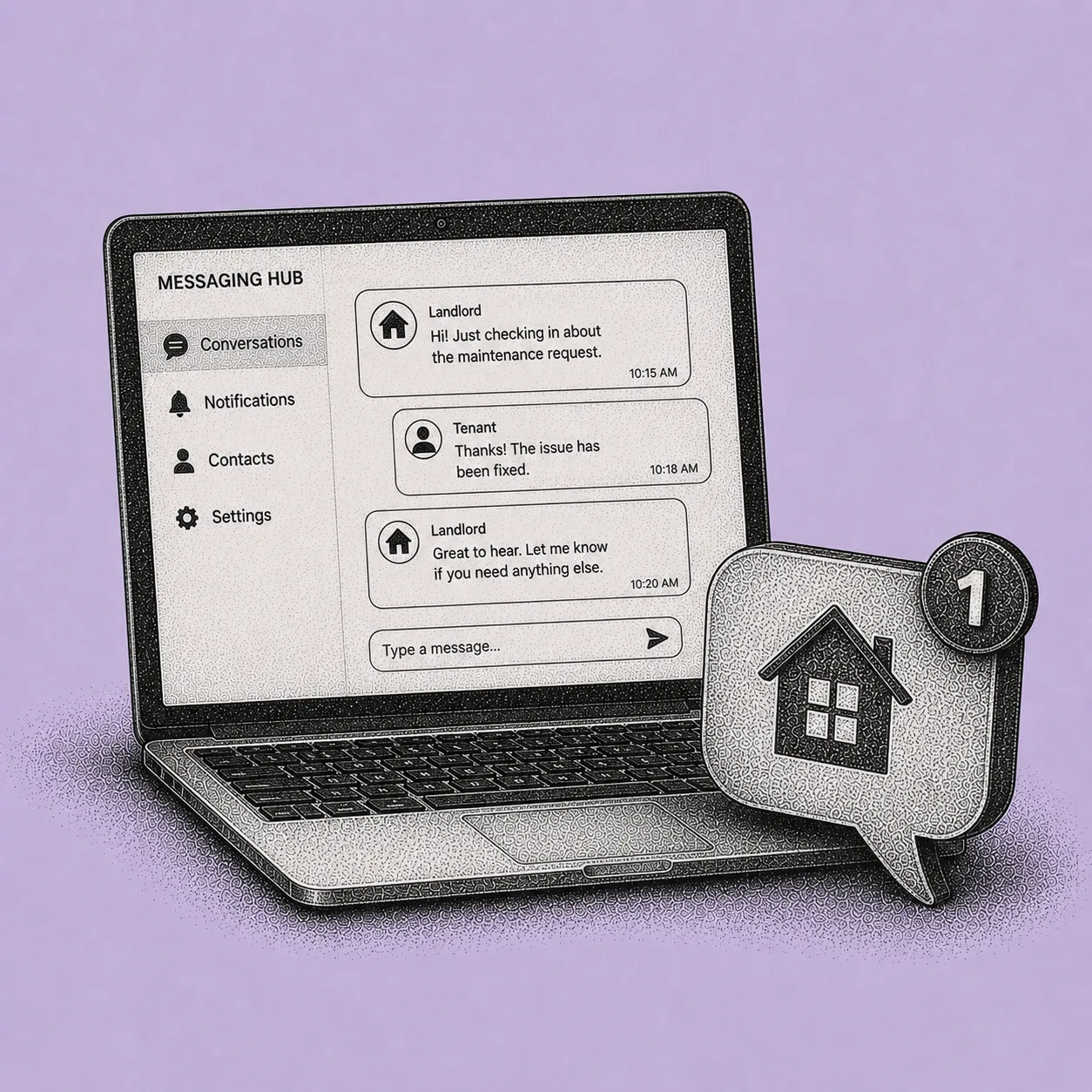
A centralized messaging hub inside property management software solves the day-to-day chaos in a straightforward way. It makes every landlord-tenant conversation professional, searchable, and tied to the right unit, without you needing to become "the IT person."

Disclaimer: This article is not legal advice. Fair Housing law, security deposit rules, habitability standards, retaliation claims, and reasonable accommodation requirements vary by state and city. Examples below (California's 21-day deposit deadline, Missouri's 30-day framework) are illustrative, not a complete or current statement of the law where you operate. Before relying on a documentation or communication strategy in a real dispute, consult a qualified local attorney.

What a Centralized Messaging Hub Is (and Why It Works)

A centralized messaging hub is a communication center inside your property management system where tenant messages, landlord replies, and related updates live in one place. Instead of juggling personal SMS, email inboxes, and call logs, you route communication through a single thread connected to the tenancy record.

For independent landlords, the value is not "more messages." It is fewer mistakes. The hub acts like a shared memory for your business. Capturing what was said, when it was said, and who said it. That matters for routine operations (like coordinating maintenance access) and for higher-stakes situations (like disputes over security deposits or allegations of ignored repair requests). Multiple legal aid and housing-law resources emphasize that written, time-stamped documentation and repair logs can be decisive in habitability disputes, retaliation claims, and deposit disagreements.

Here is what a well-designed hub includes

  • Message threading by unit and tenant so you do not confuse "Unit 2B's fridge issue" with "Unit 2A's fridge issue."
  • Searchable message history so you can pull up the exact date you asked for access or shared a policy.
  • Automated notifications (email and push alerts) so urgent items do not sit unseen.
  • Mobile integration so you can respond from your phone while keeping the record consistent.

The design philosophy is simple. Centralization, automation, and mobile access. Small operators need enterprise-grade organization without enterprise overhead. The goal: faster response times, cleaner documentation, and a calmer day-to-day.

6 Ways to Turn Messaging Features Into Business Benefits

Below are six practical strategies to set up and use a centralized messaging hub so it actually saves time and reduces risk, rather than becoming "one more platform."

1) Thread Every Conversation by Unit to Eliminate Cross-Wires

Feature. Message threading by unit and lease. Benefit. Fewer errors, faster handoffs, and clearer accountability.

When messages are grouped by unit, you create an automatic filing system. This is especially valuable if you manage multiple doors with similar tenant names, recurring issues, or shared vendors.

Example. A tenant texts, "The bathroom ceiling is dripping." If that lives in your personal SMS, it is easy to forget whether it was Unit 4 or Unit 14. In a unit-threaded hub, the message is automatically tied to the correct unit profile, so you can immediately see prior plumbing work, the last vendor, and whether the tenant has granted entry permissions.

What to do next. Set your default workflow so you never reply from your personal texting app. Even if a tenant reaches out that way, copy the content into the hub and respond through the hub: "Thanks, logging this and replying here so we both have the full record."

Scenario (burst-pipe emergency). At 10:47 p.m., Unit 3C reports water pooling near the water heater. Through a mobile hub, you (1) acknowledge receipt, (2) notify your plumber, and (3) send building-wide guidance if needed ("If you see water near your utility closet, shut off the local valve and message here"). The key is not that you are awake. It is that your response is documented, time-stamped, and tied to the unit, supporting a clear habitability response record if questions arise later.

2) Use Searchable History to Shorten Disputes and Speed Up Decisions

Feature. Searchable message history and attachments. Benefit. Less time reconstructing events, better outcomes in disagreements.

Security deposit disputes and repair disagreements often come down to "who said what" and "when." Many state rules impose tight deposit-return deadlines and itemization requirements. Missing them can lead to penalties and small-claims exposure. For example, California's 21-day requirement is widely summarized in court guidance, and Missouri commonly references a 30-day framework. A searchable hub helps you meet timelines because you can quickly pull photos, move-out instructions, and repair communications.

What to do

  • Standardize keywords in your responses. "NOTICE," "ACCESS," "REPAIR SCHEDULED," "MOVE-OUT," "DEPOSIT." Then searching becomes instant.
  • Attach photos and invoices directly in the thread. One conversation becomes a complete packet.

Scenario (late-rent documentation). A tenant requests a payment plan on the 3rd. You respond in the hub: "Payment plan approved. $600 by the 10th, remaining $650 by the 20th. Late fees waived if both dates are met." On the 11th, they claim you "never agreed." Instead of arguing, you search "payment plan" and forward the time-stamped agreement inside the thread. If the situation escalates, you have a clean written record showing consistency and clarity. Two themes emphasized in risk-management guidance around landlord documentation.

3) Turn Automated Notifications Into "Response-Time Insurance"

Feature. Automated notifications (email and push) and clear escalation rules. Benefit. Faster acknowledgment, fewer missed emergencies, higher tenant satisfaction.

Renter surveys consistently show that prompt communication is a major driver of satisfaction. And maintenance responsiveness is one of the biggest retention levers. Even if you cannot fix everything instantly, acknowledging quickly ("I received this. Next update by 2 p.m.") reduces tenant anxiety and prevents repeat follow-ups that waste time.

What to do

  • Create two tiers of alerts. Emergency (water intrusion, no heat, electrical hazard) vs. Standard (dripping faucet, cosmetic issues).
  • Configure after-hours rules so emergency messages trigger immediate notifications.
  • Use a template auto-reply for non-emergency after-hours messages. "Received. Office hours are 9 to 5. If this is a safety issue (active leak, no heat, electrical hazard), reply 'EMERGENCY.'"

Why this matters for small operators. You do not need a 24/7 call center to behave like you have one. Automation gives you the reliability that renters associate with professionalism, while still keeping human decisions with you.

4) Keep Communication Professional Without Becoming Always-On

Feature. Mobile integration and in-app messaging. Benefit. Boundaries, professionalism, and less burnout.

Pew Research continues to show near-universal cellphone adoption in the U.S., and mobile-first communication is the norm across age groups. Tenants will message from their phones. You should be able to respond from yours, with a consistent record of the exchange and clear boundaries on when you actually engage.

What to do

  • Set "office hours" expectations in your lease and reinforce them in the hub welcome message.
  • Use saved replies for common issues. Parking reminders, trash rules, filter-change schedules.
  • When you are away, schedule a delayed send. "I will confirm the vendor window tomorrow by 10 a.m."

Case example. A landlord with 18 units used to handle everything via personal texting. When a tenant later alleged the landlord ignored repeated requests for a repair, the landlord had partial screenshots but not the full exchange, and could not prove response timing. Switching to hub-based messaging created a consistent, exportable record. This is operational best practice based on legal and risk guidance emphasizing complete repair logs and written communication. It is not a claim of guaranteed legal outcome.

5) Build Compliance Habits Into the Workflow (Fair Housing, Repairs, Deposits)

Feature. Centralization plus consistent templates plus audit-friendly records. Benefit. Reduced legal exposure and more consistent tenant treatment.

Fair housing enforcement and guidance repeatedly emphasize the importance of consistent processes and documentation, especially when disputes involve discrimination, retaliation, or inconsistent rule enforcement. A messaging hub supports this by making "the right way" the easy way.

What to do

  • Use standardized templates for reasonable accommodation requests (acknowledgment plus next steps), repair notices (received, schedule, access), and policy reminders.
  • Avoid casual language that can be misread. Keep messages factual and policy-based.
  • Store all accommodation-related communications in one thread tied to the tenant record. HUD-related guidance around assistance animal requests, for example, underscores the need to handle such requests carefully and consistently.

Practical compliance win. When you communicate move-out instructions and deposit timelines through the hub, you can later show that every tenant received the same checklist and deadlines. Helpful if someone claims they were treated differently or not informed.

6) Use a Before-and-After Approach to Show ROI

Software only "pays off" if it changes your daily routine. The simplest way to measure ROI is to compare how long common tasks take, and how often you have to redo them due to missing context.

Communication task

Before (texts plus email plus calls)

After (centralized messaging hub)

Find last repair update for Unit 5

10 to 20 minutes searching phone and email

30 to 60 seconds in unit thread plus search

Prove you gave access notice

Screenshot hunting, incomplete trail

Time-stamped thread plus attachment

Coordinate vendor entry

Multiple calls plus tenant follow-ups

One message thread plus automated reminders

Handle after-hours non-emergency

Interruptions, no boundaries

Auto-response plus queued follow-up

What to do next. Pick three workflows to standardize first. Maintenance intake, rent and ledger conversations, and move-out and deposit communications. These are the highest-volume and highest-risk areas per common landlord-tenant dispute patterns, and they are where documentation matters most.

Your "Messaging Hub Setup" Checklist (30 Minutes to Implementation)

Use this checklist to implement a centralized messaging hub without overthinking it.

A) Channel and boundaries

  • Choose the hub as the default channel for all non-emergency communication.
  • Set office hours and emergency instructions in an auto-reply.
  • Add a lease clause (or welcome message) stating: "All requests must be submitted through the hub for tracking."

B) Threads, tags, and search

  • Confirm every unit has a unique thread (Unit 1A, 1B, and so on).
  • Create 6 to 8 standard tags or keywords: REPAIR, ACCESS, NOTICE, RENT, POLICY, MOVE-OUT, DEPOSIT, ACCOMMODATION.
  • Save 5 to 10 canned responses (maintenance received, vendor scheduled, access request, late-fee policy, deposit timeline).

C) Notifications and mobile

  • Enable push notifications for emergencies. Email digests for routine updates.
  • Add keyword triggers for "leak," "flood," "no heat," "sparking."
  • Install the mobile app and test a full loop. Tenant message, then your reply, then attachment added, then search works.

D) Recordkeeping

  • Attach photos, invoices, and vendor notes inside the same thread.
  • Export or archive message history per unit at move-out (useful for deposit disputes and repair-history questions).
  • Apply the same templates to every tenant to support consistent treatment. A fair-housing best practice.

FAQ

My tenants like texting. Will a messaging hub annoy them?

Not if you position it as a convenience and a service standard. Zillow's research shows many renters prefer text, while email remains a top preference, so flexibility matters. A hub can still feel "text-like" when it offers mobile notifications and quick replies. The practical approach: let tenants receive notifications the way they prefer (text, email, push), but keep the official record centralized. During onboarding, say: "You can message from your phone, but the system keeps everything organized so nothing gets missed."

Does centralizing messages actually help with compliance?

It helps because compliance often hinges on proof. Proof you responded, proof you gave notice, proof you applied the same process. Legal and industry guidance frequently points to written records and consistent documentation as key defenses in habitability claims, deposit disputes, and retaliation allegations. A messaging hub does not replace legal advice, but it makes good recordkeeping the default instead of a scramble. The consistency itself becomes evidence of fair treatment.

What about security deposits and move-out deadlines? How does messaging software help?

Deposit rules are deadline-driven and detail-heavy. For example, consumer-facing court guidance in California highlights a 21-day deadline and itemization expectations, and Missouri commonly references a 30-day framework. A hub helps by sending move-out instructions with a time stamp, storing photos and invoices next to the conversation, and making it easy to show you delivered required information. The operational need is the same across jurisdictions. Communicate clearly, document it, and meet the deadline.

I only have a few units. Is this overkill?

Small portfolios are where communication gets personal, and where systems matter most because you do not have staff redundancy. Industry data shows owners are increasingly comfortable conducting business online, which suggests the learning curve is no longer the barrier it used to be. If you manage even 5 to 10 units, a single missed repair message or disputed agreement can cost more (in time, stress, or concessions) than a year of software.

What to Do Next

If you are ready to modernize communication without losing the human feel, start small. Pick one building (or even one high-maintenance unit) and run all tenant messages through a centralized hub for 30 days. Turn on mobile notifications, set office-hour auto-replies, and use unit-based threading so every conversation stays attached to the right address.

This is exactly what Shuk's centralized in-app messaging is built for.

Shuk's messaging gives you a time-stamped conversation thread tied to the unit and the tenancy, with email and push notifications so urgent items reach you immediately and routine items queue cleanly. You can attach photos, videos, and documents directly to a thread, so a maintenance conversation becomes a complete case file in one place. Every exchange (the initial report, your acknowledgment, the scheduling confirmation, the completion notice, the follow-up) lives in the same searchable thread. When a tenant later claims something was not communicated, or when you need to demonstrate consistent treatment across tenants, the record is already organized.

Around messaging, the same Shuk subscription gives you the rest of the rental operating stack. Online rent collection with zero ACH transaction fees and configurable late fees applied automatically. Maintenance request tracking with photos, documents, and a complete history per property. Tenant screening through our partner. E-signature for leases through our Adobe-powered integration. Schedule E-aligned expense organization with digital receipts. Payment requests for one-off charges. Document storage. The Lease Indication Tool for predictive lease renewal insights through monthly tenant polling starting six months before lease end. Two-Way Reviews between landlords and tenants that build verifiable rental reputations. And Year-Round Marketing.

At $5 per unit per month with no setup fees, and with White Glove Onboarding included at no additional cost (where the Shuk team handles property setup, account preparation, and renter onboarding for you), Shuk makes professional, documented tenant communication feasible for landlords and property managers running 1 to 100 units. Shuk now supports third-party management with multi-user workflows and role-based access, so a property management team can run consistent communication standards across an entire portfolio.

Book a demo at shukrentals.com/book-a-demo to see how Shuk's centralized in-app messaging with email and push notifications, maintenance request tracking, online rent collection with zero ACH fees, automated late fees, document storage, payment requests, tenant screening, e-signature, Schedule E-aligned expense organization, the Lease Indication Tool, Two-Way Reviews, and Year-Round Marketing work together so tenant communication stops being a patchwork of phone, text, and email.

QUICK VIEW
Stop Reacting to Vacancies. Start Seeing Them Coming.

Shuk helps landlords and property managers get ahead of vacancies, improve renewal visibility, and bring more predictability to every lease cycle.

Book a demo to get started with a free trial.

Stay in the Shuk Loop

The Small-Landlord Advantage: How a Centralized Messaging Hub Modernizes Tenant Communication (and Protects You)

The Communication Chaos Independent Landlords Know Too Well

If you self-manage 1 to 50 units, you already live this reality. Tenant communication is not one clean channel. It is a patchwork of texts on your personal phone, emails buried under vendor invoices, voicemails you meant to return, and sticky notes that seemed urgent at the time. The result is not just inconvenience. It is risk.

Miss a message about a leak and you could face a habitability complaint. Lose the thread on a payment plan and you may struggle to document what was agreed. Answer one tenant quickly but another days later and you might unintentionally create the appearance of inconsistent treatment. Exactly what fair-housing guidance warns against.

Meanwhile, renter expectations have shifted sharply toward digital convenience. Zillow's renter research shows a majority of renters prefer text messaging, while email remains a top channel. And most renters want to complete key interactions online (payments, maintenance, renewals) rather than through phone tag or paper forms. Property owners are increasingly comfortable doing business online too, which removes a major adoption barrier for small landlords who used to think "software is for big companies."

A centralized messaging hub inside property management software solves the day-to-day chaos in a straightforward way. It makes every landlord-tenant conversation professional, searchable, and tied to the right unit, without you needing to become "the IT person."

Disclaimer: This article is not legal advice. Fair Housing law, security deposit rules, habitability standards, retaliation claims, and reasonable accommodation requirements vary by state and city. Examples below (California's 21-day deposit deadline, Missouri's 30-day framework) are illustrative, not a complete or current statement of the law where you operate. Before relying on a documentation or communication strategy in a real dispute, consult a qualified local attorney.

What a Centralized Messaging Hub Is (and Why It Works)

A centralized messaging hub is a communication center inside your property management system where tenant messages, landlord replies, and related updates live in one place. Instead of juggling personal SMS, email inboxes, and call logs, you route communication through a single thread connected to the tenancy record.

For independent landlords, the value is not "more messages." It is fewer mistakes. The hub acts like a shared memory for your business. Capturing what was said, when it was said, and who said it. That matters for routine operations (like coordinating maintenance access) and for higher-stakes situations (like disputes over security deposits or allegations of ignored repair requests). Multiple legal aid and housing-law resources emphasize that written, time-stamped documentation and repair logs can be decisive in habitability disputes, retaliation claims, and deposit disagreements.

Here is what a well-designed hub includes

  • Message threading by unit and tenant so you do not confuse "Unit 2B's fridge issue" with "Unit 2A's fridge issue."
  • Searchable message history so you can pull up the exact date you asked for access or shared a policy.
  • Automated notifications (email and push alerts) so urgent items do not sit unseen.
  • Mobile integration so you can respond from your phone while keeping the record consistent.

The design philosophy is simple. Centralization, automation, and mobile access. Small operators need enterprise-grade organization without enterprise overhead. The goal: faster response times, cleaner documentation, and a calmer day-to-day.

6 Ways to Turn Messaging Features Into Business Benefits

Below are six practical strategies to set up and use a centralized messaging hub so it actually saves time and reduces risk, rather than becoming "one more platform."

1) Thread Every Conversation by Unit to Eliminate Cross-Wires

Feature. Message threading by unit and lease. Benefit. Fewer errors, faster handoffs, and clearer accountability.

When messages are grouped by unit, you create an automatic filing system. This is especially valuable if you manage multiple doors with similar tenant names, recurring issues, or shared vendors.

Example. A tenant texts, "The bathroom ceiling is dripping." If that lives in your personal SMS, it is easy to forget whether it was Unit 4 or Unit 14. In a unit-threaded hub, the message is automatically tied to the correct unit profile, so you can immediately see prior plumbing work, the last vendor, and whether the tenant has granted entry permissions.

What to do next. Set your default workflow so you never reply from your personal texting app. Even if a tenant reaches out that way, copy the content into the hub and respond through the hub: "Thanks, logging this and replying here so we both have the full record."

Scenario (burst-pipe emergency). At 10:47 p.m., Unit 3C reports water pooling near the water heater. Through a mobile hub, you (1) acknowledge receipt, (2) notify your plumber, and (3) send building-wide guidance if needed ("If you see water near your utility closet, shut off the local valve and message here"). The key is not that you are awake. It is that your response is documented, time-stamped, and tied to the unit, supporting a clear habitability response record if questions arise later.

2) Use Searchable History to Shorten Disputes and Speed Up Decisions

Feature. Searchable message history and attachments. Benefit. Less time reconstructing events, better outcomes in disagreements.

Security deposit disputes and repair disagreements often come down to "who said what" and "when." Many state rules impose tight deposit-return deadlines and itemization requirements. Missing them can lead to penalties and small-claims exposure. For example, California's 21-day requirement is widely summarized in court guidance, and Missouri commonly references a 30-day framework. A searchable hub helps you meet timelines because you can quickly pull photos, move-out instructions, and repair communications.

What to do

  • Standardize keywords in your responses. "NOTICE," "ACCESS," "REPAIR SCHEDULED," "MOVE-OUT," "DEPOSIT." Then searching becomes instant.
  • Attach photos and invoices directly in the thread. One conversation becomes a complete packet.

Scenario (late-rent documentation). A tenant requests a payment plan on the 3rd. You respond in the hub: "Payment plan approved. $600 by the 10th, remaining $650 by the 20th. Late fees waived if both dates are met." On the 11th, they claim you "never agreed." Instead of arguing, you search "payment plan" and forward the time-stamped agreement inside the thread. If the situation escalates, you have a clean written record showing consistency and clarity. Two themes emphasized in risk-management guidance around landlord documentation.

3) Turn Automated Notifications Into "Response-Time Insurance"

Feature. Automated notifications (email and push) and clear escalation rules. Benefit. Faster acknowledgment, fewer missed emergencies, higher tenant satisfaction.

Renter surveys consistently show that prompt communication is a major driver of satisfaction. And maintenance responsiveness is one of the biggest retention levers. Even if you cannot fix everything instantly, acknowledging quickly ("I received this. Next update by 2 p.m.") reduces tenant anxiety and prevents repeat follow-ups that waste time.

What to do

  • Create two tiers of alerts. Emergency (water intrusion, no heat, electrical hazard) vs. Standard (dripping faucet, cosmetic issues).
  • Configure after-hours rules so emergency messages trigger immediate notifications.
  • Use a template auto-reply for non-emergency after-hours messages. "Received. Office hours are 9 to 5. If this is a safety issue (active leak, no heat, electrical hazard), reply 'EMERGENCY.'"

Why this matters for small operators. You do not need a 24/7 call center to behave like you have one. Automation gives you the reliability that renters associate with professionalism, while still keeping human decisions with you.

4) Keep Communication Professional Without Becoming Always-On

Feature. Mobile integration and in-app messaging. Benefit. Boundaries, professionalism, and less burnout.

Pew Research continues to show near-universal cellphone adoption in the U.S., and mobile-first communication is the norm across age groups. Tenants will message from their phones. You should be able to respond from yours, with a consistent record of the exchange and clear boundaries on when you actually engage.

What to do

  • Set "office hours" expectations in your lease and reinforce them in the hub welcome message.
  • Use saved replies for common issues. Parking reminders, trash rules, filter-change schedules.
  • When you are away, schedule a delayed send. "I will confirm the vendor window tomorrow by 10 a.m."

Case example. A landlord with 18 units used to handle everything via personal texting. When a tenant later alleged the landlord ignored repeated requests for a repair, the landlord had partial screenshots but not the full exchange, and could not prove response timing. Switching to hub-based messaging created a consistent, exportable record. This is operational best practice based on legal and risk guidance emphasizing complete repair logs and written communication. It is not a claim of guaranteed legal outcome.

5) Build Compliance Habits Into the Workflow (Fair Housing, Repairs, Deposits)

Feature. Centralization plus consistent templates plus audit-friendly records. Benefit. Reduced legal exposure and more consistent tenant treatment.

Fair housing enforcement and guidance repeatedly emphasize the importance of consistent processes and documentation, especially when disputes involve discrimination, retaliation, or inconsistent rule enforcement. A messaging hub supports this by making "the right way" the easy way.

What to do

  • Use standardized templates for reasonable accommodation requests (acknowledgment plus next steps), repair notices (received, schedule, access), and policy reminders.
  • Avoid casual language that can be misread. Keep messages factual and policy-based.
  • Store all accommodation-related communications in one thread tied to the tenant record. HUD-related guidance around assistance animal requests, for example, underscores the need to handle such requests carefully and consistently.

Practical compliance win. When you communicate move-out instructions and deposit timelines through the hub, you can later show that every tenant received the same checklist and deadlines. Helpful if someone claims they were treated differently or not informed.

6) Use a Before-and-After Approach to Show ROI

Software only "pays off" if it changes your daily routine. The simplest way to measure ROI is to compare how long common tasks take, and how often you have to redo them due to missing context.

Communication task

Before (texts plus email plus calls)

After (centralized messaging hub)

Find last repair update for Unit 5

10 to 20 minutes searching phone and email

30 to 60 seconds in unit thread plus search

Prove you gave access notice

Screenshot hunting, incomplete trail

Time-stamped thread plus attachment

Coordinate vendor entry

Multiple calls plus tenant follow-ups

One message thread plus automated reminders

Handle after-hours non-emergency

Interruptions, no boundaries

Auto-response plus queued follow-up

What to do next. Pick three workflows to standardize first. Maintenance intake, rent and ledger conversations, and move-out and deposit communications. These are the highest-volume and highest-risk areas per common landlord-tenant dispute patterns, and they are where documentation matters most.

Your "Messaging Hub Setup" Checklist (30 Minutes to Implementation)

Use this checklist to implement a centralized messaging hub without overthinking it.

A) Channel and boundaries

  • Choose the hub as the default channel for all non-emergency communication.
  • Set office hours and emergency instructions in an auto-reply.
  • Add a lease clause (or welcome message) stating: "All requests must be submitted through the hub for tracking."

B) Threads, tags, and search

  • Confirm every unit has a unique thread (Unit 1A, 1B, and so on).
  • Create 6 to 8 standard tags or keywords: REPAIR, ACCESS, NOTICE, RENT, POLICY, MOVE-OUT, DEPOSIT, ACCOMMODATION.
  • Save 5 to 10 canned responses (maintenance received, vendor scheduled, access request, late-fee policy, deposit timeline).

C) Notifications and mobile

  • Enable push notifications for emergencies. Email digests for routine updates.
  • Add keyword triggers for "leak," "flood," "no heat," "sparking."
  • Install the mobile app and test a full loop. Tenant message, then your reply, then attachment added, then search works.

D) Recordkeeping

  • Attach photos, invoices, and vendor notes inside the same thread.
  • Export or archive message history per unit at move-out (useful for deposit disputes and repair-history questions).
  • Apply the same templates to every tenant to support consistent treatment. A fair-housing best practice.

FAQ

My tenants like texting. Will a messaging hub annoy them?

Not if you position it as a convenience and a service standard. Zillow's research shows many renters prefer text, while email remains a top preference, so flexibility matters. A hub can still feel "text-like" when it offers mobile notifications and quick replies. The practical approach: let tenants receive notifications the way they prefer (text, email, push), but keep the official record centralized. During onboarding, say: "You can message from your phone, but the system keeps everything organized so nothing gets missed."

Does centralizing messages actually help with compliance?

It helps because compliance often hinges on proof. Proof you responded, proof you gave notice, proof you applied the same process. Legal and industry guidance frequently points to written records and consistent documentation as key defenses in habitability claims, deposit disputes, and retaliation allegations. A messaging hub does not replace legal advice, but it makes good recordkeeping the default instead of a scramble. The consistency itself becomes evidence of fair treatment.

What about security deposits and move-out deadlines? How does messaging software help?

Deposit rules are deadline-driven and detail-heavy. For example, consumer-facing court guidance in California highlights a 21-day deadline and itemization expectations, and Missouri commonly references a 30-day framework. A hub helps by sending move-out instructions with a time stamp, storing photos and invoices next to the conversation, and making it easy to show you delivered required information. The operational need is the same across jurisdictions. Communicate clearly, document it, and meet the deadline.

I only have a few units. Is this overkill?

Small portfolios are where communication gets personal, and where systems matter most because you do not have staff redundancy. Industry data shows owners are increasingly comfortable conducting business online, which suggests the learning curve is no longer the barrier it used to be. If you manage even 5 to 10 units, a single missed repair message or disputed agreement can cost more (in time, stress, or concessions) than a year of software.

What to Do Next

If you are ready to modernize communication without losing the human feel, start small. Pick one building (or even one high-maintenance unit) and run all tenant messages through a centralized hub for 30 days. Turn on mobile notifications, set office-hour auto-replies, and use unit-based threading so every conversation stays attached to the right address.

This is exactly what Shuk's centralized in-app messaging is built for.

Shuk's messaging gives you a time-stamped conversation thread tied to the unit and the tenancy, with email and push notifications so urgent items reach you immediately and routine items queue cleanly. You can attach photos, videos, and documents directly to a thread, so a maintenance conversation becomes a complete case file in one place. Every exchange (the initial report, your acknowledgment, the scheduling confirmation, the completion notice, the follow-up) lives in the same searchable thread. When a tenant later claims something was not communicated, or when you need to demonstrate consistent treatment across tenants, the record is already organized.

Around messaging, the same Shuk subscription gives you the rest of the rental operating stack. Online rent collection with zero ACH transaction fees and configurable late fees applied automatically. Maintenance request tracking with photos, documents, and a complete history per property. Tenant screening through our partner. E-signature for leases through our Adobe-powered integration. Schedule E-aligned expense organization with digital receipts. Payment requests for one-off charges. Document storage. The Lease Indication Tool for predictive lease renewal insights through monthly tenant polling starting six months before lease end. Two-Way Reviews between landlords and tenants that build verifiable rental reputations. And Year-Round Marketing.

At $5 per unit per month with no setup fees, and with White Glove Onboarding included at no additional cost (where the Shuk team handles property setup, account preparation, and renter onboarding for you), Shuk makes professional, documented tenant communication feasible for landlords and property managers running 1 to 100 units. Shuk now supports third-party management with multi-user workflows and role-based access, so a property management team can run consistent communication standards across an entire portfolio.

Book a demo at shukrentals.com/book-a-demo to see how Shuk's centralized in-app messaging with email and push notifications, maintenance request tracking, online rent collection with zero ACH fees, automated late fees, document storage, payment requests, tenant screening, e-signature, Schedule E-aligned expense organization, the Lease Indication Tool, Two-Way Reviews, and Year-Round Marketing work together so tenant communication stops being a patchwork of phone, text, and email.

{

  "@context": "https://schema.org",

  "@type": "FAQPage",

  "mainEntity": [

    {

      "@type": "Question",

      "name": "My tenants like texting. Will a messaging hub annoy them?",

      "acceptedAnswer": {

        "@type": "Answer",

        "text": "Not if you position it as a convenience and a service standard. Zillow's research shows many renters prefer text, while email remains a top preference, so flexibility matters. A hub can still feel 'text-like' when it offers mobile notifications and quick replies. The practical approach: let tenants receive notifications the way they prefer (text, email, push), but keep the official record centralized. During onboarding, say: 'You can message from your phone, but the system keeps everything organized so nothing gets missed.'"

      }

    },

    {

      "@type": "Question",

      "name": "Does centralizing messages actually help with compliance?",

      "acceptedAnswer": {

        "@type": "Answer",

        "text": "It helps because compliance often hinges on proof. Proof you responded, proof you gave notice, proof you applied the same process. Legal and industry guidance frequently points to written records and consistent documentation as key defenses in habitability claims, deposit disputes, and retaliation allegations. A messaging hub does not replace legal advice, but it makes good recordkeeping the default instead of a scramble. The consistency itself becomes evidence of fair treatment."

      }

    },

    {

      "@type": "Question",

      "name": "What about security deposits and move-out deadlines? How does messaging software help?",

      "acceptedAnswer": {

        "@type": "Answer",

        "text": "Deposit rules are deadline-driven and detail-heavy. For example, consumer-facing court guidance in California highlights a 21-day deadline and itemization expectations, and Missouri commonly references a 30-day framework. A hub helps by sending move-out instructions with a time stamp, storing photos and invoices next to the conversation, and making it easy to show you delivered required information. The operational need is the same across jurisdictions. Communicate clearly, document it, and meet the deadline."

      }

    },

    {

      "@type": "Question",

      "name": "I only have a few units. Is this overkill?",

      "acceptedAnswer": {

        "@type": "Answer",

        "text": "Small portfolios are where communication gets personal, and where systems matter most because you do not have staff redundancy. Industry data shows owners are increasingly comfortable conducting business online, which suggests the learning curve is no longer the barrier it used to be. If you manage even 5 to 10 units, a single missed repair message or disputed agreement can cost more (in time, stress, or concessions) than a year of software."

      }

    }

  ]

}

Stop Reacting to Vacancies. Start Seeing Them Coming.

Shuk helps landlords and property managers get ahead of vacancies, improve renewal visibility, and bring more predictability to every lease cycle.

Book a demo to get started with a free trial.

Stay in the Shuk Loop

View Similar Articles

View Similar Articles

All Articles
Rental Management Guides
Lease Renewal Management: A Practical Guide for Landlords

Lease Renewal Management: A Practical Guide for Landlords

Effective lease renewal management plays a critical role in tenant retention, vacancy reduction, and predictable rental income. A well-planned renewal process helps landlords avoid unnecessary turnover costs while maintaining strong tenant relationships.

This guide explains how landlords can manage lease renewals efficiently using structured workflows, clear communication, and compliant processes.

This guide is part of our rental management guides hub covering the full landlord operations workflow.

What Is Lease Renewal Management?

Lease renewal management is the process of tracking lease expirations, communicating with tenants, adjusting terms when needed, and finalizing renewed agreements in a timely and legally compliant manner.

Strong lease renewal practices help landlords:

  • Reduce vacancy periods

  • Improve tenant retention

  • Maintain steady cash flow

  • Avoid last-minute legal or operational issues

Why Lease Renewal Management Matters for Landlords

Tenant turnover is expensive and time-consuming. Poor renewal planning often leads to rushed decisions, missed notices, and avoidable vacancies.

Effective lease renewal management for landlords ensures:

  • Early visibility into tenant intentions

  • Smoother negotiations

  • Better planning for rent adjustments

  • Consistent compliance with local laws

The renewal timeline

When to do what, working back from lease end

Six months of lead time turns renewals from a 30-day scramble into a planned conversation.

6 mo
Track

Calendar every lease ending in the next six months in one view.

5 to 3 mo
Signal

Check in informally. Renewal doubt almost always shows up here, months before the 30-day notice window.

2 mo
Decide

Set the rent and draft the renewal terms. State notice rules set your deadline.

1 mo
Notify

Send the formal renewal offer on the timeline your state requires.

Lease end
Finalize

Sign the renewal, or start listing the unit. With early signal, neither outcome is a scramble.

Shuk's Lease Indication Tool sits in the signal phase, polling tenants at 6, 5, 4, and 3 months to flag renewal doubt early.

Step-by-Step Lease Renewal Management Process

1. Track Lease Expiration Dates Early

Start monitoring lease end dates at least 90 days in advance. Early tracking gives landlords time to assess tenant satisfaction and plan next steps.

2. Understand Tenant Renewal Intentions

Communicate proactively with tenants to understand whether they plan to renew. Early conversations help address concerns and reduce unexpected move-outs.

3. Review Legal Notice Requirements

Lease renewals and rent changes must follow local and state regulations. Landlords should confirm notice periods, rent increase limits, and documentation requirements before initiating renewals.

4. Plan Rent Adjustments Carefully

When adjusting rent, consider:

  • Market conditions

  • Property improvements

  • Tenant history and reliability

Balanced decisions improve acceptance rates and long-term retention.

5. Maintain Clear Renewal Communication

Strong tenant communication strategies help landlords discuss renewals early and reduce avoidable turnover.

Clear, timely communication helps avoid misunderstandings. Provide tenants with:

  • Renewal timelines

  • Updated terms (if any)

  • Next steps for confirmation

Consistency builds trust and improves renewal outcomes.

6. Finalize Renewals Efficiently

Once terms are agreed upon, complete the renewal process promptly. Digital documentation and clear records help reduce delays and administrative effort.

Successful lease renewals are rarely about pricing alone. Strong rent collection strategies and clear communication also influence renewal decisions.

Lease Renewal Checklist for Landlords

  • Track lease expiration dates

  • Confirm tenant renewal intent

  • Review legal notice requirements

  • Plan rent adjustments

  • Communicate renewal terms clearly

  • Finalize and document agreements

Frequently Asked Questions

When should landlords start the lease renewal process?

Most landlords begin lease renewal discussions 60–90 days before the lease expires.

Can landlords increase rent during renewal?

Yes, provided the increase follows local regulations and required notice periods.

What happens if a tenant does not respond to a renewal notice?

Landlords should follow up promptly and prepare for either renewal or vacancy planning.

Is digital lease renewal legally valid?

In most regions, digitally signed lease renewals are legally valid when properly documented.

Conclusion: Simplifying Lease Renewal Management

Managing lease renewals becomes easier when landlords have clear visibility into lease timelines, tenant intentions, and compliance requirements. Platforms like Shuk Rentals help landlords stay organized by centralizing lease tracking, renewal workflows, and communication—supporting smoother renewals and better tenant retention without adding operational complexity.

Property Management Software
Best Rental Property Management Software in the USA

Best Rental Property Management Software in the USA

A Practical Guide for Independent Landlords (1–100 Units)

This guide is part of the property management software comparison hub for independent landlords evaluating platforms in 2026.

Managing rental properties in the USA can become overwhelming for independent landlords, especially when handling rent collection, tenant communication, maintenance, accounting, and legal compliance manually. As portfolios grow, spreadsheets, emails, and paper records often lead to missed payments, delayed maintenance, and operational errors.

Rental property management software provides a centralized digital solution that helps landlords manage all rental operations from a single platform. This guide explains what rental property management software is, how it works, and how landlords in the USA can choose the best solution for their needs.

This article is part of our complete property management software guide for independent landlords.

The “best” software depends on your portfolio size and the workflows you care about most. For many landlords, the decision comes down to rent collection, lease tracking, and whether the tool is simple enough to use daily.

What Is Rental Property Management Software?

Rental property management software is a digital platform designed to help landlords manage rental properties more efficiently. It replaces manual processes by combining key functions such as rent collection, leasing, tenant communication, maintenance tracking, and accounting into one system.

For independent landlords managing 1 to 100 units, this type of software helps reduce administrative workload, improve accuracy, and maintain consistent cash flow without hiring additional staff.

How Rental Property Management Software Improves Rent Collection

Rent collection is one of the most critical responsibilities for landlords. Manual methods like cash or checks often result in late payments and extra follow-ups. Rental property management software automates this process using secure online payment systems.

Key advantages of automated rent collection:

  • Online rent payments through secure digital methods

  • Automated rent reminders for tenants

  • Faster payment processing and deposits

  • Automatic transaction records and receipts

Landlords using automated rent collection typically experience fewer late payments and improved predictability in monthly income.

Tenant Communication and Leasing Made Simple

Clear and consistent communication helps maintain positive landlord–tenant relationships. Rental property management software centralizes tenant communication and leasing activities in one place.

Common tenant and leasing features include:

  • In-platform messaging between landlords and tenants

  • Automated lease renewal reminders

  • Digital lease creation and document storage

  • Centralized tenant profiles and history

This reduces misunderstandings, speeds up leasing processes, and keeps important records organized.

Simplifying Accounting and Financial Management

Tracking rental income and expenses manually is time-consuming and prone to errors. Rental property management software simplifies accounting by automatically organizing financial data.

Typical accounting features include:

  • Income and expense tracking

  • Monthly and annual financial reports

  • Clear cash flow visibility

  • Exportable data for tax filing or accountants

These tools help landlords understand property performance without spending hours on bookkeeping.

Compliance and Legal Considerations for U.S. Landlords

Landlords in the USA must comply with federal, state, and local housing regulations. Rental property management software helps reduce compliance risks by standardizing documentation and workflows.

Compliance-supporting features may include:

  • Secure storage of leases and tenant documents

  • Fair Housing–aligned screening workflows

  • Automated reminders for renewals and inspections

  • Organized records for audits or disputes

While software does not replace legal advice, it helps landlords stay organized and avoid common compliance mistakes.

Maintenance Management and Property Care

Maintenance issues can quickly impact tenant satisfaction and property value if not addressed promptly. Rental property management software allows tenants to submit maintenance requests digitally.

Benefits of maintenance tracking tools:

  • Faster response to repair requests

  • Clear maintenance history for each property

  • Better coordination with service providers

  • Reduced risk of long-term property damage

This leads to smoother operations and improved tenant retention.

Who Should Use Rental Property Management Software?

Rental property management software is best suited for:

  • Independent landlords

  • Small property managers

  • Owners managing 1–100 rental units

  • Landlords moving away from spreadsheets or manual systems

If managing rent, tenants, and finances feels time-consuming or disorganized, rental software is a practical solution.

Use this feature checklist as a baseline: rental property management software features.

Frequently Asked Questions (FAQs)

What is rental property management software?

Rental property management software is a digital tool that helps landlords manage rent collection, tenants, leases, maintenance, and accounting from a single platform.

Is rental property management software suitable for small landlords?

Yes. Independent landlords managing small portfolios benefit significantly from automation, improved organization, and reduced administrative effort.

Can tenants pay rent online using rental software?

Most rental property management platforms support online rent payments through secure digital payment methods, making rent collection faster and more reliable.

Does rental property management software help with accounting?

Yes. Rental software automatically tracks income and expenses and generates financial reports that simplify bookkeeping and tax preparation.

How quickly can landlords see results after switching to rental software?

Many landlords notice improvements within the first few months through better rent collection, fewer missed tasks, and reduced manual work.

Final Note

Rental property management software has become an essential tool for landlords in the USA who want to streamline operations, improve tenant satisfaction, and maintain better control over their rental business.

If you’re a small landlord looking for something practical and not enterprise-heavy, start here: property management software for small landlords.

Platforms like Shuk Rentals are designed to support independent landlords by bringing rent collection, tenant management, maintenance tracking, and financial organization into a single, easy-to-use system—helping landlords manage rental properties more efficiently without relying on manual processes.

For deeper platform-specific teardowns, see the Buildium alternative, AppFolio alternative, RentRedi alternative, and Avail alternative guides.

Landlord Challenges
How to Reduce Vacancy Time for Rental Properties

How to Reduce Vacancy Time for Rental Properties

Vacancy time is the period a rental unit remains unoccupied between tenants. It directly impacts landlord cash flow by creating gaps in rental income while fixed costs continue. For property managers handling multiple units, reducing vacancy time from 40 days to 20 days can protect thousands in annual revenue.

Learn how Charles reduced vacancy losses by detecting move-outs early with LIT, gaining $600/month in net revenue.


