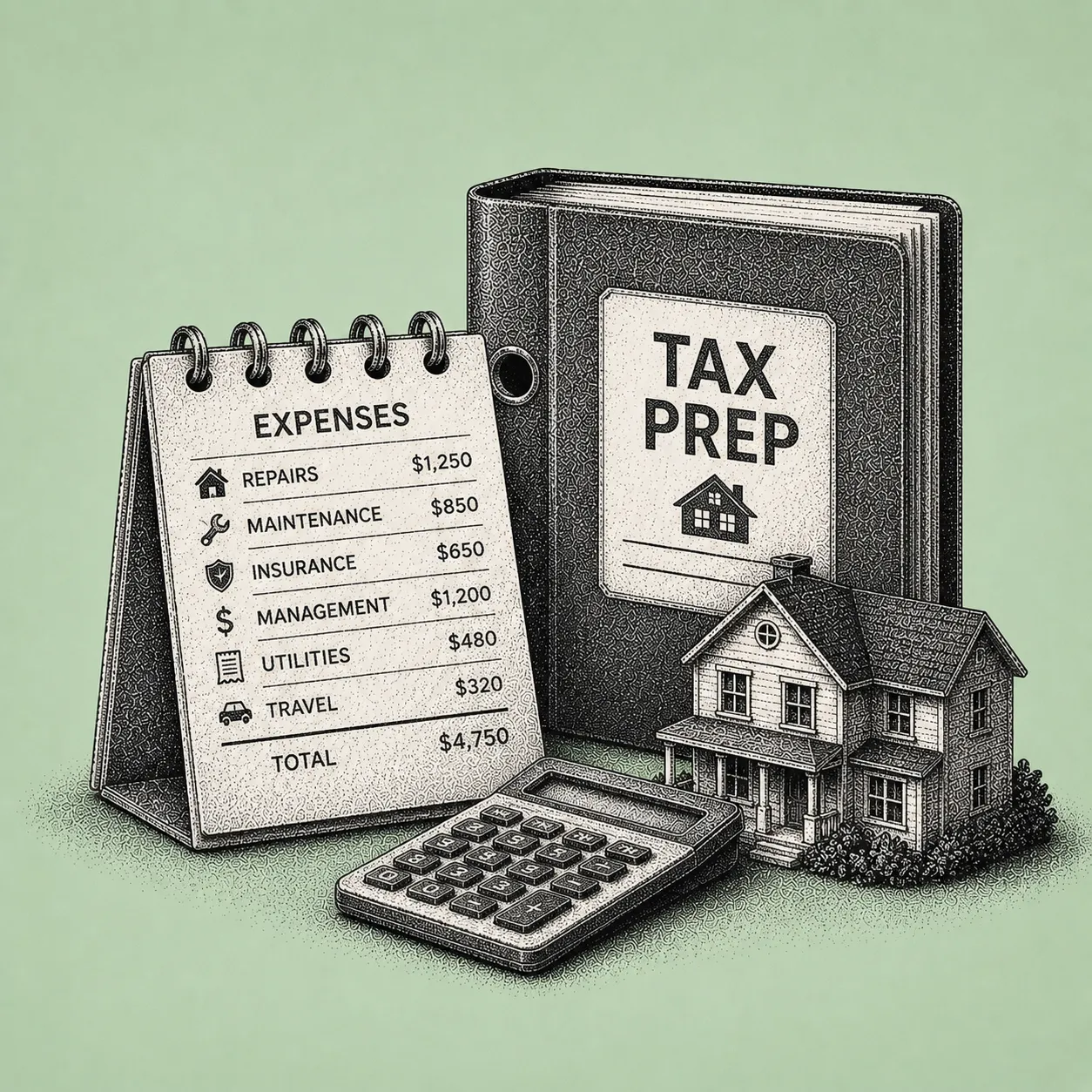

If you manage rental properties, you already wear multiple hats. Leasing agent, maintenance coordinator, customer service, and bookkeeper. Then tax season arrives and expects you to reconstruct twelve months of rental activity from bank feeds, email receipts, paper invoices, and a spreadsheet you meant to update regularly (but did not).
The result: hours spent hunting for receipts, second-guessing expense categories, and trying to remember whether that Home Depot run was a repair you can deduct now or an improvement you need to depreciate over time. The stress is not just about lost time. It is about money left on the table and the risk of getting something wrong.
The IRS requires landlords to maintain records that support income and deductions (receipts, invoices, mileage logs) and to keep them at least three years, often longer depending on the item, per IRS Publications 535 and 527. When documentation is weak (missing receipts, vague descriptions, "rounded" mileage), deductions become harder to defend and audit risk increases.
Expense tracking software turns tax prep from a yearly scramble into a year-round system. Expenses are categorized consistently, receipts are stored digitally next to each transaction, and year-end reports align with Schedule E. Here is how to reduce stress, capture more deductions, and walk into tax season prepared.
Disclaimer: This article is not tax or legal advice. IRS rules on rental property income, deductions, depreciation, recordkeeping, and substantiation are detailed and change over time. The IRS publications referenced below (Schedule E instructions, Publications 527, 535, 463, and 587) are the authoritative sources. Before relying on any tax position discussed here, consult a qualified CPA or tax professional who knows your specific situation.
For most independent landlords, tax-prep problems do not come from "not knowing what Schedule E is." They come from friction. Too many transactions, too many categories, and too many decisions made months after the fact.
The IRS expects you to report rental income and expenses on Schedule E (Form 1040), using common expense groupings such as advertising, insurance, legal and professional fees, repairs, utilities, taxes, and more. When your records are not already organized in that structure, you end up doing bookkeeping inside tax prep, often under deadline pressure.
Expense tracking software simplifies this by handling three critical jobs continuously:
This guide walks you through the end-to-end workflow landlords can use to streamline tax preparation. Categorizing expenses into Schedule E-aligned buckets at the time of entry, digital receipt storage attached to each transaction, property and vendor tagging, depreciable-item flagging, exportable tax-prep reports, and the deductions landlords commonly overlook (mileage, home office, depreciation).
We will also outline common landlord deductions and the pitfalls that get landlords into trouble, then finish with a tax-prep readiness checklist you can use every month.
The goal is not more bookkeeping. It is less tax-season chaos, better deduction capture, and cleaner records that reduce audit stress.
Before you streamline anything, align your expense categories to how you will file. Schedule E commonly includes categories like advertising, auto and travel, cleaning and maintenance, commissions, insurance, legal and professional fees, management fees, mortgage interest, repairs, supplies, taxes, utilities, and depreciation. IRS Publication 527 clarifies what counts as deductible rental expenses and where landlords often go wrong. Repairs vs. improvements, mixed-use allocations, and prepaid expenses.
How a tax-ready software workflow helps. A platform built around Schedule E-aligned categorization saves you from building a custom chart of accounts from scratch in a spreadsheet. You select a rental-friendly category structure, map it to your properties and units, and every expense entered going forward maps to the right place. That is what makes year-end reporting fast, instead of a reclassification project across hundreds of lines in March.
Practical tip. Create two distinct workflows early:
The IRS distinguishes repairs (keep property in operating condition) from improvements (betterment, adaptation, or restoration), per Publication 527. If you lump these together all year, you will pay for it during tax prep. Tagging depreciable items at the time you enter the expense is far easier than reconstructing the distinction nine months later.
Manual spreadsheets fail in predictable ways. Missing entries, inconsistent descriptions ("HD"), and category drift over time. The fix is making expense entry small, fast, and habit-forming, instead of a January cleanup.
How a software workflow helps. Enter each expense once, the moment it happens or the moment the invoice arrives, with the receipt attached. A few minutes weekly beats a few days at year-end. You stay in control: you choose the category, the property, and the notes, but the system keeps the structure consistent.
Why this simplifies taxes. Schedule E reporting becomes a reporting exercise instead of a reconstruction project. If you use a CPA, you can hand them a clean export rather than a patchwork of bank statements and email folders.
Note on bank feeds. Some landlord platforms automatically pull in transactions from connected bank accounts and cards. Shuk's bank feed integration is on the roadmap for August 2026. Until then, expenses are entered manually, which has the benefit of forcing the categorization decision at the moment of entry, when you remember exactly what the expense was for.
The biggest time sink in rental bookkeeping is categorization. Deciding where each transaction belongs, whether it is even deductible, and which property it belongs to. IRS rules can be nuanced. Insurance premiums may need proration if prepaid, assessments may need to be capitalized, and mixed-use loans require interest allocation, per Publication 527. When categorization is delayed until year-end, you lose context and accuracy.
How a software workflow helps. When you enter an expense, you assign it to a Schedule E-aligned category, tag it to the right property, and (if relevant) tag the vendor. Over time, you build a clean record of who you paid, what for, and how it should be treated for tax purposes. If a $400 expense is half for one property and half for another, you can split it at entry rather than guessing at the end of the year.
Example. A landlord with four doors used to spend multiple weekends each spring cleaning up a spreadsheet. Sorting bank statements, searching email receipts, and relabeling categories to match Schedule E. After switching to a software workflow with Schedule E-aligned categories from day one, they reviewed expenses weekly in roughly ten minutes, because each entry was already categorized and tagged at the time it happened. By year-end, generating a Schedule E-ready report was essentially immediate.
Receipts are where most DIY landlord systems break down. The IRS expects you to keep records supporting income and deductions, including receipts and invoices, generally for at least three years (longer in some cases), per Publication 535. Mileage and travel require especially strong substantiation. Date, destination, purpose, and contemporaneous logs, per Publication 463.
How a software workflow helps. Snap a photo of a receipt, forward an email invoice, or upload a PDF. The receipt is stored digitally and linked to the matching expense entry. Because the receipt is tied to a categorized entry and a tagged property, you are building a clean audit trail as you go. Vendor, amount, date, business purpose, and supporting image, all in one place.
What better documentation means for audit risk:
Landlords often wait until January or February to "do bookkeeping." That is when errors multiply. Duplicate entries, reimbursements not recorded as income, utilities paid for tenants not properly reflected, or repairs misclassified as improvements (or vice versa), per Publication 527. Monthly reconciliation is the difference between a calm tax season and a panicked one.
Practical tip. Add a "notes" habit. A one-line note like "Emergency plumber, Unit 2 leak repair" is powerful context if the IRS ever questions an expense's business purpose.
Even landlords who know the big categories (repairs, taxes, insurance) often miss the deductions that require consistent tracking outside the main expense list.
Mileage and local travel. The IRS requires contemporaneous logs, and "rounded" mileage is a red flag, per Publication 463. The 2025 standard mileage rate is 70 cents per mile. Keep a separate mileage log (a notebook in the car, a notes app, or a dedicated mileage tracker), recording date, destination, purpose, and miles.
Home office. Allowed only if used exclusively and regularly for rental management, using simplified or actual expense methods, per Publication 587. Document the square footage and the exclusive-use rationale.
Depreciation. Residential rentals are depreciated over 27.5 years, and missed depreciation is a common landlord mistake. Per Publication 527. Assets like appliances, tools, and furniture may be depreciated as 5- or 7-year property. Keep the purchase invoice to support basis.
How a software workflow helps. Flagging assets as depreciable at the time you enter the expense (and storing the purchase invoice with that flagged entry) means your CPA has everything needed to set up the depreciation schedule. Mileage and home office still need their own systems (most landlords use a dedicated mileage log or notes app, plus a separate home office workpaper for the CPA).
Example. A landlord managing two single-family rentals was not tracking mileage to showings, supply runs, and periodic inspections. No log, no deduction. After implementing a simple "log trips weekly" routine, they captured hundreds of miles that year. At the 2025 rate of 70 cents per mile, even 800 miles becomes a $560 deduction (tax savings depend on bracket). The bigger win: the log is now substantiated instead of reconstructed.
At year-end, you want outputs your tax preparer can use immediately. Income totals, expense totals by category, property-by-property breakdowns, and a receipt archive.
How a software workflow helps. With expenses categorized at the time of entry and receipts attached throughout the year, you can produce:
This is the moment where spreadsheets usually collapse. A spreadsheet can total numbers, but it rarely includes the "proof layer." Receipts, notes, allocation logic. The advantage of an integrated system is combining totals plus documentation in one searchable, exportable place.
Many landlords do not want to replace their accountant. They want to stop paying their accountant (or themselves) to do basic cleanup. Clean data reduces billable hours and back-and-forth.
How a software workflow helps. A streamlined handoff looks like this:
This matters because the Schedule E categories and IRS rules do not change based on what tool you use. Only how cleanly you can prove and report them.
Use this checklist monthly (and again in December) to make tax season almost automatic.
If you can check off all nine, your tax prep becomes review-and-file, not a forensic accounting project.
Often yes, especially if you have multiple properties, depreciation questions, passive activity loss limits (IRC Section 469), or you are considering advanced strategies. But software reduces the time your CPA spends organizing and fixing your records, and it helps you bring cleaner Schedule E-ready totals and documentation. Many landlords use software for bookkeeping and a CPA for tax strategy and filing. The combination is usually cheaper than asking the CPA to do both.
The IRS requires you to keep records that substantiate deductions (receipts, invoices, logs) and retain them generally at least three years, per Publication 535. Digital storage is widely used in practice. The key is that records are legible, retrievable, and tied to the transaction. Keeping receipts attached to categorized entries strengthens your substantiation trail, because a receipt sitting alone in a folder is less defensible than a receipt attached to a categorized expense with a vendor, date, amount, and business-purpose note.
Repairs vs. improvements is the biggest one. Repairs are generally deductible in the year paid. Improvements must be capitalized and depreciated, per Publication 527. Also watch prepaid expenses (like insurance) that may require proration, and mixed-use allocations (loan interest or shared expenses). Flag depreciable items at the time you enter the expense, when you remember the context. Asking yourself in March whether a $1,200 vanity replacement was a repair or an improvement is a setup for an error.
It does not "prevent" audits (no tool can), but it reduces exposure by improving documentation quality. Consistent categorization, contemporaneous mileage logs, stored receipts, and clear separation of capital items. All areas the IRS specifically expects landlords to handle correctly, per Publications 463 and 527. The substantiation trail is what makes a deduction defensible if questioned. A category total in a spreadsheet, with no receipt backing it, is the weakest position to be in.
If you want tax prep to feel simple, the best move is to stop treating it as a once-a-year project. The landlords who walk into tax season calm are the ones whose system runs in the background. Expenses categorized at the time of entry, receipts attached, depreciable items flagged, property tagging consistent, and exports ready when the CPA needs them.
This is exactly the gap Shuk closes. Shuk's expense organization is built around Schedule E-aligned categorization at the time of entry, not retroactive cleanup. You categorize each expense as you go, tag the property and unit it belongs to, flag depreciable items so basis records are preserved, and attach the receipt (photo, PDF, or email forward) directly to the entry through Shuk's document storage. Vendor tagging lets you keep a clean record of who you paid for what across the year. And when tax season arrives, Shuk's exportable payment and expense reports filter by property, tenant, or date range and export to PDF or Excel, giving you a Schedule E-aligned package your CPA can use immediately.
Around tax-prep workflow, the same Shuk subscription gives you the rest of the rental operations stack. Online rent collection with zero ACH transaction fees and configurable late fees applied automatically, so your income side stays as clean as your expense side. Maintenance request tracking with photos, documents, and a full history per property, so when a repair comes up at tax time, the documentation is already attached and timestamped. Centralized in-app messaging with email and push notifications, creating a record of every tenant communication tied to maintenance, repairs, or other expense-relevant decisions. The Lease Indication Tool for renewal forecasting. Two-Way Reviews. And Year-Round Marketing.
One note on what is coming. Bank feed import is on the Shuk product roadmap for August 2026, which will reduce the manual entry step for landlords who prefer automated transaction capture. Until then, the workflow above is the manual-entry version of the same Schedule E-aligned discipline that is proven to reduce tax-season stress.
At $5 per unit per month with no setup fees, and with White Glove Onboarding included at no additional cost (where the Shuk team handles property setup, account preparation, and renter onboarding for you), Shuk makes year-round tax-prep discipline feasible for landlords and property managers running 1 to 100 units. Shuk now supports third-party management with multi-user workflows and role-based access, so a property management team can keep one consistent expense-tracking and reporting workflow across an entire portfolio.
Book a demo at shukrentals.com/book-a-demo to see how Shuk's Schedule E-aligned expense organization, document storage for digital receipts, property and vendor tagging, depreciable-item flagging, exportable payment and income reports, online rent collection with zero ACH fees, automated late fees, maintenance request tracking, centralized in-app messaging, the Lease Indication Tool, and Year-Round Marketing work together so tax prep becomes review-and-file instead of a forensic accounting project.
If you manage rental properties, you already wear multiple hats. Leasing agent, maintenance coordinator, customer service, and bookkeeper. Then tax season arrives and expects you to reconstruct twelve months of rental activity from bank feeds, email receipts, paper invoices, and a spreadsheet you meant to update regularly (but did not).
The result: hours spent hunting for receipts, second-guessing expense categories, and trying to remember whether that Home Depot run was a repair you can deduct now or an improvement you need to depreciate over time. The stress is not just about lost time. It is about money left on the table and the risk of getting something wrong.
The IRS requires landlords to maintain records that support income and deductions (receipts, invoices, mileage logs) and to keep them at least three years, often longer depending on the item, per IRS Publications 535 and 527. When documentation is weak (missing receipts, vague descriptions, "rounded" mileage), deductions become harder to defend and audit risk increases.
Expense tracking software turns tax prep from a yearly scramble into a year-round system. Expenses are categorized consistently, receipts are stored digitally next to each transaction, and year-end reports align with Schedule E. Here is how to reduce stress, capture more deductions, and walk into tax season prepared.
Disclaimer: This article is not tax or legal advice. IRS rules on rental property income, deductions, depreciation, recordkeeping, and substantiation are detailed and change over time. The IRS publications referenced below (Schedule E instructions, Publications 527, 535, 463, and 587) are the authoritative sources. Before relying on any tax position discussed here, consult a qualified CPA or tax professional who knows your specific situation.
For most independent landlords, tax-prep problems do not come from "not knowing what Schedule E is." They come from friction. Too many transactions, too many categories, and too many decisions made months after the fact.
The IRS expects you to report rental income and expenses on Schedule E (Form 1040), using common expense groupings such as advertising, insurance, legal and professional fees, repairs, utilities, taxes, and more. When your records are not already organized in that structure, you end up doing bookkeeping inside tax prep, often under deadline pressure.
Expense tracking software simplifies this by handling three critical jobs continuously:
This guide walks you through the end-to-end workflow landlords can use to streamline tax preparation. Categorizing expenses into Schedule E-aligned buckets at the time of entry, digital receipt storage attached to each transaction, property and vendor tagging, depreciable-item flagging, exportable tax-prep reports, and the deductions landlords commonly overlook (mileage, home office, depreciation).
We will also outline common landlord deductions and the pitfalls that get landlords into trouble, then finish with a tax-prep readiness checklist you can use every month.
The goal is not more bookkeeping. It is less tax-season chaos, better deduction capture, and cleaner records that reduce audit stress.
Before you streamline anything, align your expense categories to how you will file. Schedule E commonly includes categories like advertising, auto and travel, cleaning and maintenance, commissions, insurance, legal and professional fees, management fees, mortgage interest, repairs, supplies, taxes, utilities, and depreciation. IRS Publication 527 clarifies what counts as deductible rental expenses and where landlords often go wrong. Repairs vs. improvements, mixed-use allocations, and prepaid expenses.
How a tax-ready software workflow helps. A platform built around Schedule E-aligned categorization saves you from building a custom chart of accounts from scratch in a spreadsheet. You select a rental-friendly category structure, map it to your properties and units, and every expense entered going forward maps to the right place. That is what makes year-end reporting fast, instead of a reclassification project across hundreds of lines in March.
Practical tip. Create two distinct workflows early:
The IRS distinguishes repairs (keep property in operating condition) from improvements (betterment, adaptation, or restoration), per Publication 527. If you lump these together all year, you will pay for it during tax prep. Tagging depreciable items at the time you enter the expense is far easier than reconstructing the distinction nine months later.
Manual spreadsheets fail in predictable ways. Missing entries, inconsistent descriptions ("HD"), and category drift over time. The fix is making expense entry small, fast, and habit-forming, instead of a January cleanup.
How a software workflow helps. Enter each expense once, the moment it happens or the moment the invoice arrives, with the receipt attached. A few minutes weekly beats a few days at year-end. You stay in control: you choose the category, the property, and the notes, but the system keeps the structure consistent.
Why this simplifies taxes. Schedule E reporting becomes a reporting exercise instead of a reconstruction project. If you use a CPA, you can hand them a clean export rather than a patchwork of bank statements and email folders.
Note on bank feeds. Some landlord platforms automatically pull in transactions from connected bank accounts and cards. Shuk's bank feed integration is on the roadmap for August 2026. Until then, expenses are entered manually, which has the benefit of forcing the categorization decision at the moment of entry, when you remember exactly what the expense was for.
The biggest time sink in rental bookkeeping is categorization. Deciding where each transaction belongs, whether it is even deductible, and which property it belongs to. IRS rules can be nuanced. Insurance premiums may need proration if prepaid, assessments may need to be capitalized, and mixed-use loans require interest allocation, per Publication 527. When categorization is delayed until year-end, you lose context and accuracy.
How a software workflow helps. When you enter an expense, you assign it to a Schedule E-aligned category, tag it to the right property, and (if relevant) tag the vendor. Over time, you build a clean record of who you paid, what for, and how it should be treated for tax purposes. If a $400 expense is half for one property and half for another, you can split it at entry rather than guessing at the end of the year.
Example. A landlord with four doors used to spend multiple weekends each spring cleaning up a spreadsheet. Sorting bank statements, searching email receipts, and relabeling categories to match Schedule E. After switching to a software workflow with Schedule E-aligned categories from day one, they reviewed expenses weekly in roughly ten minutes, because each entry was already categorized and tagged at the time it happened. By year-end, generating a Schedule E-ready report was essentially immediate.
Receipts are where most DIY landlord systems break down. The IRS expects you to keep records supporting income and deductions, including receipts and invoices, generally for at least three years (longer in some cases), per Publication 535. Mileage and travel require especially strong substantiation. Date, destination, purpose, and contemporaneous logs, per Publication 463.
How a software workflow helps. Snap a photo of a receipt, forward an email invoice, or upload a PDF. The receipt is stored digitally and linked to the matching expense entry. Because the receipt is tied to a categorized entry and a tagged property, you are building a clean audit trail as you go. Vendor, amount, date, business purpose, and supporting image, all in one place.
What better documentation means for audit risk:
Landlords often wait until January or February to "do bookkeeping." That is when errors multiply. Duplicate entries, reimbursements not recorded as income, utilities paid for tenants not properly reflected, or repairs misclassified as improvements (or vice versa), per Publication 527. Monthly reconciliation is the difference between a calm tax season and a panicked one.
Practical tip. Add a "notes" habit. A one-line note like "Emergency plumber, Unit 2 leak repair" is powerful context if the IRS ever questions an expense's business purpose.
Even landlords who know the big categories (repairs, taxes, insurance) often miss the deductions that require consistent tracking outside the main expense list.
Mileage and local travel. The IRS requires contemporaneous logs, and "rounded" mileage is a red flag, per Publication 463. The 2025 standard mileage rate is 70 cents per mile. Keep a separate mileage log (a notebook in the car, a notes app, or a dedicated mileage tracker), recording date, destination, purpose, and miles.
Home office. Allowed only if used exclusively and regularly for rental management, using simplified or actual expense methods, per Publication 587. Document the square footage and the exclusive-use rationale.
Depreciation. Residential rentals are depreciated over 27.5 years, and missed depreciation is a common landlord mistake. Per Publication 527. Assets like appliances, tools, and furniture may be depreciated as 5- or 7-year property. Keep the purchase invoice to support basis.
How a software workflow helps. Flagging assets as depreciable at the time you enter the expense (and storing the purchase invoice with that flagged entry) means your CPA has everything needed to set up the depreciation schedule. Mileage and home office still need their own systems (most landlords use a dedicated mileage log or notes app, plus a separate home office workpaper for the CPA).
Example. A landlord managing two single-family rentals was not tracking mileage to showings, supply runs, and periodic inspections. No log, no deduction. After implementing a simple "log trips weekly" routine, they captured hundreds of miles that year. At the 2025 rate of 70 cents per mile, even 800 miles becomes a $560 deduction (tax savings depend on bracket). The bigger win: the log is now substantiated instead of reconstructed.
At year-end, you want outputs your tax preparer can use immediately. Income totals, expense totals by category, property-by-property breakdowns, and a receipt archive.
How a software workflow helps. With expenses categorized at the time of entry and receipts attached throughout the year, you can produce:
This is the moment where spreadsheets usually collapse. A spreadsheet can total numbers, but it rarely includes the "proof layer." Receipts, notes, allocation logic. The advantage of an integrated system is combining totals plus documentation in one searchable, exportable place.
Many landlords do not want to replace their accountant. They want to stop paying their accountant (or themselves) to do basic cleanup. Clean data reduces billable hours and back-and-forth.
How a software workflow helps. A streamlined handoff looks like this:
This matters because the Schedule E categories and IRS rules do not change based on what tool you use. Only how cleanly you can prove and report them.
Use this checklist monthly (and again in December) to make tax season almost automatic.
If you can check off all nine, your tax prep becomes review-and-file, not a forensic accounting project.
Often yes, especially if you have multiple properties, depreciation questions, passive activity loss limits (IRC Section 469), or you are considering advanced strategies. But software reduces the time your CPA spends organizing and fixing your records, and it helps you bring cleaner Schedule E-ready totals and documentation. Many landlords use software for bookkeeping and a CPA for tax strategy and filing. The combination is usually cheaper than asking the CPA to do both.
The IRS requires you to keep records that substantiate deductions (receipts, invoices, logs) and retain them generally at least three years, per Publication 535. Digital storage is widely used in practice. The key is that records are legible, retrievable, and tied to the transaction. Keeping receipts attached to categorized entries strengthens your substantiation trail, because a receipt sitting alone in a folder is less defensible than a receipt attached to a categorized expense with a vendor, date, amount, and business-purpose note.
Repairs vs. improvements is the biggest one. Repairs are generally deductible in the year paid. Improvements must be capitalized and depreciated, per Publication 527. Also watch prepaid expenses (like insurance) that may require proration, and mixed-use allocations (loan interest or shared expenses). Flag depreciable items at the time you enter the expense, when you remember the context. Asking yourself in March whether a $1,200 vanity replacement was a repair or an improvement is a setup for an error.
It does not "prevent" audits (no tool can), but it reduces exposure by improving documentation quality. Consistent categorization, contemporaneous mileage logs, stored receipts, and clear separation of capital items. All areas the IRS specifically expects landlords to handle correctly, per Publications 463 and 527. The substantiation trail is what makes a deduction defensible if questioned. A category total in a spreadsheet, with no receipt backing it, is the weakest position to be in.
If you want tax prep to feel simple, the best move is to stop treating it as a once-a-year project. The landlords who walk into tax season calm are the ones whose system runs in the background. Expenses categorized at the time of entry, receipts attached, depreciable items flagged, property tagging consistent, and exports ready when the CPA needs them.
This is exactly the gap Shuk closes. Shuk's expense organization is built around Schedule E-aligned categorization at the time of entry, not retroactive cleanup. You categorize each expense as you go, tag the property and unit it belongs to, flag depreciable items so basis records are preserved, and attach the receipt (photo, PDF, or email forward) directly to the entry through Shuk's document storage. Vendor tagging lets you keep a clean record of who you paid for what across the year. And when tax season arrives, Shuk's exportable payment and expense reports filter by property, tenant, or date range and export to PDF or Excel, giving you a Schedule E-aligned package your CPA can use immediately.
Around tax-prep workflow, the same Shuk subscription gives you the rest of the rental operations stack. Online rent collection with zero ACH transaction fees and configurable late fees applied automatically, so your income side stays as clean as your expense side. Maintenance request tracking with photos, documents, and a full history per property, so when a repair comes up at tax time, the documentation is already attached and timestamped. Centralized in-app messaging with email and push notifications, creating a record of every tenant communication tied to maintenance, repairs, or other expense-relevant decisions. The Lease Indication Tool for renewal forecasting. Two-Way Reviews. And Year-Round Marketing.
One note on what is coming. Bank feed import is on the Shuk product roadmap for August 2026, which will reduce the manual entry step for landlords who prefer automated transaction capture. Until then, the workflow above is the manual-entry version of the same Schedule E-aligned discipline that is proven to reduce tax-season stress.
At $5 per unit per month with no setup fees, and with White Glove Onboarding included at no additional cost (where the Shuk team handles property setup, account preparation, and renter onboarding for you), Shuk makes year-round tax-prep discipline feasible for landlords and property managers running 1 to 100 units. Shuk now supports third-party management with multi-user workflows and role-based access, so a property management team can keep one consistent expense-tracking and reporting workflow across an entire portfolio.
Book a demo at shukrentals.com/book-a-demo to see how Shuk's Schedule E-aligned expense organization, document storage for digital receipts, property and vendor tagging, depreciable-item flagging, exportable payment and income reports, online rent collection with zero ACH fees, automated late fees, maintenance request tracking, centralized in-app messaging, the Lease Indication Tool, and Year-Round Marketing work together so tax prep becomes review-and-file instead of a forensic accounting project.

{
"@context": "https://schema.org",
"@type": "FAQPage",
"mainEntity": [
{
"@type": "Question",
"name": "Do I still need a CPA if I use expense tracking software?",
"acceptedAnswer": {
"@type": "Answer",
"text": "Often yes, especially if you have multiple properties, depreciation questions, passive activity loss limits, or you are considering advanced strategies. But software reduces the time your CPA spends organizing and fixing your records, and it helps you bring cleaner Schedule E-ready totals and documentation. Many landlords use software for bookkeeping and a CPA for tax strategy and filing. The combination is usually cheaper than asking the CPA to do both."
}
},
{
"@type": "Question",
"name": "Is digital receipt storage IRS-compliant?",
"acceptedAnswer": {
"@type": "Answer",
"text": "The IRS requires you to keep records that substantiate deductions (receipts, invoices, logs) and retain them generally at least three years per Publication 535. Digital storage is widely used in practice. The key is that records are legible, retrievable, and tied to the transaction. Keeping receipts attached to categorized entries strengthens your substantiation trail, because a receipt sitting alone in a folder is less defensible than a receipt attached to a categorized expense with a vendor, date, amount, and business-purpose note."
}
},
{
"@type": "Question",
"name": "What landlord expenses are most likely to be misclassified?",
"acceptedAnswer": {
"@type": "Answer",
"text": "Repairs vs. improvements is the biggest one. Repairs are generally deductible in the year paid. Improvements must be capitalized and depreciated per Publication 527. Also watch prepaid expenses (like insurance) that may require proration, and mixed-use allocations (loan interest or shared expenses). Flag depreciable items at the time you enter the expense, when you remember the context. Asking yourself in March whether a $1,200 vanity replacement was a repair or an improvement is a setup for an error."
}
},
{
"@type": "Question",
"name": "How does software reduce audit risk?",
"acceptedAnswer": {
"@type": "Answer",
"text": "It does not prevent audits (no tool can), but it reduces exposure by improving documentation quality. Consistent categorization, contemporaneous mileage logs, stored receipts, and clear separation of capital items. All areas the IRS specifically expects landlords to handle correctly per Publications 463 and 527. The substantiation trail is what makes a deduction defensible if questioned. A category total in a spreadsheet, with no receipt backing it, is the weakest position to be in."
}
}
]
}
Shuk helps landlords and property managers get ahead of vacancies, improve renewal visibility, and bring more predictability to every lease cycle.
Book a demo to get started with a free trial.

First-time rental property investor mistakes are the recurring errors new landlords make during property evaluation, financing, and ongoing management that turn otherwise reasonable deals into cash-flow problems. These mistakes are predictable and largely preventable with disciplined underwriting, conservative financing assumptions, and repeatable management systems. For independent landlords and small property managers, avoiding these early missteps is the difference between building a portfolio and funding a liability.
Buying your first rental property can feel straightforward: find a property, collect rent, pay the mortgage, repeat. But the gap between "it looked good on paper" and "it cash-flows in real life" is where most mistakes happen.
Vacancy is real, and it is not evenly distributed. The U.S. Census Bureau reported single-family rental vacancy at 5.3% in Q1 2024 while larger multifamily of 5 or more units ran higher at 7.8%, with the overall national rental vacancy rate at 6.6% in the same period. If you are undercapitalized or over-leveraged, just one vacancy stretch plus a repair can turn your passive income plan into a monthly cash call.
Add financing pressure. DSCR lending commonly looks for roughly 1.25 or higher for better terms, with typical investor LTV caps around 75% to 80% meaning 20% to 25% down. Rates in the mid-to-high single digits have been common in recent investor-loan pricing. If you do not stress-test those terms, the deal may only work on a spreadsheet with perfect assumptions.
Three scenarios you will recognize.
Accidental landlord. You move for work, rent out your old home, and discover that maintenance and turnover eat the extra money you expected.
DIY landlord. You self-manage to save fees, but inconsistent screening creates late payments and expensive evictions. The highest-cost landlord problems are usually preventable process failures.
Small-portfolio owner. You buy a duplex assuming expenses are maybe 20%, then learn why many small multifamily underwriters view 35% to 45% expense ratios as a healthier range.
A strong first rental is less about finding a great deal and more about building a repeatable decision system. That system has three parts.
You are trying to estimate net operating income and risk accurately. Market metrics help, but they do not replace property-specific diligence. Industry reporting has shown multifamily NOI growth of 5.9% in 2024 while rental income grew 8.7% from the prior year. That sounds encouraging until you realize NOI is what is left after expenses, and expenses are exactly what new investors undercount.
Investor loans are not the same as a primary-home mortgage. DSCR expectations, down-payment requirements, and rate variability can make your monthly payment significantly higher than expected. Your goal is not to get approved. Your goal is to ensure the property can carry debt through real-life events: vacancy, repairs, property tax changes, and insurance increases. Those are the four most common post-closing surprises cited by new landlords.
Self-management can be profitable, but only if you treat it like an operations role. The first-time trap is to improvise: casual screening, inconsistent leases, no maintenance reserve, and no vendor list. National benchmarking work in the property-management industry emphasizes navigating elevated costs in a constrained operating environment. You need a plan, not just good intentions.
What it is. You judge a deal by whether rent covers the mortgage, ignoring true operating expenses including taxes, insurance, maintenance, management, turnover, utilities, and admin.
Why it happens. You are used to personal budgeting, not business accounting. Many listing pro formas also omit or minimize real expenses.
Example. A DIY landlord buys a single-family rental expecting slim but positive cash flow. They budget $50 per month for repairs. In practice, average single-family maintenance has been cited around $137 per month, with older homes higher. The cash flow disappears.
How to avoid it.
Build an NOI worksheet: gross scheduled rent, subtract vacancy, subtract operating expenses, equals NOI. Compare your expenses to benchmarks. Small multifamily underwriting often lands in the 35% to 45% expense ratio range. Treat listing numbers as starting points, not truth. Verify taxes, insurance quotes, utility responsibility, and trash and water billing rules before you close.
Real example. A first-time duplex buyer used the seller's $1,200 per year maintenance line item. Year one included a water-heater failure and plumbing leak. The deal survived only because they had extra savings. Survived is not the same as performed.
What it is. You budget for small repairs but not major replacements including roof, HVAC, sewer line, and windows.
Why it happens. CapEx is lumpy and emotionally easy to ignore. New investors also confuse "inspection passed" with "no future replacements."
How to avoid it.
Create a CapEx schedule listing roof age, HVAC age, water heater, major appliances, and exterior paint. Estimate remaining useful life by asking your inspector and requesting permit history where available. Convert to monthly reserves: total CapEx expected over 10 years divided by 120 months equals your monthly CapEx reserve. Negotiate with evidence. If the roof is near end-of-life, ask for a credit or price reduction supported by contractor estimates.
Real example. An accidental landlord rents out their former home. Two years later HVAC dies in July. They finance the replacement at a high rate because they did not build reserves. The rental income becomes a payment plan.
What it is. You assume 0% vacancy because you already have a tenant lined up or because the area feels tight.
Why it happens. Optimism bias and recency bias. If your unit is occupied now, you assume it stays occupied.
How to avoid it.
Underwrite vacancy as an annual percentage. Start with 5% to 8% depending on property type and your market, then adjust using local comps. Add a turn cost line item covering cleaning, paint, minor repairs, marketing, and lost rent during make-ready. Track days-to-lease in your neighborhood by watching listings weekly for 60 days before buying.
Real example. A first-time investor buys a small multifamily assuming it will rent in a week. Turnover takes 45 days due to poor photos and slow maintenance coordination. The lost rent plus utilities wipe out three months of profit.
What it is. You buy based on cap rate headlines or assume a lower cap rate always means better without tying it to real NOI quality.
Why it happens. Cap rate is easy to compare but easy to misuse.
How to avoid it.
Calculate cap rate yourself from verified NOI, not broker NOI. Run cap rate sensitivity: what happens if expenses rise 10%? What if rent is 5% lower than projected? If that breaks the deal, it is fragile. Do not confuse cap rate with cash-on-cash return. Financing terms can turn a decent cap rate into poor cash flow.
Real example. A buyer paid a premium price for a turnkey rental at a low cap rate. Insurance renewal came in far higher than expected. Cap rate was irrelevant because the mortgage stayed fixed but expenses did not.
What it is. You get a quote, assume it holds, and buy a deal that only works under best-case terms.
Why it happens. Many first-timers shop property first and financing second.
How to avoid it.
Underwrite with a rate shock buffer. Add 0.5% to 1.0% to the quoted rate and see if you still cash flow. Confirm DSCR calculation method since some lenders use gross rent and others use appraiser market rent. Clarify early. Keep liquidity: plan for down payment plus closing plus 3 to 6 months of reserves.
Real example. A small-portfolio owner planned 80% LTV but the lender capped at 75% due to property type. They scrambled for cash, closed anyway, and drained reserves. Then they faced immediate plumbing repairs.
What it is. You rely on rosy macro indicators and ignore property-level risk.
Why it happens. Headlines can sound reassuring.
How to avoid it.
Build a bad year model: assume one month vacancy plus one major repair plus 5% rent drop and confirm you can pay the mortgage. Avoid thin deals. If your monthly cushion is under 5% to 10% of rent, you are one event away from negative cash flow. Add landlord insurance and require renters insurance to reduce liability and claims risk.
Real example. An accidental landlord assumed defaults are low so rentals are stable. Their tenant paid late repeatedly. Without strict enforcement and reserves, the landlord started covering the mortgage with credit cards.
What it is. You treat maintenance as occasional, not continuous.
Why it happens. New owners focus on the purchase, not the operation.
Single-family rentals have been cited at roughly $137 per month average maintenance, rising with property age. National benchmarking has reported average multifamily maintenance expenses around $8,657 per unit annually in 2024.
How to avoid it.
Budget maintenance as a line item from day one, not leftover money. Set service standards including response time, approval limits, and vendor expectations. Build a vendor bench before you need it: plumber, electrician, HVAC, handyman, and locksmith.
Real example. A DIY landlord tried to do everything personally to save money. After-hours calls, travel time, and rushed repairs caused tenant churn, creating vacancy losses bigger than any management fee.
What it is. You rent based on vibes, urgency, or a partial application.
Why it happens. You fear vacancy and want rent coming in fast.
How to avoid it.
Set written screening criteria including income multiple, credit threshold or explanations allowed, rental history, and criminal policy consistent with local laws. Verify income through pay stubs and employer verification and call prior landlords, not just the current one. Use a consistent process for every applicant to reduce fair-housing risk.
Real example. A first-time landlord accepts a tenant who offers to pay cash upfront but will not provide verifiable employment. Three months later, payments stop. The fast fill becomes months of loss.
What it is. You operate ad hoc with no reserve policy, no documentation, and no calendar for inspections and renewals.
Why it happens. You think one property does not need infrastructure.
How to avoid it.
Create a simple ops calendar covering lease renewal outreach, filter changes, seasonal HVAC service, and annual smoke and CO checks. Use separate bank accounts and track property-level P&L monthly. Establish reserve targets for maintenance, CapEx, and vacancy. Tie reserves to rent so they scale.
Real example. A small-portfolio owner did not track expenses by property. One unit silently underperformed for 18 months. They only noticed when taxes and insurance jumped and cash got tight.
Use this as your operating checklist. It is designed to prevent the most common first-time rental property investor mistakes by forcing you to verify numbers, stress-test financing, and set up management systems.
Rent validation. Pull 5 to 10 comparable rentals and document rent, days listed, and concessions. Underwrite vacancy using Census reference points with single-family at 5% or higher and multifamily higher.
NOI verification. Confirm property taxes from assessor records. Get an insurance quote before making an offer. Use an expense ratio reality check with 35% to 45% as a healthier range for small multifamily.
CapEx plan. List ages for roof, HVAC, water heater, and appliances. Convert expected replacements into a monthly CapEx reserve. Request seller receipts and permits where possible.
Confirm DSCR target and calculation method, aiming to clear roughly 1.25 or higher if possible. Confirm max LTV of 75% to 80% and required down payment. Underwrite your payment at the quoted rate and a higher buffer rate and see if you still cash flow. Keep liquidity covering down payment plus closing plus 3 to 6 months of reserves.
Tenant screening system. Written criteria and consistent steps.
Lease and rules. Late fees, maintenance reporting, and utilities responsibility.
Maintenance budget. Use benchmarks as a sanity check with single-family maintenance cited at roughly $137 per month average and multifamily maintenance at roughly $8,657 per unit annually.
Vacancy plan. Pre-make a turn checklist covering paint, cleaning, photos, and showing schedule.
Tracking. Separate property bank account and monthly P&L review.
Three quick examples in action. A buyer discovers insurance is 30% higher than assumed and renegotiates price. A landlord sets reserves upfront and covers a surprise water-heater replacement without debt. A DIY landlord standardizes screening and reduces late pays and turnover.
For small multifamily, many operators consider 35% to 45% of income a healthier underwriting range, with below 35% being unusually lean in most cases. For single-family rentals, maintenance alone has been cited around $137 per month on average and tends to rise with property age. Underwrite conservatively and treat any savings as upside rather than expected performance.
Start with reality-based baselines. Census data measured 5.3% vacancy for single-family rentals and 7.8% for multifamily of 5 or more units in Q1 2024. Your submarket can be tighter or looser, so also track days-on-market for comparable rentals locally. Underwrite vacancy even if a unit is currently occupied.
Not inherently. DSCR loans can be useful, especially for LLC borrowers. But you must price them correctly into your deal. DSCR lenders commonly prefer roughly 1.25 or higher for better terms with 75% to 80% LTV caps typical. If your deal only works at lower rates than currently available, it is not a deal. It is a bet.
Because macro delinquency does not equal micro profitability. National serious delinquency rates near 0.5% to 0.6% signal overall mortgage health, but your rental can still struggle due to vacancy, repairs, local rent softness, or poor tenant screening. Reserves, conservative underwriting, and repeatable systems are the protections that actually matter at the property level.
Weak tenant screening is consistently the most expensive shortcut. A rushed placement to avoid vacancy often leads to late payments, property damage, and eventual eviction costs that far exceed the vacancy loss you were trying to avoid. Written criteria, income verification, and landlord reference calls cost almost nothing and prevent the most damaging outcomes.
Plan for at least 3 to 6 months of total housing expense including mortgage, taxes, insurance, and estimated maintenance. This covers a vacancy stretch, a major repair, or both happening at once. If your reserves are depleted by the down payment and closing costs alone, the deal is likely too thin to absorb normal operating volatility.
If you want to avoid repeating the classic first-time rental property investor mistakes, your best next step is to formalize how you evaluate and underwrite deals before you look at the next listing. That starts with centralizing your lease files, rent roll, income and expense tracking, and property-level reporting so you are not rebuilding your records from scratch after every acquisition.

Delinquent rent is a cash-flow disruption that can destabilize a rental operation quickly. For landlords managing 1 to 100 units, a single missed payment can affect mortgage coverage, vendor payments, and long-term profitability. Handling delinquency effectively requires a structured process, not improvised case-by-case responses.
This guide covers an 8-step delinquency workflow: lease-ready policies, automated prevention, day-by-day communication cadence, legally appropriate notices, payment plan structures, partial payment handling, formal escalation, and eviction preparation. It also includes reusable templates, scripts, and a documentation checklist.
National tracking shows rent-payment delinquency fluctuating in the low double digits, with reported ranges around 10.9% to 14.8% in 2024 depending on month and methodology. The Consumer Financial Protection Bureau (CFPB) reported that about 14% of renters had incurred late fees by November 2024, with a median outstanding rent balance around $3,200 and typical late fees around $85.
Those numbers represent real operational risk for small landlords. When delinquency becomes chronic, eviction may be necessary but it is rarely fast or inexpensive. Industry estimates place the total cost of an eviction (legal fees, lost rent, turnover, damages) between $3,500 and $10,000, with timelines commonly stretching 1 to 5 months depending on jurisdiction and tenant protections.
When a delinquent tenancy ends, deposit handling follows its own legal timeline — see the security deposit laws by state guide for the exact refund deadline and documentation requirements in your state.
Actionable insight: If your process starts on Day 10, you are already behind. Delinquency management works best when your lease language, reminders, and documentation are ready before the first late payment happens.
Managing delinquency is a blend of policy, communication, documentation, and compliance. The goal is to protect cash flow, apply lease terms consistently, and resolve nonpayment early whenever possible.
Research on small landlords shows many owners want to keep units occupied and avoid evictions, but financial pressure (inflation, insurance, repairs, interest rates) makes consistent collections more important than ever. Tenant budgets are also strained: surveys and consumer data point to widespread financial distress and reduced savings, which increases the likelihood of late payments even among otherwise stable households.
Three principles define effective delinquency management:
Actionable insight: Treat delinquency as an operational workflow, like maintenance. A repeatable process prevents case-by-case improvising, which is where mistakes and compliance gaps tend to occur.
Step 1: Build Delinquency-Proof Lease Terms Before Move-In
Start by making delinquency management a lease design problem, not an emergency response. Your lease should clearly state:
Why it matters: State rules vary significantly. Many private-market rentals have no federal grace-period requirement, but some states require 3 to 5 days, and a few have specific rules. Colorado and Connecticut are notable examples. HUD-assisted housing has different requirements: HUD finalized a 30-day notification requirement before filing eviction for nonpayment, effective in 2025.
Example A (DIY landlord, 1 to 4 units): You accept checks and cash. A tenant pays late and claims they slipped it under your door. Without a defined payment method and receipt protocol, your ledger becomes a dispute. Switching to digital payments with timestamps and requiring written receipts for cash reduces conflict and creates cleaner documentation
Example B (Small PM with onsite staff): Different staff members make exceptions, waiving late fees for some tenants but not others. Over time, this inconsistency encourages chronic delinquency and may raise compliance concerns if patterns correlate with protected classes. Your policy should be standardized, and any exception should be documented with a neutral, objective reason.
Actionable insight: Put your late-fee terms in the lease and keep them reasonable and lawful. Caps and structures differ by state and locality. Do not copy a fee schedule from another market without verifying local rules.
Late rent directly damages cash flow. Use the free cash flow calculator to see exactly how much a missed payment affects your monthly return and annual yield.
A large share of late rent is not intentional. It results from paycheck timing, forgetfulness, travel, or confusion about balances. Automation addresses this without confrontation.
Effective automation includes:
The CFPB found many renters carried significant outstanding balances (median around $3,200) and incurred late fees (around $85), suggesting delinquency can compound quickly once it starts. Preventing even one missed payment can avoid a multi-month catch-up spiral.
Example A (Pre-due reminder impact): A tenant who is usually on time pays late twice a year due to travel. A reminder 3 days before rent is due plus an auto-pay option reduces those incidents without any confrontation.
Example B (Ledger clarity): A tenant believes they paid rent, but they actually paid last month's balance and still owe a late fee. An itemized digital ledger reduces disputes and allows you to show exactly what is owed.
Sample reminder script (pre-due):
Hi [Name], a friendly reminder that rent of $[amount] is due on [date]. Your current balance is $[balance]. You can pay online here: [link]. Reply if you foresee any issue meeting the due date.
Actionable insight: Send reminders as neutral, system-generated messages. This approach feels less personal, reduces conflict, and still communicates urgency.
When rent is not received on the due date (or after any applicable grace period), act quickly. Day 2 is ideal because it signals professionalism and prevents avoidance.
Communication order:
Notice requirements are highly state-specific. Pay-or-quit notice periods can range from 3 days in many states to 14 days in others. HUD-assisted housing generally requires 30 days' notice before filing for nonpayment.
Example A (First-time late payer): The tenant missed rent for the first time in 18 months. A Day 2 call uncovers a payroll delay. You set a written commitment date for payment in 48 hours and note that late fees will apply per the lease if not cured. This often resolves the issue without escalation.
Example B (Tenant avoids contact): The tenant does not respond to calls or emails. Document all attempts, send a written reminder, and prepare the formal notice on schedule. Silence is a risk signal. Your timeline should keep moving.
Actionable insight: Always convert verbal communication into a written follow-up: "Per our call on [date], you stated you will pay $X by [date]." If the case escalates, your record becomes your credibility.
Late fees can encourage timely payment, but they must be lawful, disclosed, and applied consistently. Common state patterns include percentage caps (often 5% to 10%) or "reasonable" standards; some states have specific dollar caps or hybrid limits. Late fees generally must be authorized in the lease and follow state rules.
Compliance principles (state-agnostic):
Example A (Fee waiver done safely): A tenant provides documentation of a bank error. You waive the late fee one time and record: "Waiver granted due to documented bank processing error; tenant paid full rent on [date]. Future late fees apply per lease." This preserves consistency.
Example B (Chronic late payer): A tenant pays on the 10th every month and treats late fees as extra rent. Consider tightening enforcement: require auto-pay, shorten acceptance windows, and escalate earlier to formal notice if your jurisdiction permits.
Actionable insight: Late fees should support behavior change, not create unpayable debt. If balances grow, you may need a payment plan or a decisive escalation.
Payment plans can be effective when the tenant has temporary hardship but stable future income.
A payment plan should include:
Example A (Two-paycheck plan): Tenant owes $2,000 in rent plus a $50 fee. They can pay $1,000 this Friday and $1,050 next Friday. You put it in writing and require next month's rent on the normal due date.
Example B (Multi-month arrears): Tenant owes $3,200. A realistic plan might be $800 today plus $400 each paycheck for six pay periods, but only if current rent stays current. If they cannot maintain both, the plan may be a delay tactic.
Example C (Rental assistance overlap): In some jurisdictions, eviction timelines can be affected by rental assistance application processes or safe harbor policies. If a tenant is applying, require proof of submission and set interim payments where possible.
Actionable insight: The best payment plan is short, specific, and monitored. If your system can automatically post installments and flag missed payments, you catch failure early rather than after two more months of losses.
Partial payments are common and legally nuanced. In some jurisdictions, accepting a partial payment after serving a notice can weaken or reset your ability to proceed, potentially requiring a new notice. This is where you must align with local law and your attorney.
Best-practice approach (state-agnostic):
Example A (Good-faith partial payment): Tenant pays 70% on the 3rd and asks for 7 days to pay the rest. You draft a simple two-payment agreement and confirm whether late fees apply per lease.
Example B (Strategic partial payments): Tenant pays $100 repeatedly to delay action. You respond: "We can accept payments only under a written plan. Otherwise, the full balance remains due and we will proceed with required notices." Confirm local rules before refusing payment.
Actionable insight: If you are unsure whether partial-payment acceptance affects your notice or court timeline, pause and get local guidance before accepting funds. A small procedural mistake can cost weeks.
When informal resolution fails and formal action is required, see the eviction process basics guide — a step-by-step roadmap from notice through lockout.
If informal contact and a short payment plan fail, move to formal action. Most states require a written pay-or-quit (or equivalent) notice before filing an eviction for nonpayment, but the timeline varies widely. Common notice periods include 3, 10, or 14 days depending on state. HUD-assisted housing generally requires 30 days' notice before filing, effective 2025.
Operational rules:
Example notice language: "This is a notice that you owe $[amount] for rent due on [date]. You must pay in full by [deadline] or your tenancy may be terminated and legal action may be filed."
Example (Tenant disputes amount): The tenant claims you misapplied a payment. Provide the ledger and bank confirmation, and correct errors immediately if found. If you are right, your documentation becomes the backbone of your case.
Actionable insight: Formal notices are not a relationship failure. They are a compliance step. Many tenants pay as soon as a formal deadline becomes real.
Eviction is sometimes necessary to protect the asset and stop the financial bleed. Estimates place evictions at $3,500 to $10,000 all-in, with timelines often 1 to 5 months, varying by jurisdiction and whether the case is contested. Even after a judgment, collections can be difficult, so preventing escalation is usually cheaper than winning in court.
Best practices:
Example A (Fast, clean file): You have a digital ledger, copies of all reminders, and proof of notice delivery. Your attorney can file quickly, reducing delays and hearing continuances.
Example B (Contested case): Tenant claims habitability issues to justify withholding rent. If you have documented maintenance response and inspection records, you are in a much stronger position.
Actionable insight: Clean ledgers, timestamped notices, and consistent record-keeping reduce disputes and shorten the path to resolution, even if you hope you never need them.
Use this checklist as a repeatable workflow.
Actionable insight: If you cannot generate a complete delinquency packet in 15 minutes, you are relying on memory, and memory is not evidence.
It depends on your jurisdiction. Accepting partial payment after serving a notice can weaken or reset eviction timelines in some states. If you accept, document it immediately and require a written payment plan with firm deadlines for the remaining balance. Always provide a receipt and updated ledger.
You can waive late fees, but do it carefully and consistently. Late fee rules vary significantly by state. If you waive, document a neutral reason (e.g., verified bank error) and apply the same standard to similarly situated tenants. Inconsistent enforcement can create Fair Housing exposure.
It depends on your state's required pay-or-quit notice period and any lease grace period. Notice periods commonly range from 3 to 14 days depending on state. HUD-assisted housing generally requires 30 days' notice before filing for nonpayment, effective 2025.
Use standardized policies and apply them consistently. Keep communication factual and tied to the lease: amounts, dates, options to cure. Document every exception with objective criteria. Base payment plan eligibility on written standards such as income disruption documentation rather than personal preference.
Industry estimates place the total cost between $3,500 and $10,000 when factoring in legal fees, lost rent during proceedings, unit turnover, and potential damages. Timelines commonly range from 1 to 5 months depending on jurisdiction and whether the case is contested.
Cash for keys may make sense when eviction timelines in your jurisdiction are long, the tenant is unlikely to pay, and you want to minimize legal costs and vacancy duration. It is typically cheaper and faster than a contested eviction, but confirm it is lawful in your area before offering.
If you manage 1 to 100 units, the fastest way to reduce delinquency is not working longer hours. It is building a system that prevents late rent drift and gives you clean documentation when problems arise.
A modern rent-collection platform can help you operationalize everything in this guide:
If you want fewer late payments and less back-and-forth, make automation your default, not your last resort. Start by enabling online payments and recurring charges for new leases, then migrate existing tenants at renewal.
.webp)
Lease agreement requirements for landlords include federal baseline disclosures that apply to all covered housing, state-specific addenda and notice requirements that vary by jurisdiction, and operational compliance standards for how documents are delivered, signed, and retained. Missing a required disclosure before the lease is signed, using a security deposit clause that exceeds state limits, or failing to include a servicemember termination provision can create liability ranging from unenforceable clauses to regulatory penalties. The most common compliance failures are not dramatic omissions but small gaps: a pre-1978 unit leased without the lead-based paint disclosure packet, a California lease that predates the 2024 deposit cap change, or a lease sent for signature without the bed bug disclosure that is required before signing.
This guide is part of the compliance and legal hub for independent landlords.
Lease compliance for landlords operates in three layers that need to align for every lease executed.
Federal baseline requirements apply across all covered housing or are triggered by specific property characteristics. The lead-based paint disclosure rule applies to all housing built before 1978. Fair housing law governs advertising language, screening criteria, and lease terms throughout the tenant relationship. The Servicemembers Civil Relief Act provides termination rights for eligible servicemembers that cannot be waived by lease language.
State and local requirements change the required content of a lease substantially depending on where the property is located. Required disclosures, deposit caps, late fee limits, occupancy notice requirements, and specific addenda all vary by jurisdiction. California requires bed bug disclosure before signing, flood hazard disclosure for properties in flood hazard areas, and a specific notice regarding the sex offender registry. New Jersey requires flood risk and history disclosure at lease signing and renewal. These are not optional additions; they are required lease clauses in those jurisdictions.
Operational compliance governs how documents are delivered, when they must be provided relative to signing, and how long signed records must be retained. The lead-based paint packet must be delivered before the tenant becomes obligated under the lease, not at signing. Electronic signatures must meet ESIGN Act and state UETA requirements to be legally effective. Lead disclosure acknowledgments must be retained for at least three years.
For rental housing built before 1978, federal law requires three things before the lease is executed: disclosure of any known lead-based paint hazards in the property, delivery of the EPA-approved pamphlet "Protect Your Family From Lead in Your Home," and inclusion of specific warning language in the lease itself. The landlord and any agent must sign a certification acknowledging completion of these steps, and the tenant signs to acknowledge receipt. All signed disclosure documents must be retained for at least three years.
Enforcement actions by the EPA regularly involve missing or incomplete disclosures rather than actual lead hazards. The violation is procedural: failing to document that the required steps were completed before the lease was signed. Embedding the disclosure and pamphlet delivery as a required step in the lease execution workflow, rather than treating it as part of a move-in packet, ensures it happens at the legally required time.
Fair housing law applies to both the content of the lease and the advertising used to generate applications. Lease terms that restrict familial status, such as rules that apply only to households with children, clauses that deny reasonable accommodations for disability, or occupancy standards set more restrictively than local codes justify, create liability even after the lease is signed. Advertising language that signals a preference for or against any protected class is prohibited regardless of whether a lease is ultimately executed.
For a step-by-step screening workflow that satisfies FCRA and fair housing requirements, see the tenant screening compliance requirements guide.
HUD issued guidance in 2024 on the use of digital advertising platforms, specifically addressing the risk that algorithmic delivery settings can produce discriminatory outcomes even without explicit discriminatory intent. Landlords using paid digital advertising should review their targeting settings for potential protected-class exclusion patterns.
For the complete eight-step operational system for reducing discrimination risk across lease terms, advertising, and accommodation requests, see the fair housing compliance guide.
The Servicemembers Civil Relief Act provides eligible servicemembers with a federal right to terminate a residential lease without penalty when they receive qualifying military orders. The lease should include a clause that describes the process: the tenant provides written notice and a copy of qualifying orders, and the termination becomes effective 30 days after the next rent due date following delivery of notice. Early termination fee clauses should include an explicit carve-out for SCRA-qualifying terminations. DOJ enforcement has produced significant settlements with property management companies over unlawful charges imposed on servicemembers, including repayment and policy changes.
California imposes several disclosure requirements that must be satisfied before or at the time of lease signing. The bed bug disclosure, required under California Civil Code, must be provided to prospective tenants and include information about bed bug identification, prevention, and reporting protocols. For properties in a flood hazard area, disclosure is required under California Government Code. A smoking policy disclosure must appear in the lease itself. An asbestos notice is required in certain circumstances, and a specific notice regarding the state sex offender registry is required in residential leases.
California also caps security deposits at one month's rent for most landlords as of July 1, 2024. Leases drafted before that date using a two-month deposit amount need to be updated for new leases and renewals. The deposit cap applies per the property's address, not the landlord's home state.
Flood risk disclosure requirements are expanding nationally. New Jersey requires landlords to disclose flood risk and flood history to tenants at lease signing and at renewal. California requires disclosure for properties in flood hazard areas. Other states have either enacted or proposed similar requirements in recent years. This is an area where a single national lease template will commonly be noncompliant in a growing number of states.
Deposit and late fee compliance must be verified for every state where you operate. California's one-month cap, Massachusetts's prohibition on non-refundable deposits, and Texas's late fee reasonableness requirements tied to unit count are three distinct state-specific rules that affect lease content. Using a lease with deposit or fee terms that exceed applicable limits does not make the overlimit amount enforceable; it may make the entire clause unenforceable and create additional liability.
A legally compliant lease and accurate deposit terms are also the foundation of a defensible eviction case — see the eviction process basics guide for how lease documents are used at every stage from notice through hearing.
Deposit rules vary significantly by state — see the complete security deposit laws by state guide for caps, deadlines, and compliance requirements in your market.
Electronic signatures are legally valid for residential leases in most US jurisdictions. The federal ESIGN Act provides that electronic signatures and records cannot be denied legal effect solely because they are in electronic form, when the applicable conditions are met. Most states have also enacted the Uniform Electronic Transactions Act with similar effect. HUD has issued guidance permitting electronic signatures and file storage in relevant housing contexts, with emphasis on secure storage and document integrity.
A defensible e-signature process captures signer intent through a clear and deliberate signing action, records consent to transact electronically, authenticates the signer at an appropriate level for the document's risk, produces a final locked document that cannot be modified after execution, and generates a timestamped audit trail showing when each signature was applied.
Store the signed lease document and the platform's signing certificate in the same tenant file. The signing certificate, which documents the sequence of events, timestamps, and authentication steps, is what allows you to prove who signed and when if the execution is ever challenged.
For a complete framework covering file organization, retention schedules, and audit-ready records, see the documentation best practices for landlords guide.
Lead-based paint disclosure acknowledgments must be retained for at least three years under the federal disclosure rule. For all other lease documents, a baseline retention period of five to seven years aligned with state statutes of limitation and tax record requirements covers most potential disputes. Set retention periods consistently across your portfolio and apply a legal hold for any file connected to an active or threatened claim.
Base lease terms: Legal names of all parties, property address with unit number, lease term and possession date, rent amount and due date, accepted payment methods, deposit amount and conditions, utility responsibility assignments, maintenance request process, entry and inspection notice procedures, occupancy limits and guest policy, pet policy, and termination procedures.
Federal disclosures: Lead-based paint disclosure packet for pre-1978 housing including pamphlet delivery, completed disclosure form, and signed acknowledgment. Fair housing review of lease language and advertising for prohibited preference language. SCRA lease termination clause for servicemember rights.
State-specific addenda: Check the required disclosure list for each state and city where the property is located. California requires bed bug notice, flood hazard disclosure where applicable, smoking policy, and sex offender registry notice at minimum. New Jersey requires flood risk and history disclosure. Confirm current requirements through state-specific resources or qualified counsel before executing leases.
Deposit and fee terms: Confirm deposit amount does not exceed the applicable state cap. Confirm late fee terms comply with state reasonableness requirements. Label all charges correctly as refundable deposit or non-refundable fee in states where the distinction matters.
E-signature compliance: Consent to electronic records captured. Signer authentication appropriate to document risk. Final executed document locked and retained with signing audit trail. All required disclosure documents attached to and co-executed with the lease.
Retention: Lead disclosure acknowledgments retained at least three years. Lease and all addenda retained per retention schedule. Signed documents accessible in a controlled system rather than email attachments.
For the day-to-day workflow of tracking lease terms, managing renewals, and staying compliant through the full tenancy, see the lease management basics guide.
Shuk's lease management feature allows landlords to upload lease documents and all required addenda, assign signers, and send for legally binding electronic signature through an Adobe-powered integration. Signed documents are stored in a property-organized archive with a timestamped record, making the executed lease and all attachments immediately accessible for reference or dispute resolution.
The document storage system keeps lease documents, addenda, and compliance-related acknowledgments organized by property and tenant, reducing the risk that required disclosures are executed but not retained in a findable location. Centralized record storage is particularly important for lead-based paint acknowledgments, which must be producible on short notice for a minimum of three years.
What documents are legally required before a lease is signed?
For pre-1978 housing, the lead-based paint disclosure form and EPA pamphlet must be delivered and acknowledged before the tenant is legally obligated under the lease. State-specific disclosures have their own timing requirements: California's bed bug disclosure must also be provided to prospective tenants before signing. Any disclosure that must be delivered at or before signing should be embedded in the lease execution workflow rather than treated as a separate step that can be handled at move-in.
Can a landlord use the same lease in every state?
Not without jurisdiction-specific addenda. The federal baseline requirements apply everywhere, but required disclosures and addenda vary significantly by state. California's bed bug disclosure, flood hazard notice, and smoking policy disclosure are all required in that state but would not appear in a standard national template. New Jersey's flood risk disclosure applies at signing and renewal. Multi-state landlords need a controlled addenda library that flags the required additions for each property's address.
Are electronic signatures valid for rental leases?
Yes, when implemented correctly. The ESIGN Act and state UETA frameworks make electronic signatures legally effective when the process captures signer intent, records consent to transact electronically, and produces a tamper-evident final document with an audit trail. The practical risk is not legality but process: a landlord who cannot produce a signed copy with a complete audit trail has a weaker evidentiary position than one who can. Using a dedicated e-signature platform rather than email-based workarounds is the most reliable approach.
How often should a landlord update their lease template?
At minimum annually, and immediately when a state changes any rule that affects lease content. California's security deposit cap change effective July 1, 2024 required immediate template updates for landlords collecting two months' rent under prior law. New flood risk disclosure requirements in multiple states are an ongoing reason to review templates even without a specific prompt. Subscribing to state-specific landlord law updates or consulting counsel annually is the most reliable way to stay current.
How long do landlords need to keep signed leases?
A baseline retention period of five to seven years after lease termination covers most state statutes of limitation for contract claims and security deposit disputes. Lead-based paint disclosure acknowledgments have a specific three-year minimum retention requirement under federal law. Files connected to active or potential legal claims should be held under a legal hold regardless of the standard retention period. Organize signed documents in a searchable, access-controlled system rather than email archives to ensure they are producible when needed.
Lease compliance does not end at signing — renewal terms, rent increase notices, and required re-disclosures create ongoing obligations. For the complete renewal management workflow, see the lease renewal management guide.