Property Management Software

Best Rental Property Management Software in the USA

photo of Miles Lerner, Blog Post Author
Miles Lerner

Best Rental Property Management Software in the USA

A Practical Guide for Independent Landlords (1–100 Units)

Managing rental properties in the USA can become overwhelming for independent landlords, especially when handling rent collection, tenant communication, maintenance, accounting, and legal compliance manually. As portfolios grow, spreadsheets, emails, and paper records often lead to missed payments, delayed maintenance, and operational errors.

Rental property management software provides a centralized digital solution that helps landlords manage all rental operations from a single platform. This guide explains what rental property management software is, how it works, and how landlords in the USA can choose the best solution for their needs.

This article is part of our complete property management software guide for independent landlords.

The “best” software depends on your portfolio size and the workflows you care about most. For many landlords, the decision comes down to rent collection, lease tracking, and whether the tool is simple enough to use daily.

What Is Rental Property Management Software?

Rental property management software is a digital platform designed to help landlords manage rental properties more efficiently. It replaces manual processes by combining key functions such as rent collection, leasing, tenant communication, maintenance tracking, and accounting into one system.

For independent landlords managing 1 to 100 units, this type of software helps reduce administrative workload, improve accuracy, and maintain consistent cash flow without hiring additional staff.

How Rental Property Management Software Improves Rent Collection

Rent collection is one of the most critical responsibilities for landlords. Manual methods like cash or checks often result in late payments and extra follow-ups. Rental property management software automates this process using secure online payment systems.

Key advantages of automated rent collection:

  • Online rent payments through secure digital methods

  • Automated rent reminders for tenants

  • Faster payment processing and deposits

  • Automatic transaction records and receipts

Landlords using automated rent collection typically experience fewer late payments and improved predictability in monthly income.

Tenant Communication and Leasing Made Simple

Clear and consistent communication helps maintain positive landlord–tenant relationships. Rental property management software centralizes tenant communication and leasing activities in one place.

Common tenant and leasing features include:

  • In-platform messaging between landlords and tenants

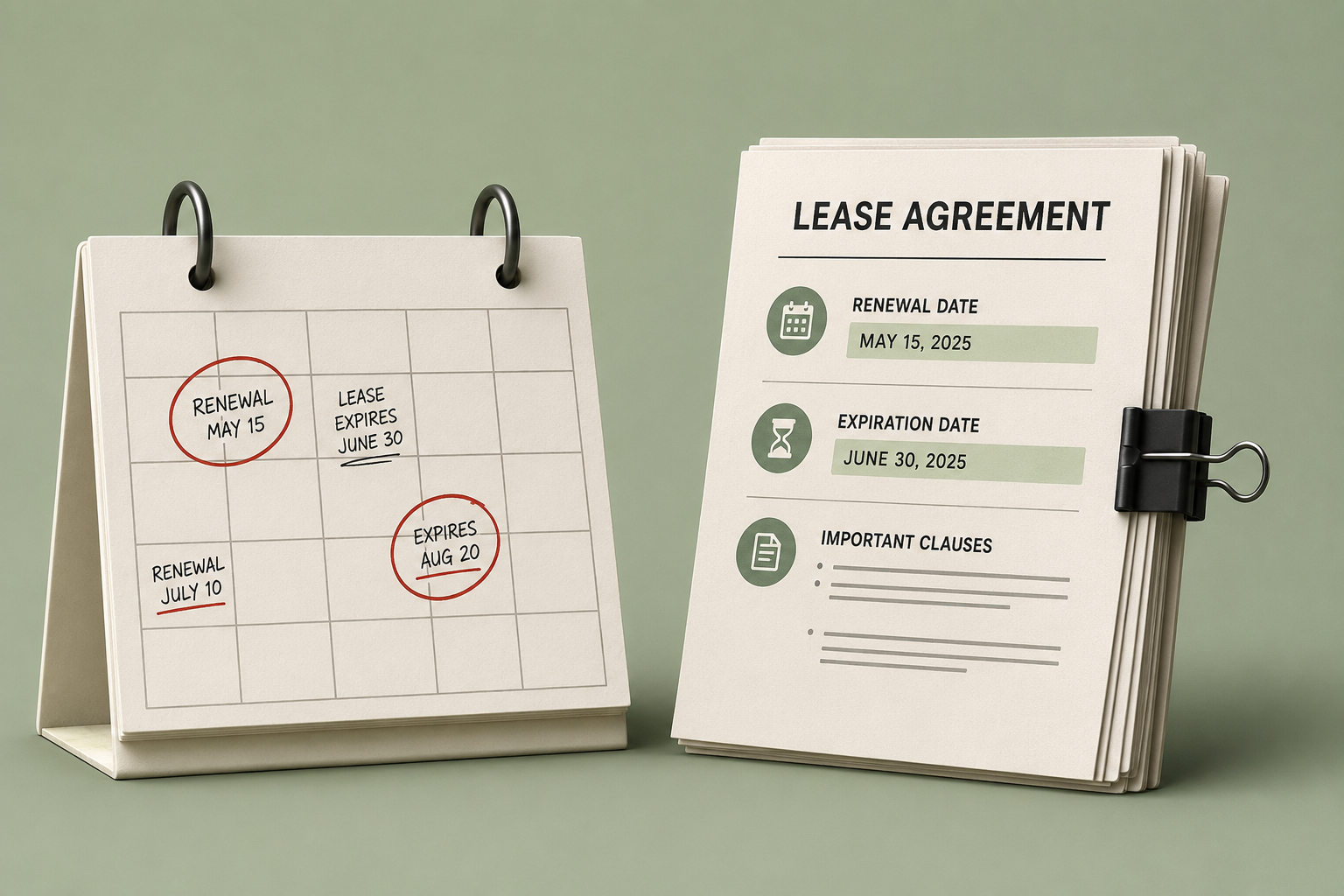
  • Automated lease renewal reminders

  • Digital lease creation and document storage

  • Centralized tenant profiles and history

This reduces misunderstandings, speeds up leasing processes, and keeps important records organized.

Simplifying Accounting and Financial Management

Tracking rental income and expenses manually is time-consuming and prone to errors. Rental property management software simplifies accounting by automatically organizing financial data.

Typical accounting features include:

  • Income and expense tracking

  • Monthly and annual financial reports

  • Clear cash flow visibility

  • Exportable data for tax filing or accountants

These tools help landlords understand property performance without spending hours on bookkeeping.

Compliance and Legal Considerations for U.S. Landlords

Landlords in the USA must comply with federal, state, and local housing regulations. Rental property management software helps reduce compliance risks by standardizing documentation and workflows.

Compliance-supporting features may include:

  • Secure storage of leases and tenant documents

  • Fair Housing–aligned screening workflows

  • Automated reminders for renewals and inspections

  • Organized records for audits or disputes

While software does not replace legal advice, it helps landlords stay organized and avoid common compliance mistakes.

Maintenance Management and Property Care

Maintenance issues can quickly impact tenant satisfaction and property value if not addressed promptly. Rental property management software allows tenants to submit maintenance requests digitally.

Benefits of maintenance tracking tools:

  • Faster response to repair requests

  • Clear maintenance history for each property

  • Better coordination with service providers

  • Reduced risk of long-term property damage

This leads to smoother operations and improved tenant retention.

Who Should Use Rental Property Management Software?

Rental property management software is best suited for:

  • Independent landlords

  • Small property managers

  • Owners managing 1–100 rental units

  • Landlords moving away from spreadsheets or manual systems

If managing rent, tenants, and finances feels time-consuming or disorganized, rental software is a practical solution.

Use this feature checklist as a baseline: rental property management software features.

Frequently Asked Questions (FAQs)

What is rental property management software?

Rental property management software is a digital tool that helps landlords manage rent collection, tenants, leases, maintenance, and accounting from a single platform.

Is rental property management software suitable for small landlords?

Yes. Independent landlords managing small portfolios benefit significantly from automation, improved organization, and reduced administrative effort.

Can tenants pay rent online using rental software?

Most rental property management platforms support online rent payments through secure digital payment methods, making rent collection faster and more reliable.

Does rental property management software help with accounting?

Yes. Rental software automatically tracks income and expenses and generates financial reports that simplify bookkeeping and tax preparation.

How quickly can landlords see results after switching to rental software?

Many landlords notice improvements within the first few months through better rent collection, fewer missed tasks, and reduced manual work.

Final Note

Rental property management software has become an essential tool for landlords in the USA who want to streamline operations, improve tenant satisfaction, and maintain better control over their rental business.

If you’re a small landlord looking for something practical and not enterprise-heavy, start here: property management software for small landlords.

Platforms like Shuk Rentals are designed to support independent landlords by bringing rent collection, tenant management, maintenance tracking, and financial organization into a single, easy-to-use system—helping landlords manage rental properties more efficiently without relying on manual processes.

QUICK VIEW
Stay in the Shuk Loop
Stop Reacting to Vacancies. Start Seeing Them Coming.

Shuk helps landlords and property managers get ahead of vacancies, improve renewal visibility, and bring more predictability to every lease cycle.

Book a demo to get started with a free trial.

Best Rental Property Management Software in the USA

A Practical Guide for Independent Landlords (1–100 Units)

Managing rental properties in the USA can become overwhelming for independent landlords, especially when handling rent collection, tenant communication, maintenance, accounting, and legal compliance manually. As portfolios grow, spreadsheets, emails, and paper records often lead to missed payments, delayed maintenance, and operational errors.

Rental property management software provides a centralized digital solution that helps landlords manage all rental operations from a single platform. This guide explains what rental property management software is, how it works, and how landlords in the USA can choose the best solution for their needs.

This article is part of our complete property management software guide for independent landlords.

The “best” software depends on your portfolio size and the workflows you care about most. For many landlords, the decision comes down to rent collection, lease tracking, and whether the tool is simple enough to use daily.

What Is Rental Property Management Software?

Rental property management software is a digital platform designed to help landlords manage rental properties more efficiently. It replaces manual processes by combining key functions such as rent collection, leasing, tenant communication, maintenance tracking, and accounting into one system.

For independent landlords managing 1 to 100 units, this type of software helps reduce administrative workload, improve accuracy, and maintain consistent cash flow without hiring additional staff.

How Rental Property Management Software Improves Rent Collection

Rent collection is one of the most critical responsibilities for landlords. Manual methods like cash or checks often result in late payments and extra follow-ups. Rental property management software automates this process using secure online payment systems.

Key advantages of automated rent collection:

  • Online rent payments through secure digital methods

  • Automated rent reminders for tenants

  • Faster payment processing and deposits

  • Automatic transaction records and receipts

Landlords using automated rent collection typically experience fewer late payments and improved predictability in monthly income.

Tenant Communication and Leasing Made Simple

Clear and consistent communication helps maintain positive landlord–tenant relationships. Rental property management software centralizes tenant communication and leasing activities in one place.

Common tenant and leasing features include:

  • In-platform messaging between landlords and tenants

  • Automated lease renewal reminders

  • Digital lease creation and document storage

  • Centralized tenant profiles and history

This reduces misunderstandings, speeds up leasing processes, and keeps important records organized.

Simplifying Accounting and Financial Management

Tracking rental income and expenses manually is time-consuming and prone to errors. Rental property management software simplifies accounting by automatically organizing financial data.

Typical accounting features include:

  • Income and expense tracking

  • Monthly and annual financial reports

  • Clear cash flow visibility

  • Exportable data for tax filing or accountants

These tools help landlords understand property performance without spending hours on bookkeeping.

Compliance and Legal Considerations for U.S. Landlords

Landlords in the USA must comply with federal, state, and local housing regulations. Rental property management software helps reduce compliance risks by standardizing documentation and workflows.

Compliance-supporting features may include:

  • Secure storage of leases and tenant documents

  • Fair Housing–aligned screening workflows

  • Automated reminders for renewals and inspections

  • Organized records for audits or disputes

While software does not replace legal advice, it helps landlords stay organized and avoid common compliance mistakes.

Maintenance Management and Property Care

Maintenance issues can quickly impact tenant satisfaction and property value if not addressed promptly. Rental property management software allows tenants to submit maintenance requests digitally.

Benefits of maintenance tracking tools:

  • Faster response to repair requests

  • Clear maintenance history for each property

  • Better coordination with service providers

  • Reduced risk of long-term property damage

This leads to smoother operations and improved tenant retention.

Who Should Use Rental Property Management Software?

Rental property management software is best suited for:

  • Independent landlords

  • Small property managers

  • Owners managing 1–100 rental units

  • Landlords moving away from spreadsheets or manual systems

If managing rent, tenants, and finances feels time-consuming or disorganized, rental software is a practical solution.

Use this feature checklist as a baseline: rental property management software features.

Frequently Asked Questions (FAQs)

What is rental property management software?

Rental property management software is a digital tool that helps landlords manage rent collection, tenants, leases, maintenance, and accounting from a single platform.

Is rental property management software suitable for small landlords?

Yes. Independent landlords managing small portfolios benefit significantly from automation, improved organization, and reduced administrative effort.

Can tenants pay rent online using rental software?

Most rental property management platforms support online rent payments through secure digital payment methods, making rent collection faster and more reliable.

Does rental property management software help with accounting?

Yes. Rental software automatically tracks income and expenses and generates financial reports that simplify bookkeeping and tax preparation.

How quickly can landlords see results after switching to rental software?

Many landlords notice improvements within the first few months through better rent collection, fewer missed tasks, and reduced manual work.

Final Note

Rental property management software has become an essential tool for landlords in the USA who want to streamline operations, improve tenant satisfaction, and maintain better control over their rental business.

If you’re a small landlord looking for something practical and not enterprise-heavy, start here: property management software for small landlords.

Platforms like Shuk Rentals are designed to support independent landlords by bringing rent collection, tenant management, maintenance tracking, and financial organization into a single, easy-to-use system—helping landlords manage rental properties more efficiently without relying on manual processes.

<script type="application/ld+json">

{

  "@context": "https://schema.org",

  "@type": "FAQPage",

  "mainEntity": [

    {

      "@type": "Question",

      "name": "What is rental property management software?",

      "acceptedAnswer": {

        "@type": "Answer",

        "text": "Rental property management software is a digital platform that helps landlords manage rent collection, tenants, leases, maintenance, and accounting from one place."

      }

    },

    {

      "@type": "Question",

      "name": "Is rental property management software good for small landlords?",

      "acceptedAnswer": {

        "@type": "Answer",

        "text": "Yes. Independent landlords managing 1–100 units benefit from automation, better organization, and reduced administrative work."

      }

    },

    {

      "@type": "Question",

      "name": "Can tenants pay rent online using rental software?",

      "acceptedAnswer": {

        "@type": "Answer",

        "text": "Most rental property management platforms allow tenants to pay rent online using secure digital payment methods."

      }

    },

    {

      "@type": "Question",

      "name": "Does rental property management software help with accounting?",

      "acceptedAnswer": {

        "@type": "Answer",

        "text": "Yes. Rental software tracks income and expenses automatically and generates financial reports that simplify bookkeeping and tax preparation."

      }

    }

  ]

}

</script>

View Similar Articles

View Similar Articles

All Articles
Self-Managing vs. Hiring a Property Manager
Essential Systems for Self-Managing Landlords: The Operational Checklist to Replace Spreadsheets, Venmo, Texts, and Email

Essential Systems for Self-Managing Landlords: The Operational Checklist to Replace Spreadsheets, Venmo, Texts, and Email

Property management tools for landlords are software platforms that consolidate rental operations including rent collection, maintenance tracking, lease management, tenant communication, expense reporting, screening, and insurance documentation into a single system. For landlords managing 1 to 100 units without professional management, these platforms replace the patchwork of spreadsheets, payment apps, text threads, and email folders that create documentation gaps, compliance risk, and wasted time. Consolidating into one platform reduces manual work, creates a clear audit trail for disputes, and brings the operational reliability of professional property management within reach for independent landlords.

Why Patchwork Operations Break Down

Most self-managing landlords don't struggle because they lack knowledge. They struggle because day-to-day operations break down when information lives in too many places.

When rent collection happens in one app, leases are stored in another, maintenance is handled through text messages, and expenses live in a spreadsheet, the result is no single system of record for tenant and property activity, version-control problems around which lease is current, missed handoffs when a maintenance request is acknowledged by text but never scheduled, unclear audit trails when disputes arise, and slow reporting that requires manual assembly every time.

An integrated platform creates one operational hub. That's not just convenience; it changes outcomes. Industry data shows online rent payments have grown steadily, with Rentec Direct reporting they reached 51% of transactions by 2025. Renter preference surveys, including research from NMHC and Grace Hill, reinforce that digital convenience has become an expectation, not a differentiator.

This guide covers seven core systems that can be consolidated into one platform: online rent collection with automated reminders, digital lease management and e-signatures, maintenance request tracking, centralized tenant communication, financial reporting and expense tracking, tenant screening workflows, and insurance documentation management.

The 7 Core Systems to Consolidate

1. Online Rent Collection with Automated Reminders

Online rent collection is the fastest way to eliminate the back-and-forth around whether rent has been paid, especially when the current workflow relies on checks, cash, or peer-to-peer transfers not designed for rent ledgers.

Long-term data shows a sustained shift toward digital rent. The National Apartment Association has reported that 84.2% of residents prefer online rent payment when no additional fees are involved. Research on autopay adoption indicates on-time payment rates can reach 99% with autopay enabled, compared to 88% without it.

When a landlord manages a duplex and accepts checks, one tenant paying on the 6th can dispute a late fee by claiming the check was written on the 1st. With online payments, the timestamp and ledger entry are automatic and the reminder goes out before the due date. For a six-unit owner reconciling Venmo payments manually, an integrated platform posts each payment to the correct tenant ledger automatically without any manual matching.

How to set it up: Require or strongly encourage recurring payments at lease signing. The goal is predictable cash flow, not just digital convenience. Enable automated reminders before the due date, on the due date, and after the grace period. Automation research suggests this can reduce admin time on reminder and collection tasks by meaningful hours each month.

Common pitfalls: Charging fees without offering a fee-free payment method reduces adoption. Using payment apps not designed for rent creates ledger gaps that become disputes later.

Metric to track: On-time payment rate and days-to-cash from the due date.

2. Digital Lease Management and E-Signatures

Lease management becomes significantly simpler when the lease, addenda, notices, and renewal documents live in one place with a clear audit trail.

E-signatures are legally recognized in the U.S. under the ESIGN Act and state-level UETA frameworks, which generally grant electronic signatures the same legal effect as handwritten signatures when consent and record retention requirements are met. HUD has also authorized broader use of electronic signatures in housing program contexts, with emphasis on compliant storage practices.

When a tenant is relocating and cannot meet in person, sending a lease for e-signature allows collection of signatures within hours and automatic storage of the executed version with a timestamped audit trail. When a pet addendum is added mid-lease, a digital system attaches it to the lease record and makes it instantly referenceable during any future dispute.

How to set it up: Standardize a lease packet covering the lease, required disclosures, house rules, and addenda templates. Upload once and reuse. Enable version control by labeling documents clearly and storing only executed copies in a designated final folder.

Common pitfalls: Not capturing tenant consent for electronic records is a key compliance issue under ESIGN principles. Using a generic e-signature tool without tying documents to the tenant ledger creates document drift, where signed leases end up stored separately from rent and maintenance records.

Metric to track: Lease cycle time from application approval to executed lease, and renewal turnaround time.

3. Maintenance Request Tracking

Maintenance is where self-management often breaks down first, because requests arrive through the most chaotic channels: texts, voicemails, and hallway conversations. A centralized system turns every request into a trackable ticket with photos, timestamps, status updates, and vendor notes.

When a tenant texts at 10:45 p.m. about water under the sink, an untracked workflow means waking up to several messages with no record of what was communicated. With a maintenance portal, the tenant submits a request with photos, the landlord triages it, assigns a vendor, and documents the outcome in the ticket. When the same unit reports a noisy AC twice each summer, a ticketing system shows the full history, which vendor visited, and what was repaired, enabling a more informed repair-or-replace decision.

How to set it up: Require all non-emergency requests through a single portal. Log emergency calls afterward so records remain complete. Create categories and define service-level targets, for example emergency response within one hour and routine requests within one business day.

Common pitfalls: Not collecting enough information upfront is the most common gap. Requiring location, issue type, access permission, and photos at submission prevents the back-and-forth that delays resolution. Failing to notify tenants when a ticket is assigned or completed generates unnecessary status-check calls.

Metric to track: Average response time, average time-to-resolution, and repeat tickets by category.

4. Centralized Tenant Communication

Tenant communication is not just customer service; it is documentation. When communication is spread across SMS, email, and personal phone calls, context is lost and legal risk increases. A centralized communication hub ties messages to the tenant record and property, making it straightforward to find what was said, when, and by whom.

When a tenant reports repeated noise and the messages are scattered across text threads, reconstructing the timeline becomes unreliable. Centralized messaging creates a dated thread that can be referenced when enforcing lease terms. When a tenant requests a one-time late-fee waiver, a casual text reply can set an expectation that is difficult to manage consistently. A platform message using a saved template keeps approvals consistent across all units.

How to set it up: Use message templates for common scenarios including rent reminders, entry notices, renewal outreach, and maintenance scheduling. Route all non-emergency communication through the portal to keep everything organized and searchable.

Common pitfalls: Mixing personal and business channels makes records unreliable if they are ever needed. Missing a message because it arrived in one of several active channels creates response delays that erode tenant confidence.

Metric to track: Inbound message volume per unit per month and average response time.

5. Financial Reporting and Expense Tracking

Financial reporting is where most self-managing landlords feel the operational pain most acutely, typically at tax time. When rent records are in a spreadsheet, expenses are in a shoebox, and maintenance invoices live in email, reconstructing a year of activity takes hours.

In an integrated platform, income and expenses tie directly to a property and unit, producing real-time reporting. The National Apartment Association has noted that automation reduces time and cost in property operations. For small portfolios, fewer manual steps mean fewer errors and faster year-end reporting.

When expenses are categorized as they occur, including repairs, utilities, insurance, and advertising, a clean export by property replaces the annual bank statement search. When one unit appears to underperform, property-level reporting makes it possible to compare net operating income by unit, identify a spike in repairs, and make a data-informed decision about rent increases, renovation, or capital replacement.

How to set it up: Create a standard chart of expense categories aligned to tax reporting needs. Attach receipts and invoices to each expense entry to build an audit-ready documentation record.

Common pitfalls: Tracking expenses without linking them to the correct property or unit makes ROI comparisons impossible. Not reconciling monthly turns a minor discrepancy into a multi-hour cleanup at year-end.

Metric to track: Time spent monthly on bookkeeping and the count of uncategorized transactions.

6. Tenant Screening Workflows

Tenant screening is both a risk-management function and a compliance obligation. A structured workflow helps landlords assess applicants consistently while maintaining fair treatment. Screening typically covers identity verification, credit indicators, rental history, and background checks depending on policies and local law.

When applicants submit partial documents by email, the workflow stalls while missing items are tracked down. A platform that requires all fields before submission closes the application. When written screening criteria covering minimum income multiples, credit considerations, and occupancy limits are applied through the same workflow for every applicant, decisions are stored and retrievable if they are later questioned.

How to set it up: Publish screening criteria and use the same workflow for every applicant. Store screening reports and decision notes in the applicant record for a defined retention period, and confirm requirements with state law or legal counsel.

Common pitfalls: Ad hoc approvals based on gut instinct create fair housing exposure. Handling sensitive consumer data through email attachments rather than secure portals is both a security and compliance risk.

Metric to track: Days from inquiry to approved applicant and application completion rate.

7. Insurance Documentation Management

Insurance documentation is the system that matters most when things go wrong. Leaks, fires, liability claims, and vendor incidents all require fast access to policy information. Most self-managing landlords store insurance documents in a drawer and hope they never need them. A better approach is to keep all insurance records in the same cloud platform as leases and maintenance so documentation is immediately accessible.

When a lease requires renter's insurance and a tenant uploads proof of coverage through the platform, confirming compliance at the time of a claim takes seconds rather than a search through email. When a contractor is hired for roofing work and their certificate of insurance is stored alongside the work order, coverage is verified before work begins and documented for future reference.

How to set it up: Create an insurance folder per property that holds policy declarations, endorsements, claim history notes, and key contact numbers. Set renewal reminders for landlord policies and renter's insurance expirations to prevent silent lapses.

Common pitfalls: Storing vendor certificates of insurance in email threads makes them nearly impossible to locate during a claim. Not tracking policy effective dates creates gaps after refinancing or a carrier change.

Metric to track: Percentage of tenants with verified renter's insurance on file and time to produce documentation when a claim arises.

Gap Analysis: Evaluate Your Current Landlord Operations

Use this as an operational audit. More than a few "No" answers signals a patchwork system rather than a true operating platform.

The 7-System Consolidation Checklist

A. Rent Collection and Reminders

  • Tenants can pay online via ACH or card without confusion about where to send rent
  • Autopay is enabled and encouraged at move-in
  • Automated reminders go out before the due date and after the grace period
  • Every payment automatically posts to a tenant ledger without manual matching

B. Lease Management and E-Signatures

  • Leases and addenda are sent for e-signature with audit trails
  • Tenant consent for electronic records is captured
  • Executed documents are stored in one place with version control
  • Renewals are initiated and tracked in the same system

C. Maintenance Tracking

  • Tenants submit all maintenance requests through a single portal
  • Requests support photos and clear categorization
  • Status updates are documented from receipt through completion
  • Vendor invoices can be attached directly to the maintenance ticket

D. Centralized Communication

  • Messages are tied to the tenant and property record rather than scattered across SMS and email
  • Templates are used for recurring messages including entry notices, reminders, and renewals
  • Message history is exportable and referenceable for disputes

E. Financial Reporting

  • Income and expenses are categorized per property and unit
  • Receipts and invoices are attached to transactions
  • Year-end reports can be generated without manual reconstruction
  • Reconciliation happens monthly or at minimum quarterly

F. Tenant Screening

  • Applications are collected through one standardized workflow
  • Screening criteria are documented and applied consistently
  • Reports and decision notes are stored securely

G. Insurance Documentation

  • Landlord policies and endorsements are stored per property
  • Renter's insurance proofs are tracked with upload and renewal reminders
  • Vendor certificates of insurance are stored with the relevant work order

Self-Assessment Prompt

List your current tools for rent, leases, maintenance, communication, accounting, screening, and insurance. For each, note where records are stored, who has access, how you locate history when needed, and what breaks during a dispute or at tax time. Identify which functions can be consolidated into one platform.

How Shuk Supports Self-Managing Landlords

Shuk is built to cover all seven systems in one platform: online rent collection with autopay and late-fee automation, maintenance request tracking with photos and vendor assignment, centralized tenant messaging, document storage and e-signatures, and expense tracking organized for tax preparation.

Two features go beyond operational coverage. The Lease Indication Tool polls tenants monthly beginning six months before lease end, giving landlords early renewal signals rather than last-minute surprises. In early platform data, every tenant who indicated they were unlikely to renew or unsure about renewing ultimately moved out. That visibility allows landlords to prepare for a potential vacancy months earlier rather than reacting after notice is given.

Year-round listing visibility keeps properties discoverable even when occupied, so landlords maintain a warm pipeline between leases. Rather than starting from zero at every turnover, properties stay current and ready to generate interest before a unit becomes available.

Frequently Asked Questions

What is the best property management tool for independent landlords?

The best property management tool for an independent landlord is one that consolidates rent collection, maintenance tracking, lease management, communication, and expense reporting in a single platform rather than requiring separate apps for each function. The most important criteria are automated rent reminders and autopay, a maintenance ticketing system with photo support, e-signature capability for leases and addenda, and basic financial reporting that can be exported for tax preparation. Operational consolidation reduces manual work and creates a clear record system for disputes.

Are e-signatures legally valid for rental leases?

Electronic signatures are legally valid for rental leases in most U.S. jurisdictions. The ESIGN Act and the Uniform Electronic Transactions Act grant electronic signatures the same legal effect as handwritten signatures when parties consent and records are retained properly. HUD has also issued guidance authorizing e-signatures in relevant housing contexts with emphasis on secure storage. Landlords should confirm any state-specific requirements and capture tenant consent for electronic records at the time of signing.

Will tenants use online rent payment if I require it?

Adoption of online rent payment is strong and growing. Industry data from Rentec Direct shows online payments reaching 51% of rent transactions by 2025, and the National Apartment Association has reported that 84.2% of residents prefer online payment when no additional fees are charged. Adoption increases further when landlords make autopay easy to set up at move-in and offer a fee-free ACH option alongside credit card payment.

Is an all-in-one platform more secure than spreadsheets and email?

Spreadsheets and email attachments are harder to secure and easier to mishandle than a dedicated platform. Cloud-based property management platforms typically provide controlled access, audit trails, and centralized storage with role-based permissions. Spreadsheets stored locally or in personal email accounts have no access controls, version history, or breach notification. Regardless of platform, landlords should use strong unique passwords and limit access to property records to anyone who genuinely needs it.

What should a self-managing landlord track monthly?

The minimum monthly tracking for a self-managing landlord covers three areas: rent, maintenance, and expenses. For rent, confirm all payments received, apply late fees where applicable, and reconcile the ledger. For maintenance, review any open tickets and confirm each has an assigned vendor or scheduled resolution date. For expenses, categorize any new transactions and attach receipts so year-end reporting does not require reconstruction from bank statements. A consistent monthly review of these three areas prevents most of the operational problems that accumulate into larger issues.

Compliance and Legal
Fair Housing Compliance Guide: How Landlords Reduce Discrimination Risk

Fair Housing Compliance Guide: How Landlords Reduce Discrimination Risk

Fair housing compliance for landlords is a repeatable operational process that reduces the risk of discrimination claims by ensuring every decision involving an applicant or resident is consistent, documented, and tied to an objective, non-discriminatory standard. In 2023, fair housing complaint filings nationally reached levels not seen since the mid-1990s, with disability-related allegations representing more than half of all complaints filed. Federal civil penalties for violations reach into the tens of thousands of dollars per incident, and enforcement settlements in sexual harassment and retaliation matters have produced outcomes in the hundreds of thousands of dollars. The most effective protection is not legal knowledge alone but a systematic operational approach that removes discretion, documents legitimate business reasons, and catches inconsistencies before they become complaint patterns.

What Fair Housing Compliance Requires in Practice

The Fair Housing Act recognizes three distinct theories of liability. Intentional discrimination means treating a person differently because of a protected characteristic. Discriminatory effects, also called disparate impact, means applying a policy that is facially neutral but produces disproportionate harm to a protected class without sufficient justification. Failure to accommodate is the specific obligation under the disability provisions to make exceptions to rules and policies when needed for equal access.

HUD reinstated its discriminatory effects standard in 2023 after a period of revision. Under this standard, a landlord can face liability for a facially neutral policy, such as a blanket criminal history exclusion or an occupancy standard set unusually low, if the policy produces a discriminatory outcome and cannot be justified by a legitimate, non-discriminatory interest. This means that good intentions are not a defense when policies produce unequal outcomes.

The practical goal is to build a rental process where every decision is explainable, consistent, and traceable back to a written standard.

8-Step Operational Blueprint

Step 1. Write and Publish Consistent Screening Criteria

The first defense against discrimination claims is a written tenant selection criteria document that specifies every standard used in evaluating applications: income threshold, acceptable credit criteria, rental history requirements, criminal history policy, and occupancy limit. This document should be available to every applicant before or with the application and should be retained in a version-controlled format so you can demonstrate what standard applied on the date of any decision.

Apply the criteria in the same sequence for every applicant. Income first, then rental history, then credit, then criminal history, with any exceptions documented with the specific business reason and manager approval. Exceptions that cannot be explained in writing are the most common source of disparate treatment allegations.

Avoid subjective language in decision records. Notes that reference how an applicant "seemed" or what your team's "gut feeling" was are both difficult to defend and easy to use against you in an investigation. Document only objective facts tied to the written criteria.

Step 2. Handle Criminal History with Individualized Assessment

Criminal history screening is the compliance area where blanket policies create the most legal exposure. HUD has explicitly cautioned against blanket exclusions based on any criminal history and against using arrest records that did not result in conviction. The recommended approach is individualized assessment: considering the nature and severity of the offense, its recency, and whether it bears a direct relationship to housing safety or the safety of residents and staff.

A practical criminal history framework specifies which categories of conviction are relevant to housing safety, establishes lookback periods beyond which older offenses are not considered, excludes arrests and sealed or expunged records, and documents the assessment for every applicant who has any reportable history. The assessment form should be the same for every applicant and should require the same analysis regardless of who is completing it.

Cook County, Illinois has codified a two-step approach that limits consideration of criminal history to a narrower window after a conditional offer. New York City's Fair Chance for Housing law restricts criminal inquiries until later in the process. California has enforcement actions that have pushed landlords to replace blanket ban policies with documented individualized review. Confirm the rules applicable to each market where you operate.

Step 3. Control Advertising Language and Delivery

Every rental advertisement is a compliance document. Language that signals a preference for or against any protected group, whether explicit or implicit, creates liability regardless of the landlord's intent. HUD has issued guidance on advertising through digital platforms that specifically addresses the risk of algorithmic targeting that excludes protected classes even when the advertiser does not consciously select discriminatory settings.

Safe advertising describes the property: its features, location, accessibility characteristics stated neutrally, lawful occupancy standard, pet policy, and screening criteria. Unsafe advertising describes the desired tenant: phrases like "perfect for young professionals," "no kids," or "senior community" all signal protected-class preferences.

Keep archived copies of every ad version with the dates it ran. If a complaint references an ad, your ability to produce the actual text and targeting settings is a significant advantage.

Step 4. Standardize Showings and Inquiry Responses

A significant share of fair housing complaints originate before an application is submitted, in the inquiry and showing stage. Inconsistent availability statements, different levels of information shared with different callers, or steering prospective tenants toward or away from specific units based on protected-class cues all create complaint exposure.

A written inquiry script ensures that every caller receives the same information: current availability, applicable fees, screening criteria, application process, and how to schedule a showing. An availability log that records the date, time, contact method, unit requested, and outcome for every inquiry creates a documented record that showing opportunities were offered equally.

Discouragement is a specific form of steering. Any statement that suggests a prospect would be happier elsewhere or that the property might not be a good fit for them, without reference to objective criteria, is a potential fair housing violation.

Step 5. Build a Documented Accommodation Workflow

Disability is the most frequently alleged basis in fair housing complaints, and the accommodation workflow is the single most important compliance process to formalize. The most common failure points are delayed responses, excessive documentation requests, and rescinded approvals after an assistance animal or other accommodation need is disclosed.

A compliant accommodation workflow follows five steps in sequence. Accept the request in any format, including verbal, and log the receipt date. Acknowledge in writing within one to two business days with confirmation of what was requested and what, if anything, is needed from the resident. Request supporting documentation only if the disability and the disability-related need are not obvious from context, and limit the request to what is necessary to understand the nexus. Decide promptly and provide a written response approving the accommodation, proposing an alternative, or denying with a documented basis. Implement the approved accommodation and note it in the resident file.

For assistance animals specifically, the accommodation workflow governs. No pet fees or deposits may be charged for an approved assistance animal. No breed restrictions or weight limits apply. Behavioral rules that apply to all animals in the community can be enforced, but only on the basis of documented behavior, not species or category.

Step 6. Enforce Harassment and Retaliation Protections

Harassment under fair housing law includes both quid pro quo harassment and hostile environment harassment. The most common patterns involve maintenance staff making inappropriate comments to residents, landlords conditioning lease terms on personal favors, and retaliatory enforcement actions taken against tenants who have exercised a legal right.

Publish and enforce a zero-tolerance harassment policy. Require all staff and vendors who access occupied units to operate under the same conduct standards. Create a complaint intake process that routes reports to a designated reviewer within 48 hours and documents the investigation and outcome.

Retaliation risk is highest when a negative leasing action occurs close in time to a protected activity. If a resident has recently filed a complaint, requested an accommodation, or exercised any legal right, any adverse action taken against that resident will be scrutinized for retaliatory intent. Document the independent, policy-based basis for every enforcement action and confirm that the same violation has been handled the same way for other residents before proceeding.

Step 7. Retain Documentation Consistently

Compliance investigations focus on whether a housing provider applied consistent processes and can produce records to prove it. A complete compliance record includes the ad copy used, the inquiry log, the application and screening criteria applied, the decision record, all notices issued, the accommodation request log if any, and the communication history tied to the tenancy.

A defensible retention schedule keeps these records for at least three to five years, with some program contexts requiring longer periods. Sensitive screening documents including consumer reports should be stored in a secure, access-controlled system rather than email attachments or shared drives.

Avoid subjective language in any record that will be retained. Decision notes, inspection records, and communication logs should reflect objective facts and policy applications rather than impressions, characterizations, or personal observations.

Step 8. Audit Outcomes Regularly

The most effective early warning system for disparate impact exposure is a periodic audit of outcomes. Denial rates, exception frequency, accommodation response times, and advertising settings should be reviewed quarterly to identify patterns before they become complaint clusters.

A monthly 30-minute compliance check comparing recent approvals and denials against the written criteria, a quarterly review of accommodation response times, and an annual policy refresh that incorporates new guidance from HUD, DOJ, or state agencies creates a compliance discipline that is proportionate to the risk without requiring dedicated staff or outside counsel for every review.

Fair Housing Compliance Checklist

Advertising and leads: Ads use property feature language only. No preference or limitation wording. Digital targeting settings documented and periodically reviewed. Equal housing opportunity statement included. Inquiry log maintained with consistent information offered to every prospect.

Applications and screening: Written criteria provided before or with the application. Same criteria applied in the same sequence for every applicant. Criminal history policy uses individualized assessment. No denials based on arrests. Every decision recorded with the criterion applied and the evidence relied on.

Decisions and notices: Standardized templates used for approvals, denials, and conditional approvals. Decision notes are objective and factual. No subjective language in any retained record.

Accommodations and modifications: All requests logged regardless of format. Written acknowledgment sent within one to two business days. Documentation requests limited to what is necessary. Written decisions issued promptly. Assistance animals handled as accommodations without pet fees or breed restrictions.

In-tenancy management: Lease rules enforced with the same warning structure for every household. Work orders tracked with timestamps. Inspections follow a standard schedule and checklist. Complaint handling is behavior-based and documented. Anti-retaliation review required before escalating any enforcement action that follows a protected activity.

Renewals and terminations: Notice templates standardized. Non-renewal decisions documented with objective lease violation evidence. Same violation handled the same way for comparable situations across the portfolio.

Training and audits: Annual fair housing training completed and recorded. Quarterly outcome audits conducted. Policy refreshed annually.

How Shuk Supports Fair Housing Compliance

Shuk's centralized tenant communication log ties every message to the tenant and property record rather than to a personal phone or email inbox, making it straightforward to demonstrate consistent, professional communication across all residents. Standardized maintenance request tracking with timestamps supports equal responsiveness claims by documenting that requests are handled on the same timeline regardless of which unit submits them.

Lease management with e-signatures creates version-controlled, timestamped records of every signed lease, addendum, and notice, which is directly relevant to documentation-based defenses in fair housing investigations.

Frequently Asked Questions

What is the most common fair housing violation for independent landlords?

Disability-related violations are the most frequently alleged category, most commonly involving inadequate or delayed responses to reasonable accommodation requests, improper handling of assistance animal requests, and failure to document the interactive process. The second most common pattern is inconsistent screening: applying different standards to different applicants without documented justification. Both are primarily process failures rather than intentional discrimination, which is why operational standardization is the most effective prevention strategy.

What does disparate impact mean for a small landlord?

Disparate impact means that a facially neutral policy produces a discriminatory outcome for a protected class. For small landlords, the most common examples are blanket criminal history exclusions that disproportionately affect certain protected classes, occupancy standards set more restrictively than local codes require, and income requirements applied differently to different sources. A policy with disparate impact can create liability even when there is no discriminatory intent. The defense is demonstrating a legitimate, non-discriminatory business necessity and the absence of a less discriminatory alternative.

How should a landlord respond when a tenant or applicant alleges discrimination?

Treat every allegation as a potential agency file. Acknowledge receipt of the concern in writing and commit to a review. Preserve all relevant records immediately, including ads, inquiry logs, screening outputs, decision notes, and communications. Review whether the decision followed written criteria and whether an accommodation issue is involved. Provide a written, policy-based response that explains the decision objectively. Escalate to a compliance advisor or legal counsel for any written response to a formal agency inquiry.

Can a landlord's advertising create fair housing liability?

Yes. Language that expresses a preference for or against any protected class in an advertisement is prohibited regardless of the landlord's intent. This includes both explicit preference statements and implicit signals through word choice. Digital advertising creates an additional layer of risk because targeting settings that exclude protected classes can produce discriminatory delivery even when the advertiser did not intend it. HUD issued specific guidance on this topic in 2024.

How long should fair housing compliance records be retained?

A baseline retention period of three to five years covers most regulatory and legal timelines. HUD program contexts may require longer periods. Records that are relevant to an active or threatened complaint should be held under a legal hold until the matter is fully resolved, regardless of the standard retention schedule. Screening reports, decision records, accommodation logs, and communication histories are the most frequently requested documents in fair housing investigations.

Property Acquisition Hub
First Rental Property Mistakes: How to Evaluate Deals, Finance Smart, and Manage Without Surprises

First Rental Property Mistakes: How to Evaluate Deals, Finance Smart, and Manage Without Surprises

What First-Time Rental Property Investor Mistakes Are and Why They Matter

First-time rental property investor mistakes are the recurring errors new landlords make during property evaluation, financing, and ongoing management that turn otherwise reasonable deals into cash-flow problems. These mistakes are predictable and largely preventable with disciplined underwriting, conservative financing assumptions, and repeatable management systems. For independent landlords and small property managers, avoiding these early missteps is the difference between building a portfolio and funding a liability.

Why First Rentals Fail in Practice

Buying your first rental property can feel straightforward: find a property, collect rent, pay the mortgage, repeat. But the gap between "it looked good on paper" and "it cash-flows in real life" is where most mistakes happen.

Vacancy is real, and it is not evenly distributed. The U.S. Census Bureau reported single-family rental vacancy at 5.3% in Q1 2024 while larger multifamily of 5 or more units ran higher at 7.8%, with the overall national rental vacancy rate at 6.6% in the same period. If you are undercapitalized or over-leveraged, just one vacancy stretch plus a repair can turn your passive income plan into a monthly cash call.

Add financing pressure. DSCR lending commonly looks for roughly 1.25 or higher for better terms, with typical investor LTV caps around 75% to 80% meaning 20% to 25% down. Rates in the mid-to-high single digits have been common in recent investor-loan pricing. If you do not stress-test those terms, the deal may only work on a spreadsheet with perfect assumptions.

Three scenarios you will recognize.

Accidental landlord. You move for work, rent out your old home, and discover that maintenance and turnover eat the extra money you expected.

DIY landlord. You self-manage to save fees, but inconsistent screening creates late payments and expensive evictions. The highest-cost landlord problems are usually preventable process failures.

Small-portfolio owner. You buy a duplex assuming expenses are maybe 20%, then learn why many small multifamily underwriters view 35% to 45% expense ratios as a healthier range.

What a Strong First Rental Requires

A strong first rental is less about finding a great deal and more about building a repeatable decision system. That system has three parts.

Property Evaluation

You are trying to estimate net operating income and risk accurately. Market metrics help, but they do not replace property-specific diligence. Industry reporting has shown multifamily NOI growth of 5.9% in 2024 while rental income grew 8.7% from the prior year. That sounds encouraging until you realize NOI is what is left after expenses, and expenses are exactly what new investors undercount.

Financing

Investor loans are not the same as a primary-home mortgage. DSCR expectations, down-payment requirements, and rate variability can make your monthly payment significantly higher than expected. Your goal is not to get approved. Your goal is to ensure the property can carry debt through real-life events: vacancy, repairs, property tax changes, and insurance increases. Those are the four most common post-closing surprises cited by new landlords.

Ongoing Management

Self-management can be profitable, but only if you treat it like an operations role. The first-time trap is to improvise: casual screening, inconsistent leases, no maintenance reserve, and no vendor list. National benchmarking work in the property-management industry emphasizes navigating elevated costs in a constrained operating environment. You need a plan, not just good intentions.

The 9 Mistakes and How to Avoid Each

Mistake 1. Trusting "Rent Minus Mortgage" Instead of Underwriting NOI

What it is. You judge a deal by whether rent covers the mortgage, ignoring true operating expenses including taxes, insurance, maintenance, management, turnover, utilities, and admin.

Why it happens. You are used to personal budgeting, not business accounting. Many listing pro formas also omit or minimize real expenses.

Example. A DIY landlord buys a single-family rental expecting slim but positive cash flow. They budget $50 per month for repairs. In practice, average single-family maintenance has been cited around $137 per month, with older homes higher. The cash flow disappears.

How to avoid it.

Build an NOI worksheet: gross scheduled rent, subtract vacancy, subtract operating expenses, equals NOI. Compare your expenses to benchmarks. Small multifamily underwriting often lands in the 35% to 45% expense ratio range. Treat listing numbers as starting points, not truth. Verify taxes, insurance quotes, utility responsibility, and trash and water billing rules before you close.

Real example. A first-time duplex buyer used the seller's $1,200 per year maintenance line item. Year one included a water-heater failure and plumbing leak. The deal survived only because they had extra savings. Survived is not the same as performed.

Mistake 2. Underestimating CapEx

What it is. You budget for small repairs but not major replacements including roof, HVAC, sewer line, and windows.

Why it happens. CapEx is lumpy and emotionally easy to ignore. New investors also confuse "inspection passed" with "no future replacements."

How to avoid it.

Create a CapEx schedule listing roof age, HVAC age, water heater, major appliances, and exterior paint. Estimate remaining useful life by asking your inspector and requesting permit history where available. Convert to monthly reserves: total CapEx expected over 10 years divided by 120 months equals your monthly CapEx reserve. Negotiate with evidence. If the roof is near end-of-life, ask for a credit or price reduction supported by contractor estimates.

Real example. An accidental landlord rents out their former home. Two years later HVAC dies in July. They finance the replacement at a high rate because they did not build reserves. The rental income becomes a payment plan.

Mistake 3. Using the Wrong Vacancy Assumption

What it is. You assume 0% vacancy because you already have a tenant lined up or because the area feels tight.

Why it happens. Optimism bias and recency bias. If your unit is occupied now, you assume it stays occupied.

How to avoid it.

Underwrite vacancy as an annual percentage. Start with 5% to 8% depending on property type and your market, then adjust using local comps. Add a turn cost line item covering cleaning, paint, minor repairs, marketing, and lost rent during make-ready. Track days-to-lease in your neighborhood by watching listings weekly for 60 days before buying.

Real example. A first-time investor buys a small multifamily assuming it will rent in a week. Turnover takes 45 days due to poor photos and slow maintenance coordination. The lost rent plus utilities wipe out three months of profit.

Mistake 4. Misreading Cap Rates and Overpaying for "Safe" Cash Flow

What it is. You buy based on cap rate headlines or assume a lower cap rate always means better without tying it to real NOI quality.

Why it happens. Cap rate is easy to compare but easy to misuse.

How to avoid it.

Calculate cap rate yourself from verified NOI, not broker NOI. Run cap rate sensitivity: what happens if expenses rise 10%? What if rent is 5% lower than projected? If that breaks the deal, it is fragile. Do not confuse cap rate with cash-on-cash return. Financing terms can turn a decent cap rate into poor cash flow.

Real example. A buyer paid a premium price for a turnkey rental at a low cap rate. Insurance renewal came in far higher than expected. Cap rate was irrelevant because the mortgage stayed fixed but expenses did not.

Mistake 5. Not Stress-Testing Financing

What it is. You get a quote, assume it holds, and buy a deal that only works under best-case terms.

Why it happens. Many first-timers shop property first and financing second.

How to avoid it.

Underwrite with a rate shock buffer. Add 0.5% to 1.0% to the quoted rate and see if you still cash flow. Confirm DSCR calculation method since some lenders use gross rent and others use appraiser market rent. Clarify early. Keep liquidity: plan for down payment plus closing plus 3 to 6 months of reserves.

Real example. A small-portfolio owner planned 80% LTV but the lender capped at 75% due to property type. They scrambled for cash, closed anyway, and drained reserves. Then they faced immediate plumbing repairs.

Mistake 6. Confusing Low National Delinquency With Deal Safety

What it is. You rely on rosy macro indicators and ignore property-level risk.

Why it happens. Headlines can sound reassuring.

How to avoid it.

Build a bad year model: assume one month vacancy plus one major repair plus 5% rent drop and confirm you can pay the mortgage. Avoid thin deals. If your monthly cushion is under 5% to 10% of rent, you are one event away from negative cash flow. Add landlord insurance and require renters insurance to reduce liability and claims risk.

Real example. An accidental landlord assumed defaults are low so rentals are stable. Their tenant paid late repeatedly. Without strict enforcement and reserves, the landlord started covering the mortgage with credit cards.

Mistake 7. Underbudgeting Maintenance

What it is. You treat maintenance as occasional, not continuous.

Why it happens. New owners focus on the purchase, not the operation.

Single-family rentals have been cited at roughly $137 per month average maintenance, rising with property age. National benchmarking has reported average multifamily maintenance expenses around $8,657 per unit annually in 2024.

How to avoid it.

Budget maintenance as a line item from day one, not leftover money. Set service standards including response time, approval limits, and vendor expectations. Build a vendor bench before you need it: plumber, electrician, HVAC, handyman, and locksmith.

Real example. A DIY landlord tried to do everything personally to save money. After-hours calls, travel time, and rushed repairs caused tenant churn, creating vacancy losses bigger than any management fee.

Mistake 8. Weak Tenant Screening

What it is. You rent based on vibes, urgency, or a partial application.

Why it happens. You fear vacancy and want rent coming in fast.

How to avoid it.

Set written screening criteria including income multiple, credit threshold or explanations allowed, rental history, and criminal policy consistent with local laws. Verify income through pay stubs and employer verification and call prior landlords, not just the current one. Use a consistent process for every applicant to reduce fair-housing risk.

Real example. A first-time landlord accepts a tenant who offers to pay cash upfront but will not provide verifiable employment. Three months later, payments stop. The fast fill becomes months of loss.

Mistake 9. Managing Without Systems

What it is. You operate ad hoc with no reserve policy, no documentation, and no calendar for inspections and renewals.

Why it happens. You think one property does not need infrastructure.

How to avoid it.

Create a simple ops calendar covering lease renewal outreach, filter changes, seasonal HVAC service, and annual smoke and CO checks. Use separate bank accounts and track property-level P&L monthly. Establish reserve targets for maintenance, CapEx, and vacancy. Tie reserves to rent so they scale.

Real example. A small-portfolio owner did not track expenses by property. One unit silently underperformed for 18 months. They only noticed when taxes and insurance jumped and cash got tight.

Pre-Close and First 90 Days Checklist

Use this as your operating checklist. It is designed to prevent the most common first-time rental property investor mistakes by forcing you to verify numbers, stress-test financing, and set up management systems.

Deal Evaluation and Underwriting (Pre-Offer)

Rent validation. Pull 5 to 10 comparable rentals and document rent, days listed, and concessions. Underwrite vacancy using Census reference points with single-family at 5% or higher and multifamily higher.

NOI verification. Confirm property taxes from assessor records. Get an insurance quote before making an offer. Use an expense ratio reality check with 35% to 45% as a healthier range for small multifamily.

CapEx plan. List ages for roof, HVAC, water heater, and appliances. Convert expected replacements into a monthly CapEx reserve. Request seller receipts and permits where possible.

Financing Stress-Test (Pre-Close)

Confirm DSCR target and calculation method, aiming to clear roughly 1.25 or higher if possible. Confirm max LTV of 75% to 80% and required down payment. Underwrite your payment at the quoted rate and a higher buffer rate and see if you still cash flow. Keep liquidity covering down payment plus closing plus 3 to 6 months of reserves.

Management Setup (First 30 to 90 Days)

Tenant screening system. Written criteria and consistent steps.

Lease and rules. Late fees, maintenance reporting, and utilities responsibility.

Maintenance budget. Use benchmarks as a sanity check with single-family maintenance cited at roughly $137 per month average and multifamily maintenance at roughly $8,657 per unit annually.

Vacancy plan. Pre-make a turn checklist covering paint, cleaning, photos, and showing schedule.

Tracking. Separate property bank account and monthly P&L review.

Three quick examples in action. A buyer discovers insurance is 30% higher than assumed and renegotiates price. A landlord sets reserves upfront and covers a surprise water-heater replacement without debt. A DIY landlord standardizes screening and reduces late pays and turnover.

Common Questions

What is a healthy expense ratio for a first rental property?

For small multifamily, many operators consider 35% to 45% of income a healthier underwriting range, with below 35% being unusually lean in most cases. For single-family rentals, maintenance alone has been cited around $137 per month on average and tends to rise with property age. Underwrite conservatively and treat any savings as upside rather than expected performance.

How much vacancy should I assume when underwriting?

Start with reality-based baselines. Census data measured 5.3% vacancy for single-family rentals and 7.8% for multifamily of 5 or more units in Q1 2024. Your submarket can be tighter or looser, so also track days-on-market for comparable rentals locally. Underwrite vacancy even if a unit is currently occupied.

Are DSCR loans a bad choice for first-time investors?

Not inherently. DSCR loans can be useful, especially for LLC borrowers. But you must price them correctly into your deal. DSCR lenders commonly prefer roughly 1.25 or higher for better terms with 75% to 80% LTV caps typical. If your deal only works at lower rates than currently available, it is not a deal. It is a bet.

Why do investors still struggle when national delinquency rates are low?

Because macro delinquency does not equal micro profitability. National serious delinquency rates near 0.5% to 0.6% signal overall mortgage health, but your rental can still struggle due to vacancy, repairs, local rent softness, or poor tenant screening. Reserves, conservative underwriting, and repeatable systems are the protections that actually matter at the property level.

What is the most expensive mistake first-time landlords make?

Weak tenant screening is consistently the most expensive shortcut. A rushed placement to avoid vacancy often leads to late payments, property damage, and eventual eviction costs that far exceed the vacancy loss you were trying to avoid. Written criteria, income verification, and landlord reference calls cost almost nothing and prevent the most damaging outcomes.

How much cash should I have in reserve after closing on my first rental?

Plan for at least 3 to 6 months of total housing expense including mortgage, taxes, insurance, and estimated maintenance. This covers a vacancy stretch, a major repair, or both happening at once. If your reserves are depleted by the down payment and closing costs alone, the deal is likely too thin to absorb normal operating volatility.

Next Steps

If you want to avoid repeating the classic first-time rental property investor mistakes, your best next step is to formalize how you evaluate and underwrite deals before you look at the next listing. That starts with centralizing your lease files, rent roll, income and expense tracking, and property-level reporting so you are not rebuilding your records from scratch after every acquisition.