

For many portfolio operators, AppFolio works until it does not. The breaking points tend to cluster around a few predictable areas: total cost of ownership that climbs faster than the rent roll, reporting that cannot answer owner questions without manual exports, integration friction, and support that does not match the urgency of real operations. If any of those sound familiar, the right response is not to find something cheaper. It is to find a platform that improves throughput per staff member, closes accounting and reporting gaps, and integrates cleanly with the workflow you already run.
Pricing often triggers the search. AppFolio's advertised per-unit rate gets offset by minimum monthly fees, creating a materially higher effective cost for smaller mid-market portfolios and pushing operators toward higher tiers earlier than planned. Onboarding fees can be non-trivial and non-refundable depending on the plan. Resident ACH charges have been flagged in operator communities as a pain point that elevates complaints and reduces on-time payment rates, which turns a software cost into a resident experience problem.
Operationally, teams frequently cite reporting and accounting constraints. When you need clean trailing-12-month views, nuanced owner reporting, or auditing workflows that go beyond a general ledger summary, the limitations of a platform built for broad adoption become visible. When support is slow or heavily deflected to automated responses, the opportunity cost compounds quickly across open work orders, renewals, delinquencies, and owner requests.
The right AppFolio alternative is not the most feature-rich platform on a comparison page. It is the one that reduces operational drag while improving financial control and resident experience at a predictable cost curve.
For portfolios where AppFolio has started to show its limits, the evaluation criteria are specific. A strong alternative scales without punitive pricing cliffs as unit count grows, offers deeper accounting and auditability than a general-purpose bookkeeping layer, provides automation that measurably reduces manual work rather than just adding configuration options, delivers owner-grade reporting without requiring staff to build custom exports before every meeting, supports integrations through an open API or robust connectors, and backs all of it with responsive human support.
The property management software market has grown significantly, driven by cloud adoption and AI capabilities, and operators across portfolio sizes are under pressure to improve efficiency while managing tighter operating margins. That context makes the platform selection decision more consequential than it was in years of easier rent growth. Automation that handles unstructured inputs like emails, invoices, and resident messages and produces structured actions like tickets, coding suggestions, and drafted responses can outperform traditional rule-based automation in day-to-day operations.
Start with a 24 to 36-month total cost of ownership estimate that includes the base subscription, minimum monthly commitments, onboarding, training, add-on services, payment processing costs, and the internal labor required to work around system limitations.
For a portfolio at 150 units, an advertised per-unit rate may understate effective cost significantly once a minimum monthly fee is applied, and paid training may still be required to produce accurate owner reporting. For a portfolio at 800 units, transaction volume makes resident payment fees a retention and satisfaction issue rather than just a line item. For a multi-entity operation at 2,500 units, the software subscription cost may be flat while the internal staffing required to manage reporting workarounds, exception handling, and support delays is not.
Before comparing platforms, build a spreadsheet that converts minimums into effective per-unit cost at your current unit count and your 12-month growth projection.
Mid-market operators outgrow basic accounting quickly. The question is not whether a platform has accounting functionality. It is whether the platform natively supports your accounting model across multi-entity structures, management fees, intercompany transactions, accrual preferences, audit logs, and consistent reporting across asset classes.
For an operator managing third-party portfolios, owners will expect consistent trailing-12 packages by property and portfolio. If the ops team is spending days exporting and reconciling custom views before every owner report cycle, that is a structural accounting limitation rather than a workflow problem. For a mixed commercial and multifamily portfolio, different rent schedules, CAM reconciliations, and owner statement structures require configurable reporting models rather than a one-size template builder.
Require any vendor you evaluate to produce a trailing-12-month output in the demo using your chart of accounts and your reporting format, not mock data. Ask to see immutable logs, approval chains, and exception handling such as duplicate invoice detection. If the vendor cannot demonstrate it, plan to build manual controls outside the system.
Automation should reduce cycle time and increase consistency. The automation roadmap must be realistic: identify the two or three workflows that would deliver measurable savings in the first 30 to 90 days and verify those specifically rather than buying a general automation capability.
For an accounts payable bottleneck, measure minutes per invoice and exception rate before and after. For a resident communications overload, track deflection rate and time to first response. For delinquency workflows, confirm that the platform supports conditional sequences from reminder through escalation with approvals for sensitive notices. The workflows that create real return on investment are the ones that handle partial payments, mid-month move-ins, and portfolio exceptions without breaking the ledger or requiring manual correction.
Reporting is where AppFolio alternatives most frequently win or lose an evaluation. The problem is not that AppFolio has no reports. It is that the reporting is not adaptable to the way a specific operation runs its business.
For weekly asset meetings, a COO needs occupancy, bad debt, work order aging, turns, renewals, and leasing velocity by region and by manager in a single dashboard. For owner portals, owners expect transparent performance updates without emailing the management team. For regulatory and policy changes, the team needs to add new report dimensions without consultant hours or fragile spreadsheet workarounds.
Require role-based dashboards, scheduled automated delivery, and exportable packs. Confirm that owner portals support standardized packages plus ad hoc drill-down without exposing sensitive resident data.
Even an all-in-one platform will integrate with identity systems, access control, marketing tools, business intelligence, banking, screening, and maintenance vendors. Before evaluating integration claims, map the integrations that are non-negotiable and require a working proof of each during the trial rather than a promise that it exists.
For a business intelligence team that needs stable exports for a data warehouse, insist on documented APIs and clear data ownership terms, and validate rate limits and webhooks. For an operation that wants to keep best-of-breed tools in specific categories, map which integrations are two-way syncs and which are one-time data pushes. For a portfolio growing through acquisition, ask specifically how the vendor handles multi-portfolio onboarding, data normalization, and entity management at scale.
Switching is less about features and more about execution. Platforms that win demos can lose on Day 30 if migration, accounting stabilization, and support are not strong enough.
Require a written implementation plan with specific milestones covering data migration, parallel accounting run, close process, and user training before signing. For frontline staff who are resistant to new systems, prioritize platforms with modern interfaces and role-tailored workflows, and identify department champions before rollout begins. For resident-facing changes including portal migrations and payment flow updates, treat resident communication as a dedicated project workstream with clear FAQs and a transition window.
Support quality during normal operations and support quality during time-sensitive incidents are meaningfully different things to evaluate. Ask specifically about escalation paths and live human availability, and test it during the trial period by submitting questions that require substantive answers rather than documentation links.
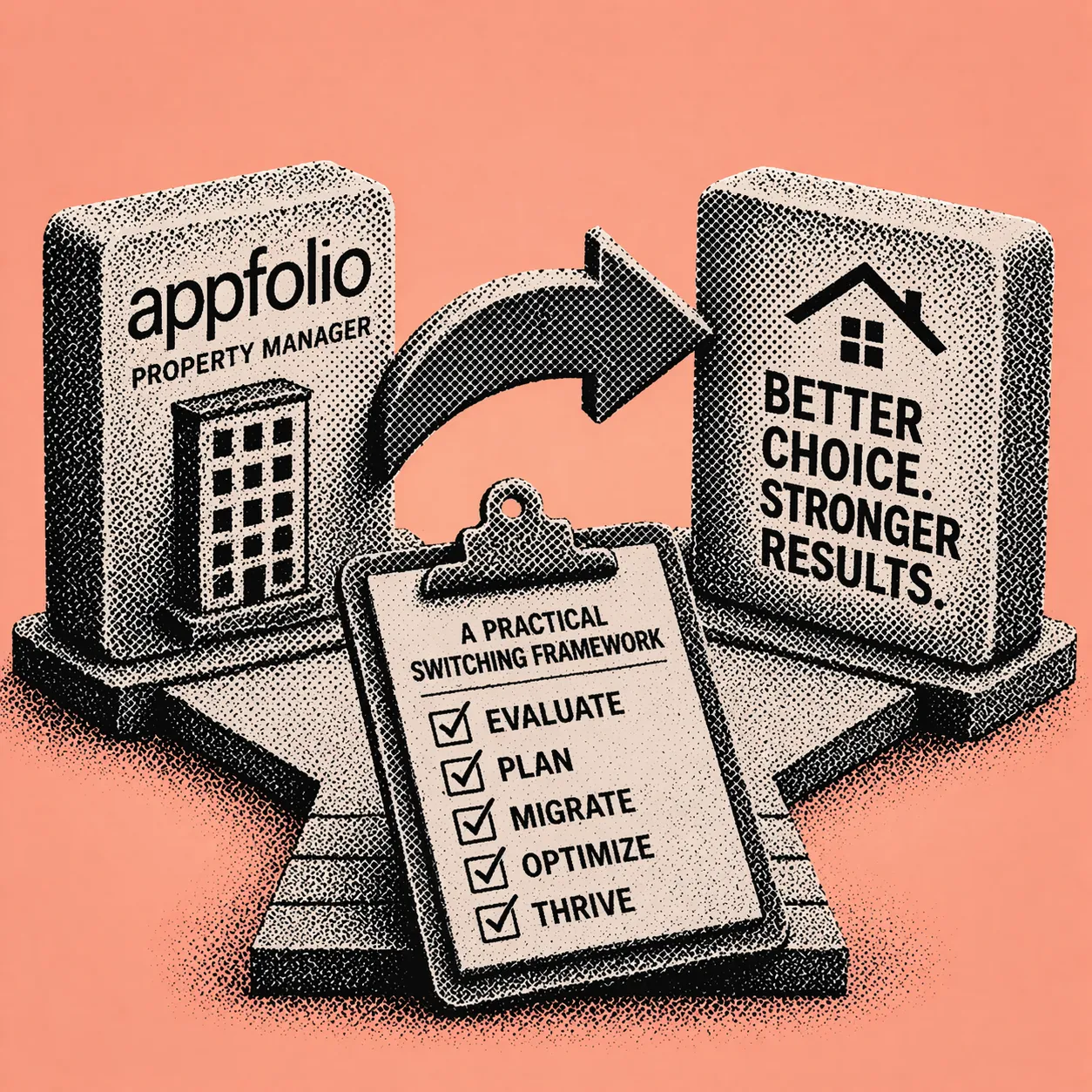
Use this to compare any platform you are evaluating. Score each category 0 to 5 and run two scores: Day-30 viability covering whether you can operate, and Year-2 advantage covering whether you gain leverage.
Economics and total cost of ownership (weight 20%): Effective cost per unit at your current count accounting for minimums. Onboarding fees, refundability, and implementation scope. Resident payment UX and fee policy. Add-on pricing transparency for screening, e-signatures, and additional modules.
Accounting and controls (weight 20%): Multi-entity and owner reporting support with journal entry flexibility. Approval workflows for accounts payable and purchasing. Audit logs and change traceability. Month-end close tooling and bank reconciliation support.
Automation and AI (weight 15%): Invoice capture and coding suggestions with exception routing. Resident communications drafting and maintenance ticketing. Delinquency and renewal workflow automation. Measurable time savings demonstrated in pilots with baseline metrics.
Reporting and business intelligence (weight 15%): Rent roll, delinquency, and performance packages that match your meeting cadence. Scheduled reports with portfolio and regional rollups. Custom dimensions without consultant work. Export and API compatibility for business intelligence tools.
Integrations and API (weight 15%): Documented API and integration ecosystem. Webhooks, rate limits, and data ownership terms. Single sign-on, permissions, and security controls.
Support and implementation (weight 15%): Named implementation manager with a written training plan and parallel run support. Support SLAs with escalation paths and live human availability. Customer references with similar unit counts and asset mix.
When does it make operational sense to switch from AppFolio?
When reporting and accounting gaps create recurring manual work, when integrations feel constrained, or when support delays create real operational risk rather than inconvenience. These are structural problems rather than temporary friction. If your team is spending significant time each week reconciling exports, building reports outside the system, or working around a limitation that has existed for more than two billing cycles, the operational cost of staying is likely higher than the switching cost.
When does it make financial sense to switch?
When minimum fees, onboarding costs, add-ons, and payment fee friction raise your effective total cost of ownership beyond the value you are receiving. The advertised per-unit price is rarely the number that matters. The number that matters is effective cost per unit at your specific unit count after minimums, multiplied by 24 months, plus onboarding, training, and the internal labor cost of working around platform limitations.
How long does a platform migration typically take?
For portfolios in the 50 to several-hundred unit range, implementations typically run six to sixteen weeks depending on data cleanliness, integration complexity, and whether a parallel accounting close is required. Your vendor should provide a written plan with specific milestones covering data migration, training, parallel run, and close process. A vendor that cannot provide a written implementation plan before signing is a support risk from Day 1.
What data should be migrated first?
Start with the minimum viable set: properties and units, residents, leases, ledgers, vendors, open balances, chart of accounts, and current-year transactions. Then bring historical documents and archives. Validate reporting outputs against your current system early in the process to avoid discovering discrepancies after the parallel run has ended.
How do you reduce disruption for residents during a platform switch?
Treat it as a change communication campaign rather than a technical task. Send clear communications before the transition, provide portal guides, and establish a transition window rather than a hard cutover. If payment flows or fee structures change, communicate early and specifically. Resident confusion about payment processes is one of the most common and avoidable sources of friction in a platform migration.
Considering a switch and want to see how Shuk handles rent collection, maintenance workflows, owner reporting, and lease renewals for your portfolio? Book a demo and run through the workflows that matter most to your operation.

For many portfolio operators, AppFolio works until it does not. The breaking points tend to cluster around a few predictable areas: total cost of ownership that climbs faster than the rent roll, reporting that cannot answer owner questions without manual exports, integration friction, and support that does not match the urgency of real operations. If any of those sound familiar, the right response is not to find something cheaper. It is to find a platform that improves throughput per staff member, closes accounting and reporting gaps, and integrates cleanly with the workflow you already run.
Pricing often triggers the search. AppFolio's advertised per-unit rate gets offset by minimum monthly fees, creating a materially higher effective cost for smaller mid-market portfolios and pushing operators toward higher tiers earlier than planned. Onboarding fees can be non-trivial and non-refundable depending on the plan. Resident ACH charges have been flagged in operator communities as a pain point that elevates complaints and reduces on-time payment rates, which turns a software cost into a resident experience problem.
Operationally, teams frequently cite reporting and accounting constraints. When you need clean trailing-12-month views, nuanced owner reporting, or auditing workflows that go beyond a general ledger summary, the limitations of a platform built for broad adoption become visible. When support is slow or heavily deflected to automated responses, the opportunity cost compounds quickly across open work orders, renewals, delinquencies, and owner requests.
The right AppFolio alternative is not the most feature-rich platform on a comparison page. It is the one that reduces operational drag while improving financial control and resident experience at a predictable cost curve.
For portfolios where AppFolio has started to show its limits, the evaluation criteria are specific. A strong alternative scales without punitive pricing cliffs as unit count grows, offers deeper accounting and auditability than a general-purpose bookkeeping layer, provides automation that measurably reduces manual work rather than just adding configuration options, delivers owner-grade reporting without requiring staff to build custom exports before every meeting, supports integrations through an open API or robust connectors, and backs all of it with responsive human support.
The property management software market has grown significantly, driven by cloud adoption and AI capabilities, and operators across portfolio sizes are under pressure to improve efficiency while managing tighter operating margins. That context makes the platform selection decision more consequential than it was in years of easier rent growth. Automation that handles unstructured inputs like emails, invoices, and resident messages and produces structured actions like tickets, coding suggestions, and drafted responses can outperform traditional rule-based automation in day-to-day operations.
Start with a 24 to 36-month total cost of ownership estimate that includes the base subscription, minimum monthly commitments, onboarding, training, add-on services, payment processing costs, and the internal labor required to work around system limitations.
For a portfolio at 150 units, an advertised per-unit rate may understate effective cost significantly once a minimum monthly fee is applied, and paid training may still be required to produce accurate owner reporting. For a portfolio at 800 units, transaction volume makes resident payment fees a retention and satisfaction issue rather than just a line item. For a multi-entity operation at 2,500 units, the software subscription cost may be flat while the internal staffing required to manage reporting workarounds, exception handling, and support delays is not.
Before comparing platforms, build a spreadsheet that converts minimums into effective per-unit cost at your current unit count and your 12-month growth projection.
Mid-market operators outgrow basic accounting quickly. The question is not whether a platform has accounting functionality. It is whether the platform natively supports your accounting model across multi-entity structures, management fees, intercompany transactions, accrual preferences, audit logs, and consistent reporting across asset classes.
For an operator managing third-party portfolios, owners will expect consistent trailing-12 packages by property and portfolio. If the ops team is spending days exporting and reconciling custom views before every owner report cycle, that is a structural accounting limitation rather than a workflow problem. For a mixed commercial and multifamily portfolio, different rent schedules, CAM reconciliations, and owner statement structures require configurable reporting models rather than a one-size template builder.
Require any vendor you evaluate to produce a trailing-12-month output in the demo using your chart of accounts and your reporting format, not mock data. Ask to see immutable logs, approval chains, and exception handling such as duplicate invoice detection. If the vendor cannot demonstrate it, plan to build manual controls outside the system.
Automation should reduce cycle time and increase consistency. The automation roadmap must be realistic: identify the two or three workflows that would deliver measurable savings in the first 30 to 90 days and verify those specifically rather than buying a general automation capability.
For an accounts payable bottleneck, measure minutes per invoice and exception rate before and after. For a resident communications overload, track deflection rate and time to first response. For delinquency workflows, confirm that the platform supports conditional sequences from reminder through escalation with approvals for sensitive notices. The workflows that create real return on investment are the ones that handle partial payments, mid-month move-ins, and portfolio exceptions without breaking the ledger or requiring manual correction.
Reporting is where AppFolio alternatives most frequently win or lose an evaluation. The problem is not that AppFolio has no reports. It is that the reporting is not adaptable to the way a specific operation runs its business.
For weekly asset meetings, a COO needs occupancy, bad debt, work order aging, turns, renewals, and leasing velocity by region and by manager in a single dashboard. For owner portals, owners expect transparent performance updates without emailing the management team. For regulatory and policy changes, the team needs to add new report dimensions without consultant hours or fragile spreadsheet workarounds.
Require role-based dashboards, scheduled automated delivery, and exportable packs. Confirm that owner portals support standardized packages plus ad hoc drill-down without exposing sensitive resident data.
Even an all-in-one platform will integrate with identity systems, access control, marketing tools, business intelligence, banking, screening, and maintenance vendors. Before evaluating integration claims, map the integrations that are non-negotiable and require a working proof of each during the trial rather than a promise that it exists.
For a business intelligence team that needs stable exports for a data warehouse, insist on documented APIs and clear data ownership terms, and validate rate limits and webhooks. For an operation that wants to keep best-of-breed tools in specific categories, map which integrations are two-way syncs and which are one-time data pushes. For a portfolio growing through acquisition, ask specifically how the vendor handles multi-portfolio onboarding, data normalization, and entity management at scale.
Switching is less about features and more about execution. Platforms that win demos can lose on Day 30 if migration, accounting stabilization, and support are not strong enough.
Require a written implementation plan with specific milestones covering data migration, parallel accounting run, close process, and user training before signing. For frontline staff who are resistant to new systems, prioritize platforms with modern interfaces and role-tailored workflows, and identify department champions before rollout begins. For resident-facing changes including portal migrations and payment flow updates, treat resident communication as a dedicated project workstream with clear FAQs and a transition window.
Support quality during normal operations and support quality during time-sensitive incidents are meaningfully different things to evaluate. Ask specifically about escalation paths and live human availability, and test it during the trial period by submitting questions that require substantive answers rather than documentation links.
Use this to compare any platform you are evaluating. Score each category 0 to 5 and run two scores: Day-30 viability covering whether you can operate, and Year-2 advantage covering whether you gain leverage.
Economics and total cost of ownership (weight 20%): Effective cost per unit at your current count accounting for minimums. Onboarding fees, refundability, and implementation scope. Resident payment UX and fee policy. Add-on pricing transparency for screening, e-signatures, and additional modules.
Accounting and controls (weight 20%): Multi-entity and owner reporting support with journal entry flexibility. Approval workflows for accounts payable and purchasing. Audit logs and change traceability. Month-end close tooling and bank reconciliation support.
Automation and AI (weight 15%): Invoice capture and coding suggestions with exception routing. Resident communications drafting and maintenance ticketing. Delinquency and renewal workflow automation. Measurable time savings demonstrated in pilots with baseline metrics.
Reporting and business intelligence (weight 15%): Rent roll, delinquency, and performance packages that match your meeting cadence. Scheduled reports with portfolio and regional rollups. Custom dimensions without consultant work. Export and API compatibility for business intelligence tools.
Integrations and API (weight 15%): Documented API and integration ecosystem. Webhooks, rate limits, and data ownership terms. Single sign-on, permissions, and security controls.
Support and implementation (weight 15%): Named implementation manager with a written training plan and parallel run support. Support SLAs with escalation paths and live human availability. Customer references with similar unit counts and asset mix.
When does it make operational sense to switch from AppFolio?
When reporting and accounting gaps create recurring manual work, when integrations feel constrained, or when support delays create real operational risk rather than inconvenience. These are structural problems rather than temporary friction. If your team is spending significant time each week reconciling exports, building reports outside the system, or working around a limitation that has existed for more than two billing cycles, the operational cost of staying is likely higher than the switching cost.
When does it make financial sense to switch?
When minimum fees, onboarding costs, add-ons, and payment fee friction raise your effective total cost of ownership beyond the value you are receiving. The advertised per-unit price is rarely the number that matters. The number that matters is effective cost per unit at your specific unit count after minimums, multiplied by 24 months, plus onboarding, training, and the internal labor cost of working around platform limitations.
How long does a platform migration typically take?
For portfolios in the 50 to several-hundred unit range, implementations typically run six to sixteen weeks depending on data cleanliness, integration complexity, and whether a parallel accounting close is required. Your vendor should provide a written plan with specific milestones covering data migration, training, parallel run, and close process. A vendor that cannot provide a written implementation plan before signing is a support risk from Day 1.
What data should be migrated first?
Start with the minimum viable set: properties and units, residents, leases, ledgers, vendors, open balances, chart of accounts, and current-year transactions. Then bring historical documents and archives. Validate reporting outputs against your current system early in the process to avoid discovering discrepancies after the parallel run has ended.
How do you reduce disruption for residents during a platform switch?
Treat it as a change communication campaign rather than a technical task. Send clear communications before the transition, provide portal guides, and establish a transition window rather than a hard cutover. If payment flows or fee structures change, communicate early and specifically. Resident confusion about payment processes is one of the most common and avoidable sources of friction in a platform migration.
Considering a switch and want to see how Shuk handles rent collection, maintenance workflows, owner reporting, and lease renewals for your portfolio? Book a demo and run through the workflows that matter most to your operation.

{
"@context": "https://schema.org",
"@type": "FAQPage",
"mainEntity": [
{
"@type": "Question",
"name": "When does it make operational sense to switch from AppFolio?",
"acceptedAnswer": {
"@type": "Answer",
"text": "When reporting and accounting gaps create recurring manual work, when integrations feel constrained, or when support delays create real operational risk rather than inconvenience. If your team is spending significant time each week reconciling exports, building reports outside the system, or working around a limitation that has existed for more than two billing cycles, the operational cost of staying is likely higher than the switching cost."
}
},
{
"@type": "Question",
"name": "When does it make financial sense to switch from AppFolio?",
"acceptedAnswer": {
"@type": "Answer",
"text": "When minimum fees, onboarding costs, add-ons, and payment fee friction raise your effective total cost of ownership beyond the value you are receiving. The advertised per-unit price is rarely the number that matters. The number that matters is effective cost per unit at your specific unit count after minimums, multiplied by 24 months, plus onboarding, training, and the internal labor cost of working around platform limitations."
}
},
{
"@type": "Question",
"name": "How long does a platform migration typically take?",
"acceptedAnswer": {
"@type": "Answer",
"text": "For portfolios in the 50 to several-hundred unit range, implementations typically run six to sixteen weeks depending on data cleanliness, integration complexity, and whether a parallel accounting close is required. Your vendor should provide a written plan with specific milestones covering data migration, training, parallel run, and close process."
}
},
{
"@type": "Question",
"name": "What data should be migrated first when switching property management platforms?",
"acceptedAnswer": {
"@type": "Answer",
"text": "Start with the minimum viable set: properties and units, residents, leases, ledgers, vendors, open balances, chart of accounts, and current-year transactions. Then bring historical documents and archives. Validate reporting outputs against your current system early in the process to avoid discovering discrepancies after the parallel run has ended."
}
},
{
"@type": "Question",
"name": "How do you reduce disruption for residents during a platform switch?",
"acceptedAnswer": {
"@type": "Answer",
"text": "Treat it as a change communication campaign rather than a technical task. Send clear communications before the transition, provide portal guides, and establish a transition window rather than a hard cutover. If payment flows or fee structures change, communicate early and specifically. Resident confusion about payment processes is one of the most common and avoidable sources of friction in a platform migration."
}
}
]
}
Shuk helps landlords and property managers get ahead of vacancies, improve renewal visibility, and bring more predictability to every lease cycle.
Book a demo to get started with a free trial.
.webp)
Security deposit laws by state govern how much a landlord can collect, how the money must be held, what deductions are permitted, and the exact deadline for returning the deposit with a written itemization after a tenant moves out. The rules vary significantly across jurisdictions, and the consequences for noncompliance are not limited to returning the deposit. Many states impose multiplier damages of two to three times the withheld amount, plus attorney fees, for late returns or improper deductions. In states like Massachusetts, Hawaii, and Georgia, technical violations of the process can trigger these penalties even when the underlying damage claim is legitimate.
This guide is part of the compliance and legal hub for independent landlords.
This guide covers the core compliance framework, a state-by-state reference for landlords managing properties across multiple markets, and a repeatable workflow that reduces the most common failure points: missed deadlines, improper labeling, insufficient documentation, and missing required notices.
Security deposit compliance in every state reduces to seven questions. Knowing the answer for each jurisdiction where you operate is the foundation of a defensible deposit process.
How much can you collect? Some states cap deposits at one month's rent. California generally limits most landlords to one month's rent as of July 1, 2024, following passage of AB 12. Connecticut caps deposits at two months' rent but only one month for tenants 62 or older. Hawaii limits deposits to one month's rent plus a separate one-month pet deposit. States with no cap include Florida, Georgia, Idaho, Indiana, Louisiana, and Minnesota.
Deposit terms must align with your lease — see the lease agreement legal requirements guide to confirm your deposit clause is correctly worded and within the applicable cap.
Can any portion be non-refundable? Many states prohibit calling a charge a "non-refundable deposit," treating it instead as a refundable deposit regardless of how it is labeled. California generally bans non-refundable deposits. Massachusetts does the same. States like Alabama and Florida allow non-refundable fees if they are clearly labeled as fees rather than deposits, describe what they cover, and do not circumvent applicable caps.
Where must the money be held? Several states require deposits to be held in a separate escrow or interest-bearing account. Connecticut, Massachusetts, Maine, and Illinois for covered buildings all impose escrow or segregated account requirements. Florida requires the deposit to be held in a Florida bank escrow account, an interest-bearing account, or covered by a surety bond.
Do you owe interest? Massachusetts requires interest at 5% or the prevailing bank rate. Minnesota requires 1% simple interest annually beginning after the first month. Maryland requires interest at a minimum rate tied to Treasury yields. Connecticut requires interest at the Banking Commissioner rate. Some states impose interest only at the local level, meaning a property in one city may have obligations that a property in another city does not.
What deductions are permitted? Nearly every state allows deductions for unpaid rent and damages beyond ordinary wear and tear. The documentation requirements for those deductions vary significantly. California requires an itemized statement with receipts within 21 days. Massachusetts requires strict documentation with limited categories. The most common dispute is cleaning charges, which are generally limited to restoring the unit to the move-in level of cleanliness rather than covering routine turnover.
When must you itemize? Deadlines vary from 14 days in Hawaii to 45 days in Indiana, with most states falling between 21 and 30 days. Missing the deadline by even one day can forfeit the right to any deductions in some states, regardless of how legitimate the underlying damage claim is.
When must you refund? Many states combine the itemization and refund deadline into one rule. Others, like Florida, use a split timeline: return within 15 days if no claim, or send notice of the claim within 30 days if deductions apply. The clock in many states begins when the tenant provides a forwarding address, making collection of that address a required step in the move-out process.
Step 1: Classify charges correctly. Clearly distinguish security deposits from non-refundable fees in the lease. In states that prohibit non-refundable deposits, any amount labeled as a deposit will be treated as refundable regardless of what the lease says. In states that permit fees, the fee must be clearly labeled, must describe what it covers, and must not function as a way to collect more than the applicable cap.
Step 2: Set a state-compliant deposit amount. Maintain a written policy for each state or city where you operate covering the maximum deposit, any pet deposit rules, and any local ordinance overlays. California's one-month cap applies at the state level for most landlords as of July 1, 2024, but some cities impose additional requirements. Boise, Idaho, adopted a local ordinance effective January 2024 requiring a separate account and interest, a rule that does not apply statewide in Idaho.
Step 3: Handle the money correctly. Place the deposit in the required account structure before the lease begins. Provide any required notices about where the deposit is held. Florida requires written notice of the holding method within 30 days. Michigan requires a receipt. Illinois requires a segregated interest-bearing account for buildings with five or more units and a receipt for each deposit. These process steps are separate from the deposit amount itself and create independent liability when missed.
Step 4: Document unit condition before move-in and at move-out. The strongest protection in any deposit dispute is a signed move-in inspection form with dated photographs and a matching move-out inspection with the same documentation. The comparison between the two establishes the baseline for what constitutes damage beyond ordinary wear and tear. Without that documentation, most damage claims become a credibility dispute rather than a documented fact.
Step 5: Hit the deadline. Build the deposit refund process around the move-out date, not the date repairs are complete. Start the inspection the day possession is returned. Draft the itemization using the documented damages and collect invoices. Mail or deliver the refund and itemization with proof of delivery before the statutory deadline for your state. In Hawaii that deadline is 14 days. In California it is 21 days. In Minnesota it is 21 days plus accrued interest. In Indiana it is 45 days from receiving the forwarding address. The deposit refund process runs on a separate timeline from any eviction action — see the eviction process basics guide for how post-eviction obligations are sequenced.
The entries below summarize the most operationally important rules for each state. Always confirm current requirements through official state sources or qualified counsel, and check for local ordinance overlays in cities where you operate.
Alabama. Cap of one month's rent, with additional amounts permitted for pets or increased liability. Non-refundable fees are allowed if clearly labeled. No separate account or interest required. Refund and itemization due within 35 days. Wrongful withholding can trigger double the deposit plus attorney fees.
Alaska. Cap of two months' rent, or three months if monthly rent exceeds $2,000. Requires a separate bank account or surety bond. Interest owed at the account rate. Deadlines are 14 days if no deductions, 30 days if deductions apply. Wrongful withholding can trigger double damages.
Arizona. Cap of 1.5 months' rent. Non-refundable charges allowed only if designated in writing. Deposits should not be commingled unless a surety bond is posted. Interest not required. Itemization and refund due within 14 days. Bad-faith retention can result in the deposit plus twice the withheld amount.
Arkansas. Applies to landlords with six or more units. Cap of two months' rent. Non-refundable fees are treated as refundable deposits. No escrow or interest requirement. Refund and itemization due within 60 days. Willful withholding can trigger double damages.
California. One month's rent cap for most landlords as of July 1, 2024, with a limited exception for qualifying small landlords. Non-refundable deposits not allowed. Interest generally not required statewide but some cities require it. Itemized statement with receipts due within 21 days. Bad-faith retention can trigger up to two times the deposit in additional damages.
Colorado. Generally up to two months' rent. No statewide escrow or interest requirement. Refund due within 30 days, extendable to 60 days if the lease provides for it. Willful violations can trigger treble damages and attorney fees.
Connecticut. Two months' rent cap, one month for tenants 62 or older. Deposits must be held in a separate escrow account at a Connecticut financial institution. Interest required at the Banking Commissioner rate. Refund and itemization due within 30 days or 15 days after receipt of the forwarding address, whichever is later. Failure to return on time can trigger double damages plus interest.
Delaware. One month's rent for annual leases. Non-refundable fees for pets or cleaning allowed if in writing. Deposits must be held in escrow at a Delaware bank with disclosure of location. Interest owed at the legal rate if held at least one year. Itemization and refund due within 20 days. Wrongful retention can trigger double the deposit.
District of Columbia. Generally limited to one month's rent. Must be held in a DC escrow account with disclosure of the bank name. Interest required at the federal savings account rate, paid annually or at tenancy end. Refund and itemization due within 30 days, extendable to 45 days if repairs are ongoing. Willful violations can trigger double damages plus attorney fees.
Florida. No statewide deposit cap. Must be held in a Florida bank escrow account, interest-bearing account, or via surety bond, with written notice of the holding method within 30 days. Interest not required to be paid to tenants. If claiming deductions, notice of the claim must be sent within 30 days. If no claim, refund due within 15 days. Bad-faith retention can trigger deposit liability plus court costs.
Georgia. No statewide cap. Landlords with more than 10 units must hold deposits in escrow or post a surety bond and provide written notice of the bank. Interest not required. Move-out checklist and itemization required. Refund and itemized list due within 30 days. Penalties can reach triple damages plus attorney fees.
Hawaii. Cap of one month's rent plus a separate one-month pet deposit. Itemization and refund due within 14 days. Non-refundable fees must be listed separately and count toward the cap. Willful violations can trigger up to triple damages plus attorney fees.
Idaho. No statewide cap. Non-refundable fees permitted if separate from the deposit. Check for Boise's local ordinance requiring a separate account and interest for properties within city limits. Itemization and refund due within 21 days, extendable to 30 days if the lease specifies. Penalties can reach triple damages for malicious violations.
Illinois. No statewide cap, but handling requirements are strict for covered landlords. Buildings with five or more units must generally hold deposits in segregated interest-bearing accounts and provide receipts. Interest owed for deposits held over six months. Itemized statements due within 30 days, refund due within 45 days if deductions apply. Penalties can include double damages plus attorney fees.
Indiana. No cap. No escrow or interest requirement. Itemization and refund due within 45 days from receipt of the forwarding address. Collect forwarding addresses in writing at move-out. Penalty exposure includes the deposit plus attorney fees.
Iowa. Cap of two months' rent. Must be held in a federally insured account. Interest owed after five years. Itemization and refund due within 30 days of receiving the forwarding address. Penalties may include double damages.
Kansas. Caps differ by unit type: one month for unfurnished, 1.5 months for furnished, plus an additional half-month for pets. Deadlines are 14 days if no deductions, 30 days if deductions apply. Penalties can include the deposit plus 1.5 times the wrongfully withheld amount.
Kentucky. No cap. Must be held in a separate bank account. Interest not required. Itemization should be delivered at move-out; refund due within 30 days from receipt of forwarding address. Penalties can include double damages.
Louisiana. No cap. No escrow or interest requirement. Itemization and refund due within one month. Penalties include the greater of $300 or twice the wrongfully withheld amount, plus attorney fees.
Maine. Cap of two months' rent, one month for tenants 62 or older. Must be held in a separate interest-bearing account or protected by surety bond, with interest credited annually. Deadline is 30 days for written leases, 21 days for tenancy-at-will. Penalties can be double damages plus legal costs.
Maryland. Cap of one month's rent for new leases effective October 1, 2024. Must be held in an interest-bearing escrow account in Maryland with disclosure within 30 days. Interest required at a minimum rate tied to Treasury yields. Refund and itemization due within 45 days. Penalties can run two to three times the deposit plus attorney fees.
Massachusetts. Cap of one month's rent. Non-refundable deposits not permitted. Must be placed in a Massachusetts escrow account within 30 days with disclosure of bank information. Interest generally at 5% or the bank rate, payable annually. Refund and itemized statement due within 30 days. Noncompliance can trigger automatic triple damages plus attorney fees.
Michigan. Cap of 1.5 months' rent. Requires a receipt. Deposits held via bank account or surety bond. Itemization and refund due within 30 days. Penalties can reach double damages.
Minnesota. No cap. Must be held in a trust account with 1% simple interest annually beginning after the first month. Non-refundable fees must not be called a deposit and must be disclosed on the first page of the lease. Refund and itemization due within 21 days, or 5 days if the unit is condemned. Penalty exposure includes up to $500 punitive damages plus attorney fees.
Mississippi. Mississippi has no statewide deposit cap and no escrow or interest requirement. Allowable deductions include unpaid rent, damages beyond ordinary wear, and lease-related charges. The refund and itemization are due within 45 days of lease termination. Failure to return the deposit within the required period can expose landlords to the full deposit amount plus reasonable attorney fees. Practical tip: collect a forwarding address at move-out in writing, as the clock is generally tied to the end of the tenancy rather than address receipt.
Missouri. Missouri caps deposits at two months' rent. No statewide escrow or interest requirement applies. Allowable deductions include unpaid rent and damages beyond normal wear. The itemized statement and refund are due within 30 days of lease termination and the tenant's vacating of the unit. Willful failure to return can result in damages up to twice the deposit plus attorney fees. Practical tip: document the move-out date separately from the lease end date, as the 30-day clock typically runs from the date the tenant actually vacates.
Montana. Montana caps deposits at the equivalent of one month's rent for unfurnished units, though pet deposits and other charges may be additional if separately documented. No statewide escrow or interest requirement applies. Allowable deductions include unpaid rent, damages, and cleaning beyond the move-in condition. The itemized statement and refund are due within 30 days of lease termination, or 10 days if no deductions are taken. Bad-faith withholding can trigger damages up to the deposit amount plus attorney fees. Practical tip: the shorter 10-day deadline for no-deduction returns rewards landlords who move quickly through the inspection process.
Nebraska. Nebraska caps deposits at one month's rent for most units, with an additional one month permitted for pets or water-filled furniture. No statewide escrow requirement, but deposits must not be commingled with operating funds in certain circumstances. Interest is not required. Allowable deductions include unpaid rent, damages, and reasonable cleaning charges. The itemized statement and refund are due within 14 days. Willful failure to comply can trigger penalties up to the deposit amount plus attorney fees. Practical tip: Nebraska's 14-day deadline is among the tighter statewide deadlines and requires an organized move-out workflow.
Nevada. Nevada caps deposits at three months' rent. No statewide escrow or interest requirement applies. Allowable deductions include unpaid rent, damages beyond ordinary wear, and reasonable cleaning charges. The itemized statement and refund are due within 30 days of lease termination. Wrongful withholding can result in the deposit amount plus damages of up to twice the deposit, plus attorney fees. Practical tip: Nevada's relatively high cap means the dollar value at stake in a dispute can be significant, making move-in and move-out documentation particularly important.
New Hampshire. New Hampshire caps deposits at one month's rent or $100, whichever is greater. Deposits must be held in a separate, interest-bearing account, and landlords must provide a receipt showing the bank, branch, and account type within 30 days. Interest accrues at the bank rate and must be paid annually or at the end of the tenancy. Allowable deductions include unpaid rent, damages, and expenses to restore the unit. The itemized statement and refund are due within 30 days. Violations can result in damages of twice the deposit plus attorney fees. Practical tip: the interest accounting obligation requires a tracking system; integrate it into your annual reconciliation to avoid errors at move-out.
New Jersey. New Jersey caps deposits at 1.5 months' rent for the initial deposit, with additional annual increases limited to 10% of the prior deposit or the cost-of-living increase, whichever is less. Deposits must be held in an interest-bearing account at a New Jersey bank, and landlords must provide the bank name, branch, and account number within 30 days and annually thereafter. Interest must be paid annually or credited to the next month's rent. The itemized statement and refund are due within 30 days. Violations can trigger the deposit plus double damages and attorney fees. Practical tip: New Jersey's annual interest and notice obligations require a recurring calendar reminder; missing the annual notice is a separate compliance failure from the refund process.
New Mexico. New Mexico caps deposits at one month's rent for leases of less than one year, and up to one month's rent for annual leases, with additional amounts possible for certain circumstances. No statewide escrow or interest requirement applies. Allowable deductions include unpaid rent, damages, and certain utility charges. The itemized statement and refund are due within 30 days of lease termination. Wrongful withholding can result in damages up to twice the deposit plus attorney fees. Practical tip: New Mexico's caps can shift based on lease term, so confirm which cap applies at lease signing rather than at move-out.
New York. New York caps deposits at one month's rent for most residential leases following the Housing Stability and Tenant Protection Act of 2019. Escrow and segregated account requirements apply to many landlords. Interest is required in some circumstances and must be credited annually or applied to the final month. The itemized statement and refund are due within 14 days of lease termination for post-HSTPA leases. Violations can trigger damages of twice the deposit plus attorney fees. New York also caps application fees at $20 or the actual cost of the screening, whichever is less. Practical tip: New York's 14-day deadline is one of the tightest in the country and requires inspecting the unit and preparing the itemization immediately after move-out.
North Carolina. North Carolina caps deposits at 1.5 months' rent for month-to-month tenancies and two months' rent for longer fixed-term leases. Deposits must be placed in a trust account at a licensed financial institution or with a licensed insurance company within 30 days, and landlords must notify the tenant in writing of the depository within 30 days. Interest is not required. Allowable deductions include unpaid rent, damages, and certain costs of re-letting. The itemized statement and refund are due within 30 days. Bad-faith failure to account can result in forfeiture of the right to keep any of the deposit plus damages and attorney fees. Practical tip: the notification of the depository within 30 days is a separate obligation from the refund process and should be triggered automatically at lease signing.
North Dakota. North Dakota caps deposits at one month's rent plus a pet deposit of up to $2,500 or two months' rent if pets are allowed. Deposits must be placed in a federally insured financial institution separate from operating funds, and landlords must provide a receipt with bank information. Interest is not required. Allowable deductions include damages beyond ordinary wear and unpaid rent. The itemized statement and refund are due within 30 days. Wrongful withholding can result in damages up to twice the deposit plus attorney fees. Practical tip: North Dakota's required bank receipt is a separate step from lease signing; include it in your move-in checklist.
Ohio. Ohio caps deposits at the equivalent of one month's rent if paid as a monetary deposit, with no cap on non-monetary security arrangements if separately documented. No statewide escrow requirement, but deposits must not be commingled. Interest is required for deposits held longer than six months at the prevailing rate, currently defined by statute. Allowable deductions include unpaid rent and damages beyond ordinary wear. The itemized statement and refund are due within 30 days. Violations can result in the deposit plus damages of twice the wrongfully withheld amount plus attorney fees. Practical tip: the interest obligation activates after six months, so integrate interest tracking into your annual accounting for tenancies that extend beyond that threshold.
Oklahoma. Oklahoma has no statewide deposit cap and no escrow or interest requirement. Allowable deductions include unpaid rent, damages, and reasonable cleaning charges. The itemized statement and refund are due within 45 days. Violations can result in an amount equal to the deposit plus damages up to $100 and attorney fees in some circumstances. Practical tip: 45 days is among the longer statewide deadlines, which provides operational flexibility, but the move-out documentation process should still begin on the day possession is returned rather than waiting until repairs are complete.
Oregon. Oregon caps deposits at an amount equal to the first month's rent plus certain fees, with the total regulated under recent legislative changes. Deposits must be placed in a trust account and landlords must provide a receipt and a written receipt for the account type. Interest is not required statewide. Allowable deductions include unpaid rent, damages, and certain cleaning costs. The itemized statement and refund are due within 31 days of lease termination. Oregon has specific rules around the "walk-through" inspection process, giving tenants an opportunity to remedy identified issues before the final deposit accounting. Violations can result in twice the deposit plus attorney fees. Practical tip: Oregon's walk-through requirement is a procedural step that, if skipped, can limit your ability to make deductions even for legitimate damage.
Pennsylvania. Pennsylvania caps deposits at two months' rent for the first year and one month's rent for each year thereafter. Deposits held for more than two years must be placed in an interest-bearing account at a financial institution, and the landlord must provide the account information. Interest accrues at the account rate after the first two years and must be paid to the tenant annually or credited against rent. Allowable deductions include unpaid rent and damages beyond ordinary wear. The itemized statement and refund are due within 30 days. Violations can result in double damages plus attorney fees. Practical tip: Pennsylvania's tiered cap means a deposit collected in year one must be reduced to one month's rent by the second year of the tenancy; building this reduction into your annual lease administration prevents overholding.
Rhode Island. Rhode Island caps deposits at one month's rent. No escrow requirement applies, but deposits should not be commingled. Interest is not required. Allowable deductions include unpaid rent, damages, and certain cleaning charges. The itemized statement and refund are due within 20 days of lease termination. Violations can result in twice the deposit amount plus attorney fees. Practical tip: Rhode Island's 20-day deadline requires a prompt move-out inspection process; assign the inspection date at the time you receive the notice to vacate rather than waiting until the tenant actually leaves.
South Carolina. South Carolina has no statewide deposit cap and no escrow or interest requirement. Allowable deductions include unpaid rent, damages, and costs of re-letting in certain circumstances. The itemized statement and refund are due within 30 days. Willful failure to return can result in damages up to three times the deposit plus attorney fees under certain circumstances. Practical tip: South Carolina's treble damages provision makes documentation of the refund delivery, including proof of mailing, particularly important.
South Dakota. South Dakota has no statewide deposit cap and no escrow or interest requirement. Allowable deductions include unpaid rent, damages beyond ordinary wear, and certain costs of re-letting. The itemized statement and refund are due within 14 days of lease termination and delivery of possession. Violations can result in the deposit plus damages equal to twice the wrongfully withheld amount. Practical tip: South Dakota's 14-day deadline is tight; schedule the move-out inspection for the day possession is returned and pre-negotiate vendor availability for turn work.
Tennessee. Tennessee caps deposits at an amount equal to the first month's rent plus a pet deposit. Landlords with more than four units must place deposits in a separate bank account. Interest is not required. Allowable deductions include unpaid rent, damages, and costs of re-letting. The itemized statement and refund are due within 30 days. Violations can result in damages up to twice the deposit plus attorney fees. Practical tip: the four-unit threshold for the separate account requirement means that small landlords adding a fifth unit trigger new handling obligations; track where you stand relative to the threshold across all owned properties.
Texas. Texas has no statewide deposit cap. No escrow or interest requirement applies. Allowable deductions include unpaid rent, damages, and certain costs of re-letting. The itemized statement and refund are due within 30 days. Texas law imposes specific penalties for bad-faith withholding: a tenant who prevails can recover three times the deposit plus reasonable attorney fees. Texas also has specific rules governing late fees, tying permissible late fee amounts to a percentage of rent that varies based on the number of units in the property. Practical tip: Texas's treble damages provision is one of the strongest penalties in the country and makes documentation of every deduction, with invoices and photographs, essential at move-out.
Utah. Utah has no statewide deposit cap and no escrow or interest requirement. Allowable deductions include unpaid rent, damages, and cleaning charges beyond ordinary wear. The itemized statement and refund are due within 30 days of lease termination. Violations can result in damages up to twice the deposit plus attorney fees. Practical tip: Utah's 30-day deadline is measured from the later of lease termination or delivery of possession, so documenting the actual move-out date separately from the lease end date affects when the clock begins.
Vermont. Vermont caps deposits at the equivalent of one month's rent for most residential tenancies. No statewide escrow or interest requirement applies, although deposits should not be commingled. Allowable deductions include unpaid rent, damages beyond ordinary wear, and certain costs of re-letting. The itemized statement and refund are due within 14 days. Violations can result in twice the deposit plus attorney fees. Practical tip: Vermont's 14-day deadline is among the tightest in the country and requires inspecting the unit and preparing the full itemization within the first week after move-out to allow time for delivery.
Virginia. Virginia caps deposits at two months' rent. Deposits must be held in a separate escrow account in a Virginia bank and landlords must provide the bank name, branch, and account number within five business days of receiving the deposit. Interest is not required. Allowable deductions include unpaid rent, damages, and certain costs of re-letting. The itemized statement and refund are due within 45 days. Violations can result in damages equal to the deposit plus attorney fees. Practical tip: Virginia's five-business-day escrow notification deadline is among the fastest in the country and should be triggered automatically at lease signing rather than handled manually.
Washington. Washington has no statewide deposit cap but has specific handling requirements and disclosure obligations. Landlords must provide a written rental agreement and checklist of the unit's condition before receiving a deposit. No statewide interest requirement applies, but some local ordinances may impose one. Allowable deductions include unpaid rent, damages, and certain costs of re-letting. The itemized statement and refund are due within 21 days. Violations can result in twice the deposit plus attorney fees. Washington also has specific requirements for the move-in checklist, and failing to provide and execute it can limit the landlord's ability to make damage-based deductions at move-out.
West Virginia. West Virginia has no statewide deposit cap and no escrow or interest requirement. Allowable deductions include unpaid rent, damages beyond ordinary wear, and certain costs of re-letting. The itemized statement and refund are due within 45 days of lease termination. Violations can result in damages equal to 1.5 times the deposit plus attorney fees under certain circumstances. Practical tip: 45 days provides operational flexibility, but delaying the inspection and documentation process until the final week creates unnecessary risk if vendors or receipts are not immediately available.
Wisconsin. Wisconsin caps deposits at an amount that is reasonable under the circumstances and does not provide a flat statewide maximum, though practical guidance from the Wisconsin DATCP frames reasonableness around market norms. Landlords must provide a completed check-in sheet or the opportunity for the tenant to complete one. No statewide escrow or interest requirement applies. Allowable deductions include unpaid rent, damages, and certain costs of re-letting, with specific rules about normal wear and tear defined by DATCP guidance. The itemized statement and refund are due within 21 days. Violations can result in twice the deposit plus attorney fees. Practical tip: Wisconsin's DATCP rules on normal wear and tear are more specific than most states and include guidance on what constitutes deductible damage; reviewing current DATCP guidance before deducting is a practical precaution.
Wyoming. Wyoming has no statewide deposit cap and no escrow or interest requirement. Allowable deductions include unpaid rent, damages beyond ordinary wear, and certain costs of re-letting. The itemized statement and refund are due within 30 days of lease termination. Violations can result in damages equal to twice the deposit plus attorney fees. Practical tip: Wyoming does not have the same volume of landlord-tenant statutory detail as many states, making documentation of the lease terms, the deposit amount, and the move-out condition particularly important as the primary evidence in any dispute.
At listing and application: Confirm the state and city maximum deposit. Check for pet deposit rules and any local ordinance overlays. Label charges correctly as deposit or fee and avoid the term "non-refundable deposit" in states that prohibit it.
At lease signing and move-in: Provide any required receipt and bank notice within the required timeframe. Place the deposit in the required account structure. Conduct and document a move-in inspection with photographs and a signed condition form.
During tenancy: Track interest accrual where required. Keep the deposit separate from operating funds. Avoid applying the deposit to rent without proper documentation and legal authority.
At move-out: Collect a forwarding address in writing. Conduct a move-out inspection with photographs using the same format as the move-in inspection. Gather invoices and receipts for all claimed deductions. Draft the itemized statement before the deposit refund deadline, not after.
Refund and itemization: Mail or deliver the refund and itemization before the statutory deadline with proof of delivery. Include any required interest. Retain a copy of the itemization, the supporting invoices, and the proof of delivery in the tenant file.
Shuk's maintenance request tracking and documentation tools create a record of every reported condition issue, vendor response, and repair completion tied to each unit. That record supports the itemized deductions at move-out by providing a documented history that distinguishes pre-existing conditions from damage caused during the tenancy.
Lease management with e-signatures stores the signed move-in inspection form and any condition-related addenda in the same place as the lease, making the documentation immediately accessible when a deposit dispute arises. Centralized communication logs preserve the messages exchanged at move-out about the forwarding address, the inspection, and the deposit timeline.
How long does a landlord have to return a security deposit?
The deadline varies by state. Hawaii requires return within 14 days. California, Minnesota, and Delaware require 21 to 20 days respectively. Florida uses a split deadline of 15 days if no claim is made, or 30 days to send notice of a claim if deductions apply. Indiana allows 45 days from receipt of the forwarding address. Missing the applicable deadline, even by one day, can forfeit the right to any deductions and trigger multiplier penalties in many states.
What counts as normal wear and tear versus damage a landlord can deduct for?
Normal wear and tear generally includes minor scuffs, small nail holes, faded paint, and carpet wear consistent with normal occupancy. Damage that exceeds normal wear includes large holes in walls, stained or burned carpet, broken fixtures, and cleaning required beyond routine turnover. California specifically frames allowable cleaning charges as restoring the unit to its move-in level of cleanliness, not covering standard turnover. Dated move-in and move-out photographs are the most effective way to support the distinction.
Do landlords have to keep security deposits in a separate bank account?
In many states, yes. Connecticut, Massachusetts, Maine, Florida for covered methods, and Illinois for buildings with five or more units all impose separate account or escrow requirements. Even in states that do not mandate separation, keeping deposits in a dedicated account reduces commingling disputes, simplifies accounting, and makes the deposit immediately accessible at move-out without disrupting operating funds.
Can a landlord keep the security deposit if a tenant breaks the lease?
Generally, a landlord can apply the deposit to actual damages including unpaid rent through the end of the lease or through the date a replacement tenant is found, depending on the state's mitigation rules. The deposit does not automatically cover the full remaining lease term. The landlord must still follow the state's itemization and refund deadline and may only retain the portion that is documented and lawfully permitted.
What are the penalties for improperly withholding a security deposit?
Penalties vary by state. Massachusetts can impose automatic triple damages plus attorney fees for noncompliance. Texas allows bad-faith withholding penalties. Georgia, Hawaii, and Alabama impose double damages. Florida can impose deposit liability plus court costs. The common pattern is that the penalty is calculated as a multiple of the withheld amount, meaning a small deposit dispute can produce a large judgment when the process is not followed.

Vacancy cost is the total economic loss incurred while a rental unit is not producing rent. It is not limited to missed rent payments. It includes turnover expenses, marketing spend, utilities carried during the vacant period, and the time spent managing the process. For landlords managing 1 to 100 units, this combined figure regularly equals two months of gross rent or more for a single 30-day gap.
Most landlords underestimate vacancy cost because they only track the most visible line item: lost rent. This guide breaks down every component of the true cost, provides a repeatable formula, and walks through a worked example so you can calculate your own exposure and benchmark it across properties.
A unit renting at $2,000 per month that sits vacant for 30 days does not simply lose $2,000. It loses rent and absorbs expenses that continue regardless of whether anyone is living there. Utilities, insurance, taxes, and HOA dues do not pause during vacancy. Make-ready costs arrive at the start of every turnover. Marketing spend is required to fill the unit. Time spent on showings, screening, and paperwork has a dollar value even when no one is paying for it.
The average multifamily unit sits vacant for more than 34 days between tenants. At that duration, the combined cost of a single vacancy on a $2,000 unit routinely exceeds $4,000 before the next lease is signed.
Lost rent is the most visible component. It is simply the daily rent rate multiplied by the number of vacant days. For a unit at $2,000 per month, that is approximately $67 per day.
Lease-up incentives are concessions offered to accelerate leasing. Free rent periods, move-in discounts, and other incentives reduce effective revenue for the new lease period. Concessions on new leases have increased in recent years and typically represent 8% or more of asking rent in competitive markets.
Turnover and make-ready expenses include cleaning, paint, lock changes, carpet cleaning, and minor repairs required to return the unit to rentable condition. These costs average several hundred to over a thousand dollars per turn depending on unit size, tenant wear, and property age.
Marketing and advertising covers listing fees, photography, and any paid promotion used to attract applicants. Even without paid ads, listing and relisting a unit takes time and may involve platform fees.
Utilities and carrying costs continue throughout the vacant period. Electricity, water, trash, insurance, property taxes, and HOA dues do not stop because the unit is empty. A typical one-bedroom unit runs $150 to $200 per month in utilities alone while vacant.
Administrative and leasing labor is the cost of your time or staff time for showings, responding to inquiries, running screening, and processing paperwork. Self-managing landlords often overlook this category entirely, but it is a real cost regardless of whether it is paid to an employee or absorbed personally.
Add all monthly expense components together to get your monthly burn rate. Then multiply by vacant days and divide by 30 to calculate cost for the specific vacancy period.
Vacancy Cost = (Lost Rent + Lease-Up Incentives + Turnover Expenses + Marketing and Ads + Utilities and Carrying Costs + Admin Labor) x Vacant Days / 30
Using conservative estimates for each category:
Lost rent over 30 days: $2,000. Lease-up incentive at 8% of asking: $160. Turnover and make-ready costs: $1,200. Marketing and advertising: $200. Utilities and carrying costs: $200. Administrative and leasing labor: $395.
Total vacancy cost: $4,155.
That is 2.1 months of gross rent lost on a single 30-day gap. The unit generated no income for one month and absorbed over $2,000 in out-of-pocket expenses in the process.
In income-producing real estate, a property's value is based on its net operating income, not on what was paid for it. When income drops, value drops in proportion to the capitalization rate applied to the property.
For a property grossing $24,000 per year with a 6% cap rate, subtracting $4,155 in vacancy cost reduces gross income by 17.3%. At a 6% cap rate, that translates to approximately $69,000 in destroyed asset value. Cutting the vacancy period in half would recapture over $34,000 of that equity.
Every day recovered is a measurable improvement to both income and asset value. That is why vacancy deserves to be tracked as a controlled metric, not accepted as an unpredictable cost of ownership.
Start renewal conversations 90 days before lease end. Proactive outreach at the 90-day mark gives landlords time to market the unit while the current tenant is still paying rent. Filling the unit before it vacates reduces downtime to near zero.
Price to current market conditions, not last year's rent. A 3% price adjustment is far less expensive than a 30-day vacancy. Use live listing comparables and traffic signals to calibrate pricing before a unit comes to market.
Tighten the turnover process. Pre-scheduling cleaners, painters, and maintenance for the first business day after move-out compresses the make-ready window from the industry average of 10 to 14 days to 3 to 5 days for landlords who treat the process as a managed project.
Automate marketing and screening where possible. Listings that go live immediately after vacancy, allow self-scheduled tours, and require complete application packets up front reduce the number of stale days in the leasing funnel.
Keep listings visible before the unit is vacant. Maintaining continuous listing visibility while a unit is occupied allows prospective tenants to discover and express interest in a property before it opens. Landlords who build a pipeline in advance fill units faster than those who start marketing at move-out.
Shuk's Lease Indication Tool polls tenants monthly beginning six months before lease end, giving landlords early renewal signals at the 120-, 90-, and 60-day marks. In early platform data, every tenant who indicated they were unlikely to renew or unsure about renewing ultimately moved out. That visibility allows landlords to begin marketing and renewal outreach before the vacancy window opens rather than after.
Shuk's year-round listing visibility keeps properties discoverable even when occupied, showing lease status and upcoming availability. Rather than starting from zero at every turnover, landlords maintain a warm pipeline between leases that compresses the time between move-out and next signed lease.
Maintenance tracking within Shuk keeps turnover tasks organized in one place, reducing the gap between keys-out and listing-live.
What is vacancy cost for a rental property?
Vacancy cost is the total economic loss incurred while a rental unit is not producing rent. It includes lost rent, turnover and make-ready expenses, marketing and advertising costs, utilities and carrying costs continued during the vacant period, lease-up incentives offered to attract tenants, and the time spent managing showings and screening. Most landlords underestimate this figure because they only track lost rent and overlook the other five components.
How do you calculate the cost of a rental vacancy?
Add the monthly totals for lost rent, turnover costs, marketing spend, utilities, incentives, and leasing labor to get a monthly burn rate. Multiply that figure by the number of vacant days and divide by 30. For a unit at $2,000 per month with typical turnover and carrying expenses, a 30-day vacancy commonly produces a total loss of $4,000 or more, equivalent to two or more months of gross rent.
How does vacancy affect rental property value?
Rental property value is based on net operating income. When vacancy reduces income, value decreases in direct proportion to the property's capitalization rate. For a property with a 6% cap rate, a $4,000 vacancy cost reduces asset value by approximately $67,000. This is why reducing vacancy days produces returns that extend beyond cash flow into equity and long-term property performance.
What is a reasonable vacancy rate for a small landlord to target?
Most underwriting models assume a 5% annual vacancy rate, which equals roughly 18 days per unit per year. Landlords who manage renewals proactively, maintain continuous listing visibility, and tighten turnover processes routinely perform below this benchmark. Tracking days-on-market per unit and comparing it to a 7 to 10 day make-ready target gives landlords a specific operational metric to improve against.
What is the most effective way to reduce vacancy days?
Starting renewal conversations 90 days before lease end is the single highest-return action most landlords can take. It preserves the option to fill the unit before it vacates entirely. Tightening the make-ready process, pricing to current market conditions rather than prior-year rents, and maintaining listings year-round rather than rebuilding from zero at each turnover each reduce vacancy days independently and compound when applied together.
Schedule a quick demo to receive a free trial and see how data-driven tools make rental management easier.
.webp)
The eviction process for landlords is a court-supervised legal procedure that terminates a tenant's right to occupy a rental property and returns possession to the landlord. The standard process moves through eight stages: serving a legally compliant pre-litigation notice, filing a complaint in the appropriate court, completing formal service of process on the tenant, attending a hearing or mediation, obtaining a judgment for possession, receiving a writ of possession, coordinating enforcement by a sheriff or constable, and completing post-eviction obligations including the security deposit, abandoned property, and recordkeeping.
A signed, legally compliant lease is the foundation of every eviction case — see the lease agreement legal requirements guide to confirm your lease covers the required provisions.
A defect at any stage, including the wrong notice type, an incorrect amount, an improper service method, or a missing document, can reset the case and add weeks or months to the timeline and cost.
This guide is part of the compliance and legal hub for independent landlords.
Eviction is not a dispute about the facts of the tenancy. It is a legal procedure where technical compliance determines whether the case moves forward or stalls. Landlords who lose eviction cases most frequently lose them not because the tenant was right, but because the notice was defective, service was improper, or the pleading was incomplete.
Filing volumes have risen in recent years, and court dockets in many jurisdictions are congested. A case that requires a second hearing because of a procedural defect may add one to three months to the vacancy period, with the rent losses and carrying costs that come with it. The most cost-effective investment in the eviction process is careful preparation before the notice is served, not after the case is filed.
Self-help eviction, meaning changing the locks, removing the tenant's belongings, or shutting off utilities without a court order, is illegal in virtually every jurisdiction and can expose the landlord to significant counterclaims and damages. The process must move through the courts.
Every eviction must rest on a legally recognized ground. The most common grounds are nonpayment of rent, material lease violation, and holdover after the lease expires. Additional grounds such as illegal activity, repeated violations, or substantial damage to the property are available in most states but require specific documentation and often a different notice type.
Before serving any notice, reconcile the rent ledger or compile the evidence for the lease violation. Confirm the specific lease clause or statutory provision the tenant has violated. For nonpayment, verify that the amount in the notice includes only what state law permits, because some states prohibit including late fees or other charges in a pay-or-quit notice. For lease violations, gather the dated incident records, photographs, and prior communications that establish the basis.
A useful discipline is assembling a grounds packet before drafting the notice: the signed lease and addenda, the rent ledger or violation evidence, prior written notices and communications, and a one-page timeline. This packet becomes the foundation of the court filing if the notice expires without compliance.
The eviction notice is the legal trigger for the process and the document most likely to contain a defect that later voids the case. Notice type, content, timing, and delivery method all have specific requirements that vary by state and sometimes by city.
Pay rent or quit notices are used for nonpayment and give the tenant a defined number of days to pay the outstanding balance or vacate. Common notice periods range from three days in Florida to five days in Illinois to fourteen days in Minnesota. The notice must state the exact amount owed; including improper charges, or stating the wrong amount, can be fatal to the case in states with strict accuracy requirements such as California.
Cure or quit notices are used for curable lease violations and give the tenant a period to correct the identified behavior before the landlord can proceed. Florida commonly uses a seven-day notice of noncompliance for curable violations.
Unconditional quit notices require the tenant to vacate without an opportunity to cure. These are generally reserved for serious or repeated violations and are available in some but not all states for specified conduct.
Termination or holdover notices are used when the lease has expired or for month-to-month tenancies. Common notice periods for month-to-month terminations are 30 to 60 days depending on state law and the length of the tenancy. Washington state has moved toward 30-day minimum termination requirements in several contexts.
Security deposit deadlines run separately from the eviction timeline — see the security deposit laws by state guide for the exact refund deadline in your state.
Deliver the notice by the method required by state law, which commonly includes personal service, substituted service with a household member, or posting and mailing in specified combinations. Keep proof of service: a photograph of a posted notice, a certified mail receipt, or a process server affidavit. A notice that cannot be proved was properly delivered is effectively no notice at all.
If the notice period expires without the tenant paying, curing the violation, or vacating, the landlord files an eviction action in the appropriate local court. This is typically a justice court, district court, housing court, or general sessions court depending on the state.
The filing packet typically includes the complaint or petition, the summons, a copy of the notice with proof of service, the lease and relevant addenda, any required affidavits such as a military status affidavit, and the ledger or itemization of amounts claimed. Use the court's official forms where available. State judiciary websites commonly provide self-help portals with current forms and procedural guidance.
File the complete packet the first time. Missing attachments or incorrect party names are among the most common causes of continuances that add weeks to the case timeline. Verify the correct legal name and unit address of every named defendant before submitting.
Filing fees vary by jurisdiction but commonly range from $100 to $400 or more, with additional costs for service.
After filing, the tenant must be formally served with the summons and complaint by a legally authorized method. This is a separate and distinct requirement from service of the pre-litigation notice. Improper service of the court papers is one of the most frequently raised defenses in eviction proceedings.
Most jurisdictions require service by a sheriff, constable, or licensed process server. Personal service, meaning direct delivery to the named defendant, is the strongest method. Substituted service by leaving documents with a suitable adult at the residence, or posting and mailing in states that permit it, is generally acceptable only under specific conditions defined by court rules.
Obtain the return or affidavit of service immediately after it is completed. Verify that every name, address, and unit number on the service documents matches the pleadings exactly. A small discrepancy in how the party is named or the address is formatted can provide grounds for a challenge.
At the hearing, the landlord's burden is to establish four elements: the right to possession, the tenant's breach of a legal duty, that proper notice was given, and that the procedural steps were followed correctly.
Come prepared with a hearing binder that includes the lease and addenda, the rent ledger, the notice with proof of service, the complaint with proof of service, photographs and maintenance records relevant to any defense the tenant may raise, and a brief script covering the elements you need to prove.
Anticipate the most common tenant defenses and prepare documentary responses. A payment dispute is rebutted with the ledger. A habitability defense is rebutted with maintenance tickets, vendor invoices, and entry notices showing timely response. An improper notice defense requires you to produce the notice itself and the proof of delivery.
Some jurisdictions require or strongly encourage mediation or diversion programs before trial, particularly for nonpayment cases where rental assistance may be available. Participating in a structured resolution attempt can improve outcomes and is mandatory in some courts.
If the landlord prevails, the court enters a judgment for possession and sometimes a money judgment for unpaid rent and costs. Winning the judgment does not immediately restore possession. The tenant remains entitled to occupy until a writ of possession is issued and enforced.
Request the writ immediately after judgment is entered. Ask the clerk or counsel what the specific next step is in that courthouse, how to request the writ, and the typical scheduling lead time for enforcement. Some jurisdictions issue writs the same day. Others have a waiting period of several days to allow the tenant to appeal or request additional time.
Tenants may seek a stay of the writ by posting a bond, appealing the judgment, or requesting additional time to move. These procedural options can extend the timeline in contested cases. Budget for this possibility when projecting total vacancy duration.
Enforcement of the writ is performed by a sheriff or constable, not by the landlord. The landlord delivers the writ to the enforcement agency, the agency posts a final notice at the property, and on the scheduled date the officer restores possession.
Contact the enforcement agency immediately after the writ is issued to schedule the lockout date. In high-volume jurisdictions, the scheduling lead time can be two to four weeks or longer. Bring a locksmith and document the unit condition with photographs immediately after possession is restored. Change locks on the same day.
Do not remove the tenant's personal property or alter the unit until after the scheduled lockout with law enforcement present. Any action to remove belongings, change locks, or prevent access before the officer-supervised lockout is a potential self-help violation.
Winning possession closes the occupancy dispute but opens the post-eviction compliance window. Several obligations must be completed promptly.
Security deposit accounting: Follow the applicable state deadline for itemizing deductions and returning the remaining balance. The eviction and the deposit handling are separate legal processes with separate deadlines. In most states the deposit clock begins when possession is returned regardless of whether the eviction was contested.
Abandoned property: Most states have specific rules governing how long the landlord must store a former tenant's belongings, what notice must be given, and how the property may be disposed of or sold. Review your state's requirements before clearing the unit.
Repairs and documentation: Document all damages with dated photographs, contractor notes, and invoices. This documentation supports both deposit deductions and any civil judgment collections.
File retention: Keep the complete eviction file, including the lease, ledger, notices, proofs of service, court orders, photographs, and communications, for at least three to five years. This file may be relevant to subsequent credit reporting, collection actions, or references.
An uncontested nonpayment case in a relatively efficient court can move from notice to lockout in approximately seven to nine weeks. Contested cases, backlogged courts, or procedural defects can extend the timeline to several months. Massachusetts, for example, has a documented eviction process that can exceed five months in contested cases.
A planning model for nonpayment:
Day 0: Rent unpaid. Ledger updated. Day 3 to 14: Pre-litigation notice served depending on state requirements. Day 8 to 19: Notice period expires. Complaint filed. Day 18 to 28: Tenant served by authorized process server. Day 30 to 45: Hearing. Day 32 to 47: Judgment entered if landlord prevails. Writ requested. Day 45 to 70: Lockout scheduled and completed depending on enforcement agency workload.
Total estimated range: seven to ten weeks in an efficient court. Budget for longer timelines in backlogged jurisdictions or contested cases.
Pre-notice grounds packet: Lease and addenda, rent ledger or violation evidence, prior notices and communications, documented timeline, confirmation of any program-specific notice requirements for federally assisted units.
Notice: Correct notice type for the grounds, correct time period for the state, exact amounts with no impermissible charges, delivery by authorized method with proof retained.
Filing packet: Complete complaint, summons, notice with proof, lease, ledger, required affidavits, filing fee receipt.
Service: Authorized process server or officer. Affidavit of service obtained and verified. All names and addresses match the pleadings.
Hearing preparation: Hearing binder with all key documents organized by element. Witness plan. Proposed judgment form if the court uses them.
Post-judgment: Writ requested immediately. Lockout coordinated with law enforcement. Possession day documentation kit prepared.
Post-eviction closeout: Security deposit itemization within the state deadline. Abandoned property compliance confirmed. Repairs documented with invoices and photographs. File retained per retention policy.
The documentation built in Shuk throughout a tenancy is often the evidence that makes an eviction case straightforward rather than contested. Maintenance request records with photo attachments and completion timestamps rebut habitability defenses. Centralized communication logs provide a dated history of every rent reminder, late notice, and written communication. Rent collection records with payment timestamps document the nonpayment history that forms the basis of the complaint.
Lease management with e-signatures creates a timestamped, archived copy of the executed lease and every addendum, making the court filing packet immediately accessible when the notice period expires.
How long does the eviction process take from notice to lockout?
In uncontested cases in courts with reasonable backlogs, the process commonly takes seven to ten weeks from service of the pre-litigation notice through the lockout. Contested cases, procedural defects, or backlogged courts can extend this significantly. Some jurisdictions such as Massachusetts have documented timelines that can exceed five months in contested proceedings. Rising filing volumes in many courts also contribute to scheduling delays for hearings and writ enforcement.
What is the most common reason eviction cases get dismissed?
Procedural defects are the most common cause: the wrong notice type for the stated ground, an incorrect amount in a pay-or-quit notice, a delivery method that does not comply with state law, or improper service of the court papers. Using official court forms from the state judiciary portal and consulting state-specific procedural guidance before filing reduces the risk of avoidable dismissals.
Can a landlord change the locks after winning an eviction judgment?
Not until a writ of possession has been issued and a law enforcement officer has executed it. The landlord should not change locks, remove belongings, or restrict access before the officer-supervised lockout regardless of what the judgment says. Taking self-help action before the writ is enforced can expose the landlord to damages claims that may exceed the original lease dispute.
What should a landlord bring to the eviction hearing?
Bring the executed lease and all addenda, the rent ledger showing all charges and payments, the pre-litigation notice with proof of delivery, the complaint with proof of service, photographs and maintenance records relevant to any anticipated defense, and a clear summary of the elements you need to establish. Organizing these documents with numbered tabs allows efficient presentation and reduces the risk that a key document is unavailable when needed.